52
Rev 4/2018
A
E
D
B
C
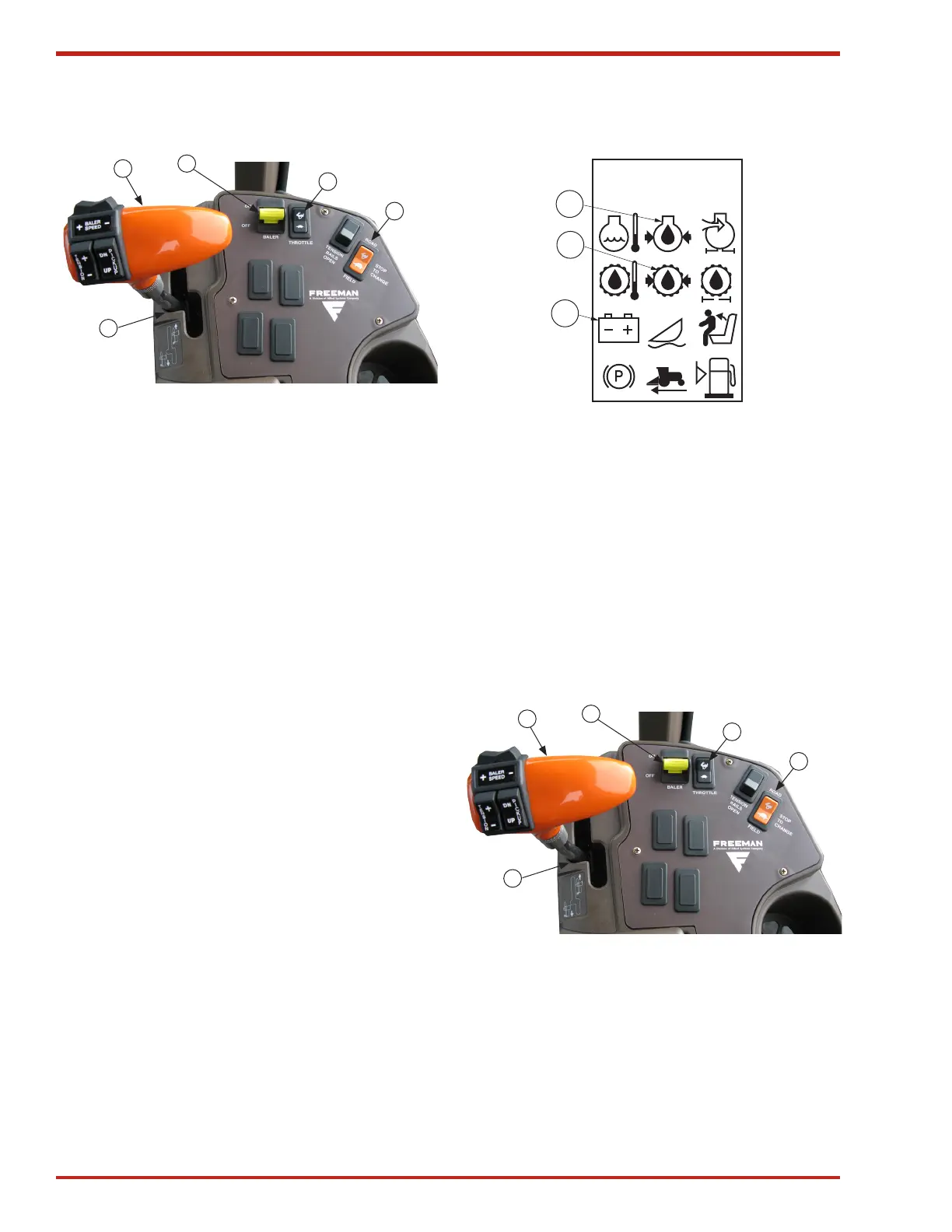
Figure 67. Arm Rest Control Panel
A. Hydrostatic drive control lever
B. Engine speed switch
C. Field/road switch
D. Baler drive
E. Neutral switch position
After Engine Starts
1. Check engine oil pressure lamp (A) as soon as
engine starts. If warning lamp is on, stop the engine
and determine the cause.
IMPORTANT! Avoid prolonged idling.
Prolonged operation at low rpm may cause
the engine coolant temperature to fall below
the normal operating temperature. This will
cause an accumulation of engine sludge
and unburned fuel in the exhaust system.
2. Increase engine speed to BALE (see Figure 67 on
page 52).
3. Check hydrostatic pressure lamp (B) and alternator
lamp (C). If warning lamps are on, stop the engine
and determine the cause.
4. Leave engine speed at mid-range, allowing the
engine to warm up.
5. Check all warning lamps with engine running. If any
lamp is on or if the audible alarm is on, turn off the
engine and determine the cause.
A
B
C
Figure 68. Warning Display Panel
A. Oil pressure lamp
B. Hydrostatic pressure lamp
C. Alternator lamp
Stopping Engine
NOTE: The hydrostatic ground drive lever
must be at rest to the left in the neutral park
position. This will engage the neutral switch
(E).
A
E
D
B
C
Figure 69. Arm Rest Control Panel
A. Hydrostatic drive control lever
B. Engine speed switch
C. Field/road switch
D. Baler drive
E. Neutral park position
OPERATING ENGINE


 To Next Page