38
Rev 4/2018
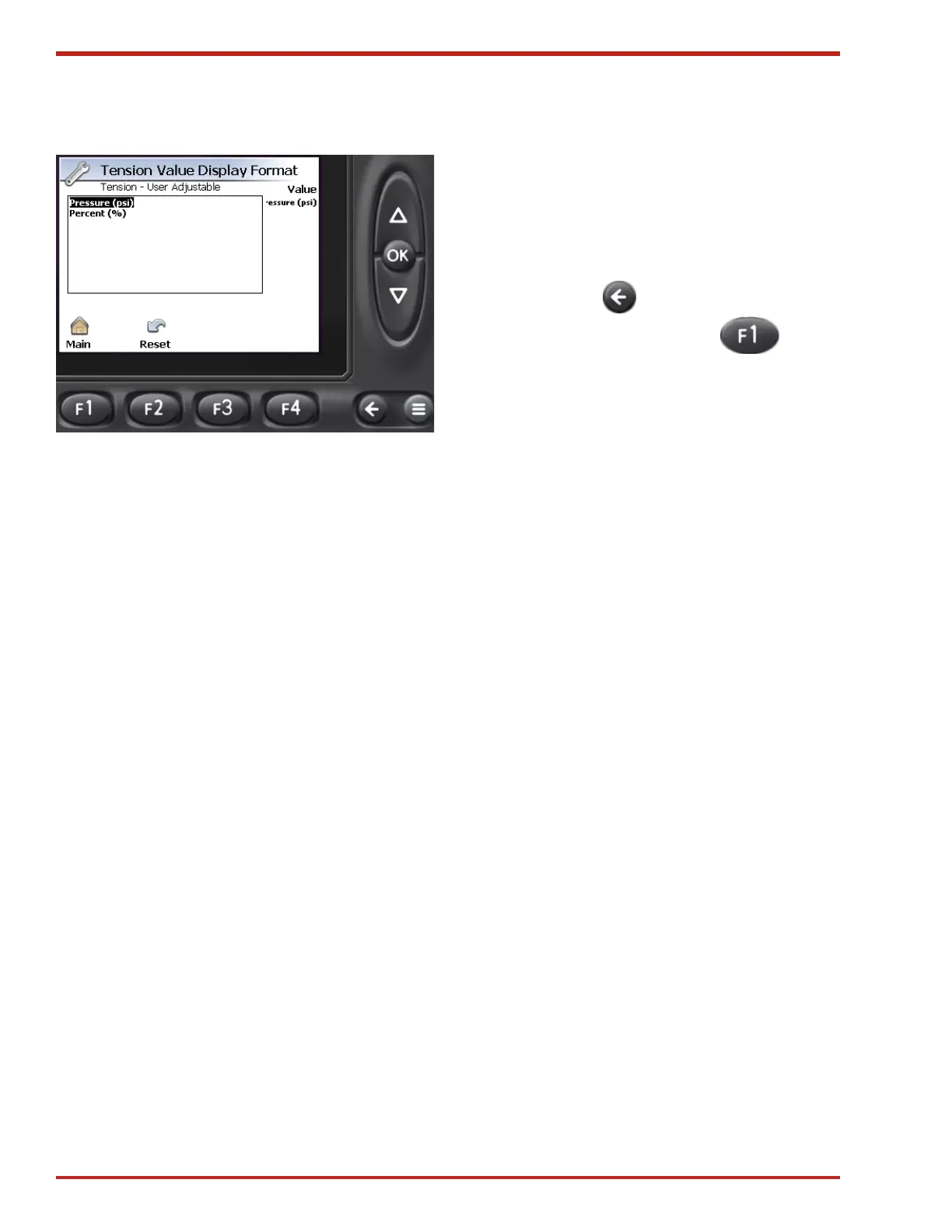
Figure 44. Tension Value Display Format Screen
Tension Value Display Format Screen
Once in the Tension Value Display Format screen
(see Figure 44) use the Up/Down Arrow buttons
to toggle between Pressure (psi) and Percent (%).
Press the OK button to accept your selection and
return to the previous screen.
Pressing F2 will reset the system to the default
value of Percent (%).
NOTE: When displayed in psi, this is a calculated
number based on the maximum 2000 psi of the
system, it is not an actual system pressure reading.
The Back button is used to return to the
previous screen, and pressing F1 will
return to the Main screen.


 To Next Page