40
Rev 4/2018
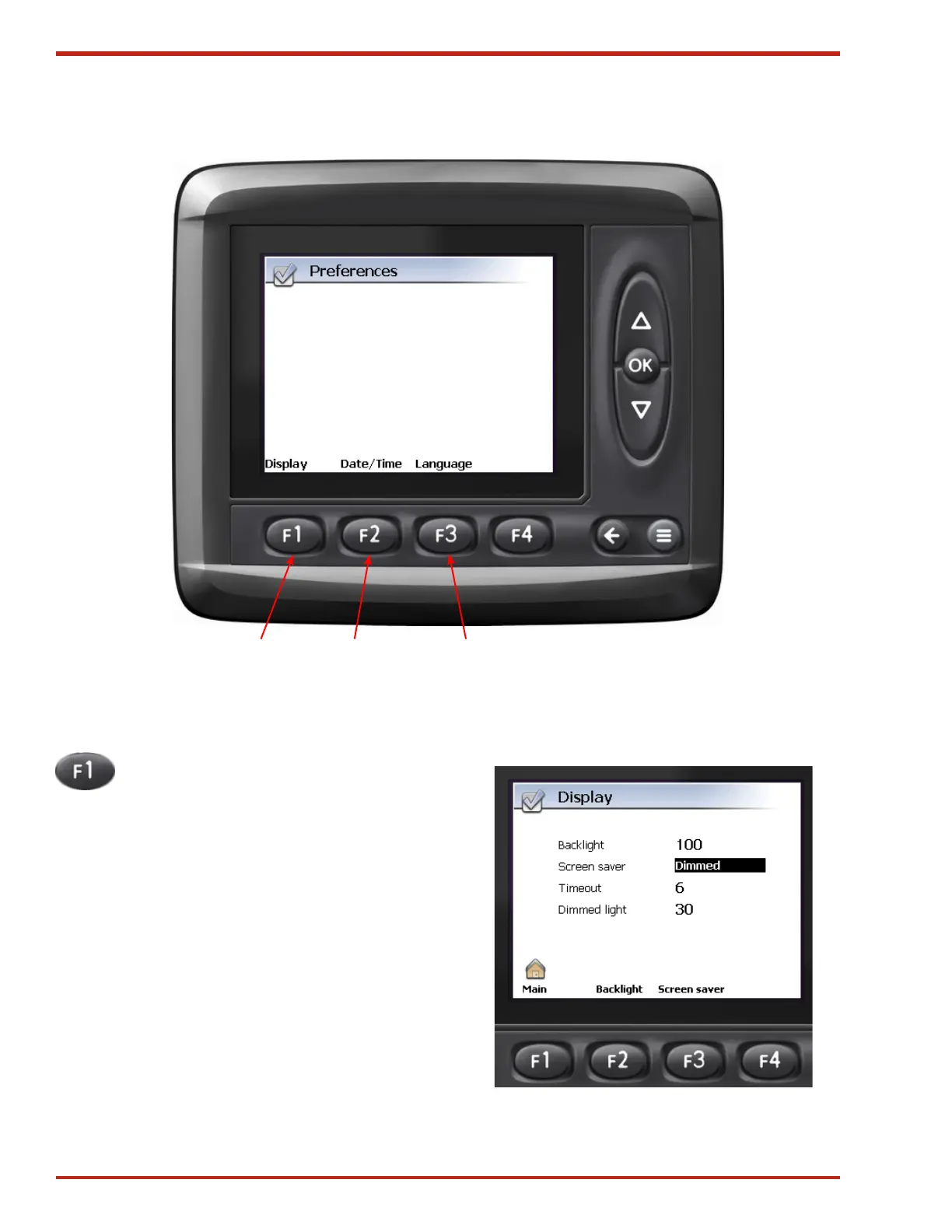
Figure 46. Preferences Screen
Figure 47. Display Screen
Preferences Screen
From the Preferences Screen, the Display, Date/
Time and Language settings can be adjusted.
1. Display Pressing F1 will bring up the
Display screen (see Figure 47). Once in
the Display screen:
Pressing F2 will highlight the Backlight setting.
When highlighted, the brightness of the back-
lighting of the display can be adjusted by using the
Up/Down arrows. Press OK to save your settings.
The range is from 10 to 100, the factory setting
is 100.
Pressing F3 will highlight the Screen saver setting.
Use the Up/Down Arrows to select one of three
settings:
• Off - no screen saver (Factory Setting).
• Dimmed - After the “Timeout” period (in
minutes), the screen will fade to the “Dimmed
light” setting until any button is pressed.
• Black - After the “Timeout” period (in minutes),
the screen will go black until any button is
pressed.
21 3



 To Next Page