22
Rev 4/2018
INSTRUMENTS AND CONTROLS
Fuel Gauge
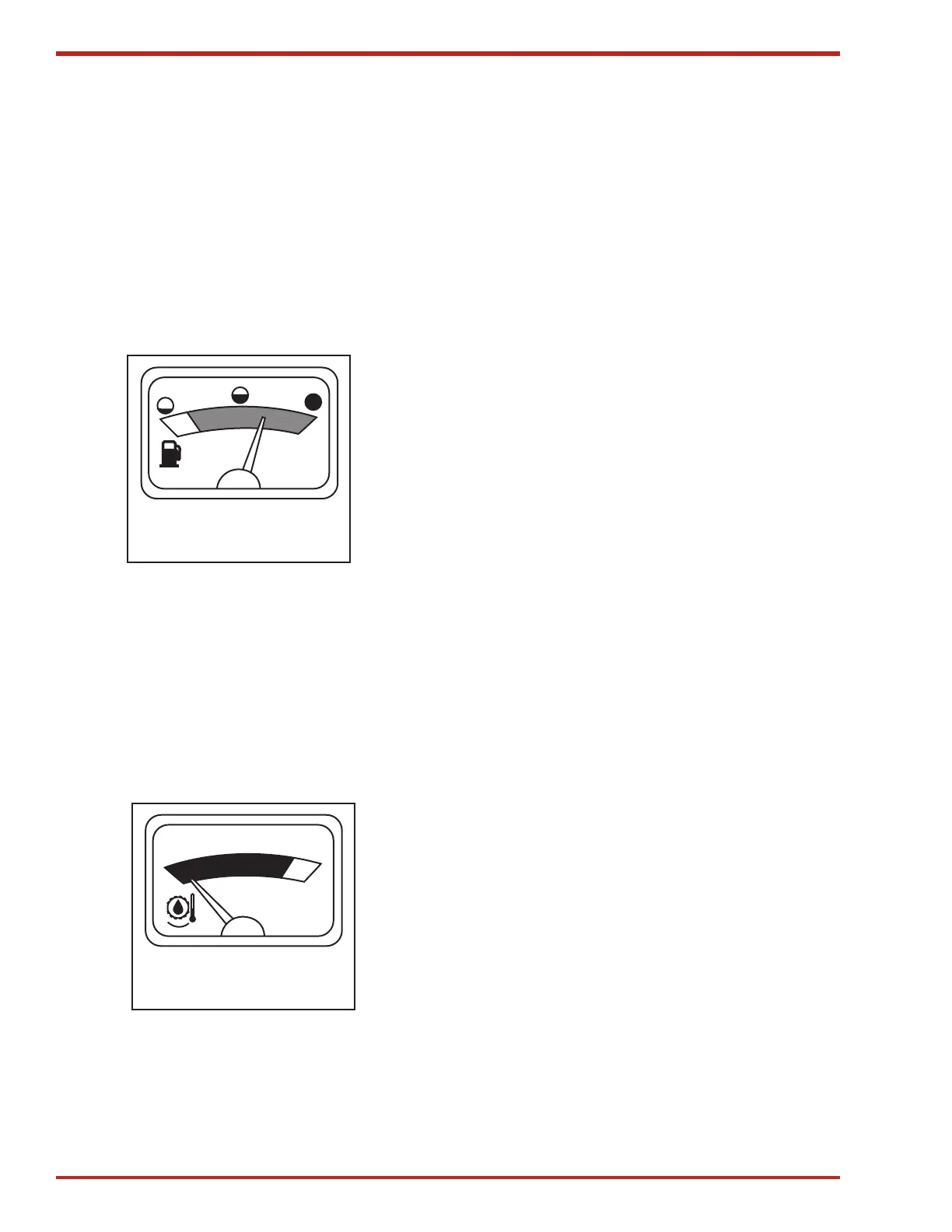
With key on, fuel gauge needle (see Figure 13)
will move to the right showing amount of fuel in
tank. Red/orange color shows low fuel. Green color
shows fuel tank 1/4 full or more.
The needle may be in any position with the key off.
Fuel tank capacity is 113 L (30 U.S. gal).
FUEL
Figure 13. Fuel Gauge
Engine Coolant Temperature Gauge
Needle should be in the black zone during opera-
tion.
If the engine temperature red light on the WARNING
DISPLAY PANEL turns on and the audible alarm
sounds, turn off engine and check problem imme-
diately.
TEMP
Figure 14. Temperature Gauge
Dual Digital Display
The dual digital display (see Figure 15) will display
one function in the upper display (H) and another
function in the lower display (K) simultaneously.
When the key is turned on, the dual digital display
will show the functions selected the last time the
baler was operated.
The dual digital display will display three different
functions on the digital displays (H) and (K): Ground
Speed (C), Engine RPM (D) and Engine Hours (B).
The tachometer is accurate within ± 10 rpm in
displaying rpm. If ground speed drops below 3/4
kph (1/2 mph) digital display shows 0.0.
The engine hour meter is accurate to ± one hour.
Only full hours are shown, but the computer
memory is updated in quarter hours.
The dual digital displays (H) and (K) will dim by
50% when the headlights are on.
Operating Dual Digital Display
NOTE: Any combination of functions may
be displayed in the upper (H) and lower (K)
displays. Ground speed (C) could be shown
in the upper display and Baler hours shown
in the lower display. The digital indicator (J)
arrow shows on which display the function
selected will be shown.
Press and hold display selector (I) until display
indicator arrow (J) is pointing at either the upper
display (H) or lower display (K).
Select function to be displayed and press symbol.
Square (A) will move to show the function displayed.
Press and hold display selector (I) until display
indicator (J) arrow is pointing at the other display.
Select function to be displayed and press symbol.
Square will move to show the function displayed.


 To Next Page