Quick Setup
29 G-TECH / Pro Competition User Guide, Release 3.1 29
1
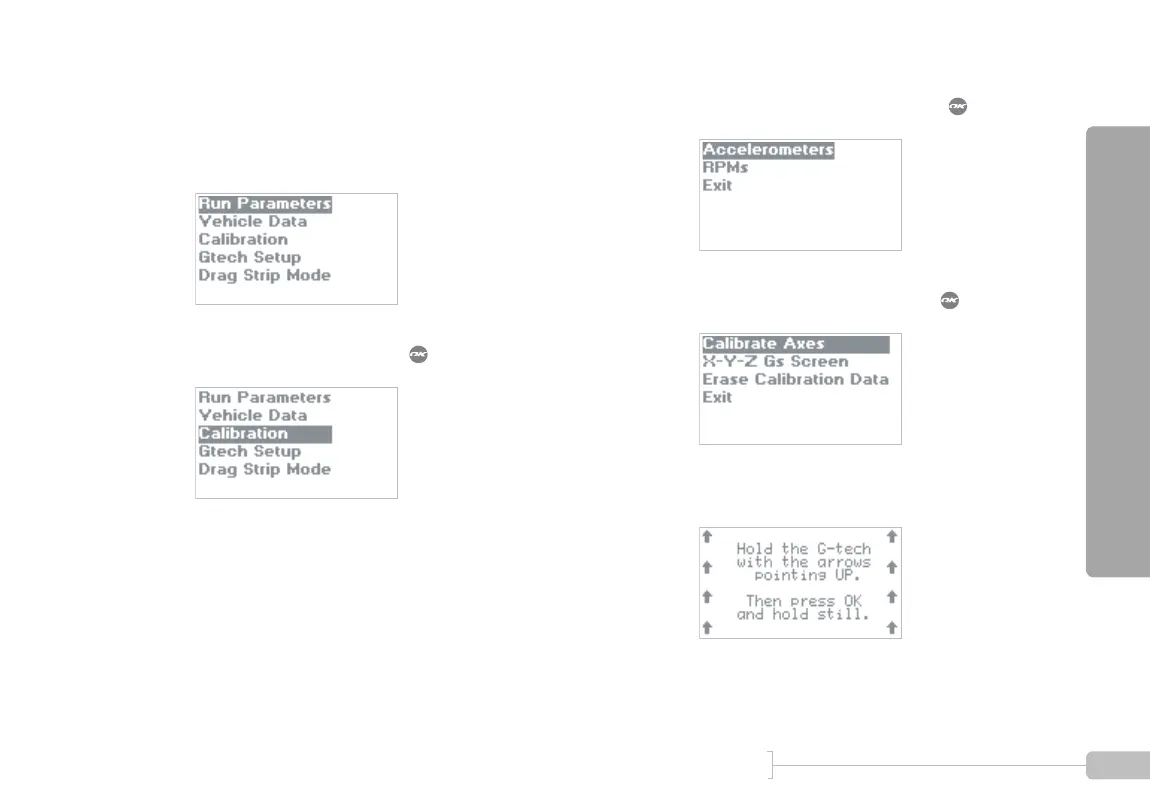
Start in Configuration Mode.
2
Select “Calibration” and press .
3
Select “Accelerometers” and press .
4
Select “Calibrate Axes” and press .
5
You will see the following screen:
Note: DO NOT CALIBRATE ACCELEROMETERS or ERASE ACCELEROMETER CALIBERATION
on G-tech units which were shipped after August 2003. They have already been calibrated in the
factory. Older G-techs will automatically request calibration. If you are unsure contact tech support.



 To Next Page