30 G-TECH / Pro Competition User Guide, Release 3.1
6
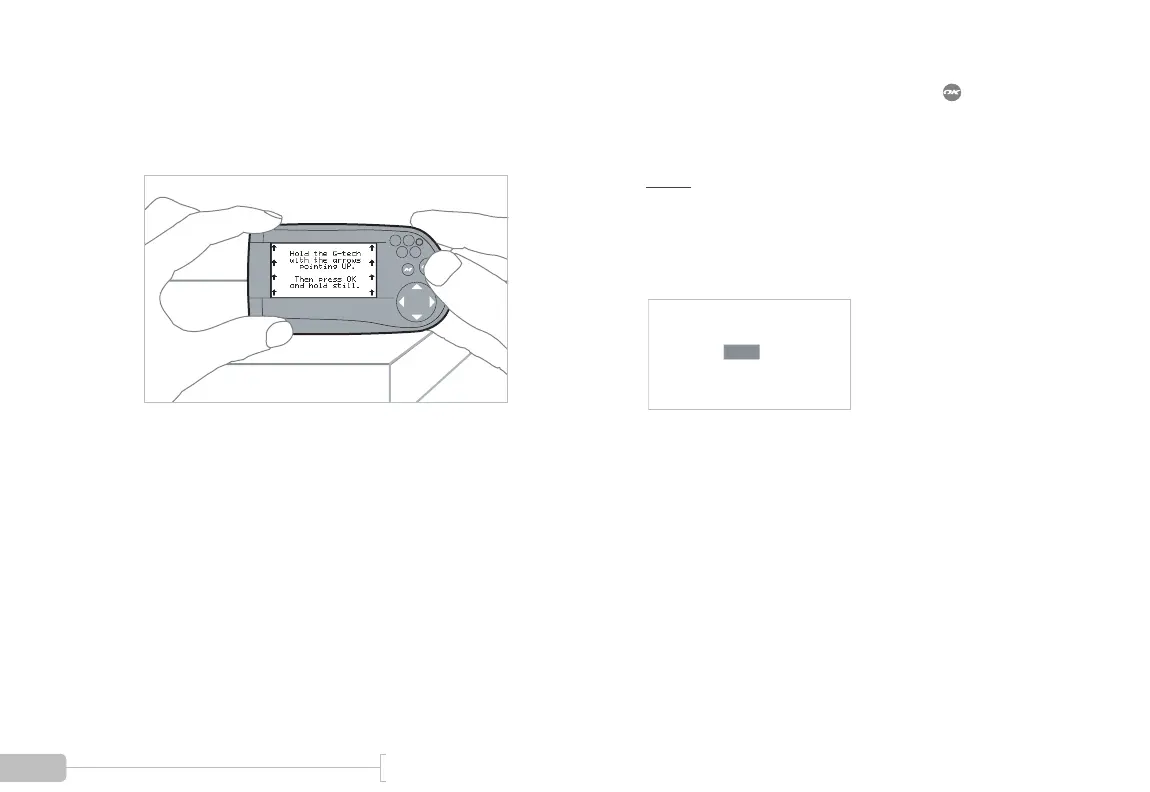
With the G-tech resting on a flat, level surface, ori-
ent it with the arrows pointing up to the sky as
shown in the picture below.
7
Hold the G-tech very still, and then press .
The G-tech will automatically move on to the next
step once it takes some measurements.
Note: If you are not holding the G-tech very still,
you will see a blinking black bar on the display as
shown below. If you see a display like this, you must
hold the G-tech very steady until the black bar goes
away.
Note: DO NOT CALIBRATE ACCELEROMETERS or ERASE ACCELEROMETER CALIBERATION
on G-tech units which were shipped after August 2003. They have already been calibrated in the
factory. Older G-techs will automatically request calibration. If you are unsure contact tech support.



 To Next Page