Analyzing Runs
91 G-TECH / Pro Competition User Guide, Release 3.1 91
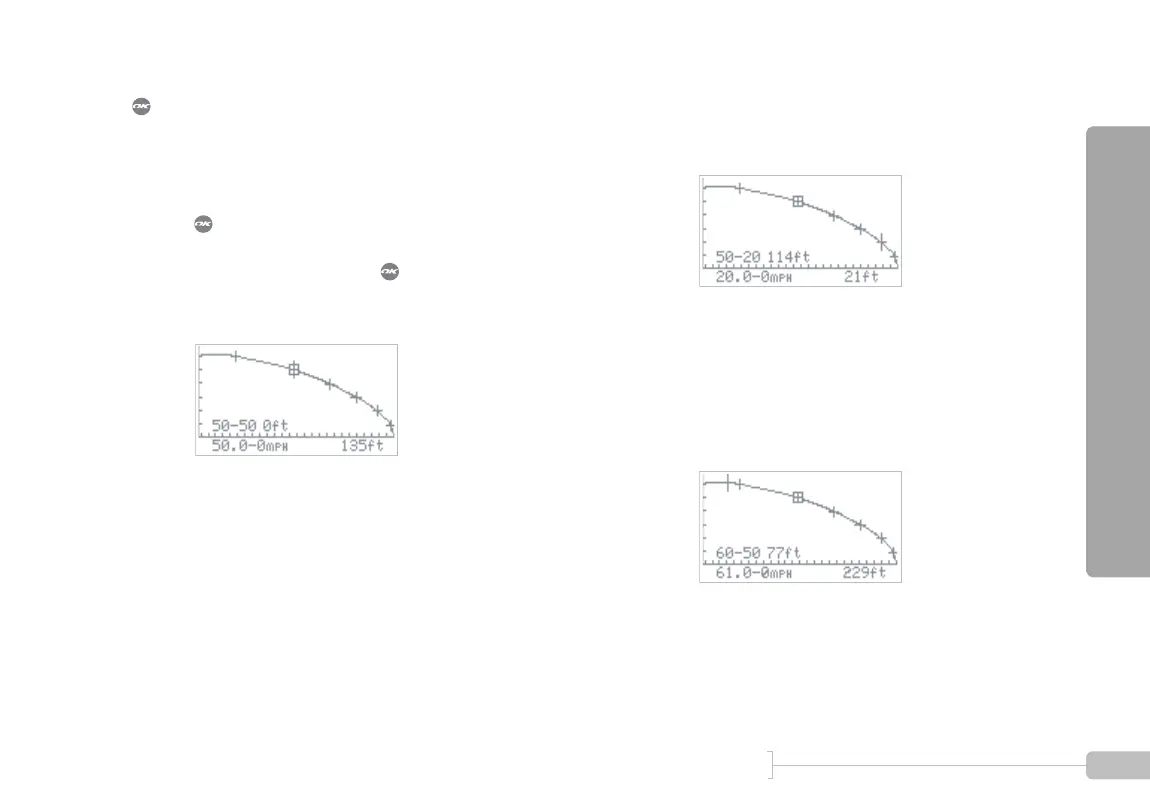
For intermediate braking results (e.g. 50-20 MPH), use the
button while on a milestone, as shown in the following
example.
1
Move the cursor to the upper milestone, and press
. In this example we will measure 50-20 MPH
braking distance, so we put the cursor on the 50
MPH milestone and press . A box appears
around the milestone, indicating that braking dis-
tance will be measured relative to 50 MPH.
2
Move the cursor to the right until it reaches the 20
MPH milestone. The G-tech displays the braking
distance from 50-20 MPH.
3
Move the cursor to the left until it reaches the 60
MPH milestone. The G-tech displays the braking
distance from 60-50 MPH.
Notice that in all cases, the bottom line of informa-
tion always reflects the braking distance from the
current cursor position to 0 MPH.



 To Next Page