page | 90
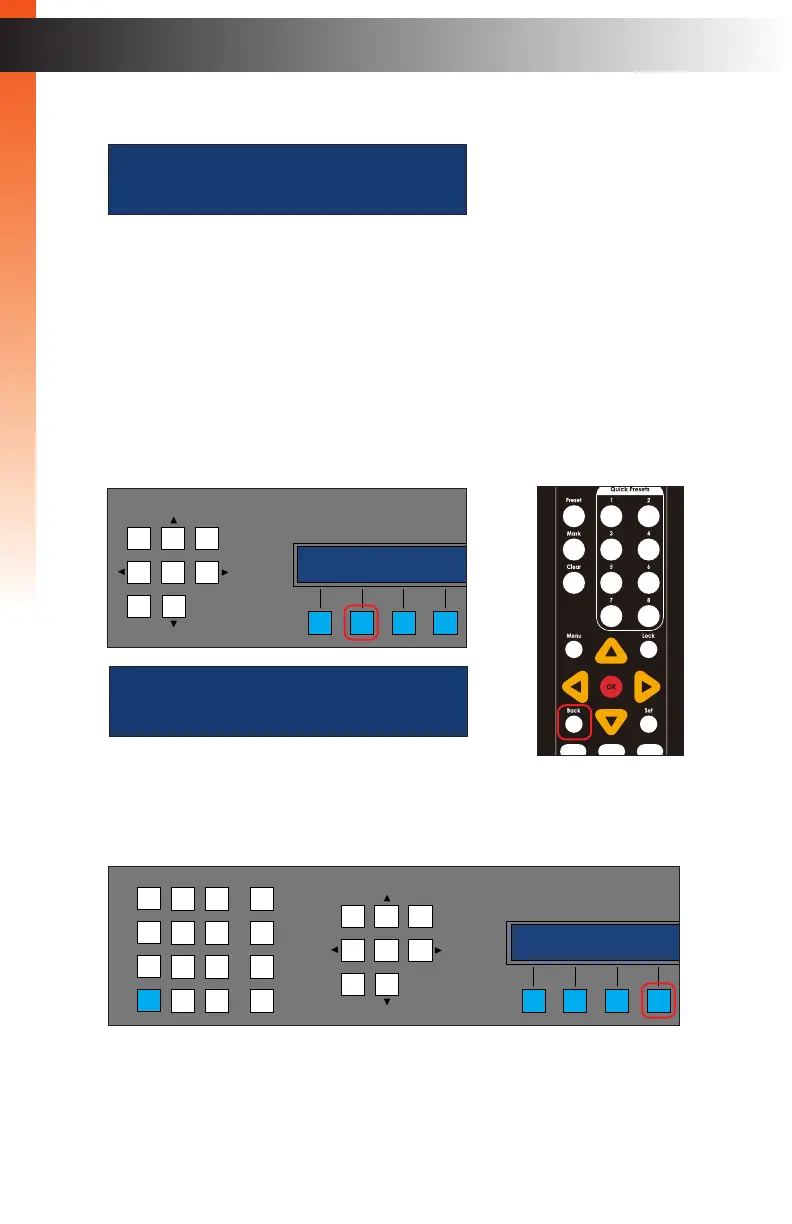
If no other outputs are available, then the following screen will be displayed.
If this is the case, press the BACK button on the front panel or on the IR remote
control to return to the route details screen.
4. Once the desired output is selected, press the SEL button on the front panel
or the OK button on the IR remote control.
5. Repeat steps 1 - 4 to continue adding outputs.
6. Press the BACK button on the front panel or on the IR remote control.
7. Press the GO button on the front panel to initialize the new routing conguration.
OR
LAN
POE
5V DC
1 2
Matrix Controller
Status
Menu
1 2 3
4 5 6
7 8 9
In 0 Out Set
Clear
Mask
Preset
Back
OK
Lock
sony xbr4
(( BACK SEL ))
Basic Operation
Basic Operation
Menu System
no remaining outputs
back
route details
in out add GO
LAN
POE
5V DC
1 2
Matrix Controller
Status
Menu
1 2 3
4 5 6
7 8 9
In 0 Out Set
Clear
Mask
Preset
Back
OK
Lock
route details
in out add GO


 To Next Page
 Loading...
