page | 149
Basic Operation
Web Interface
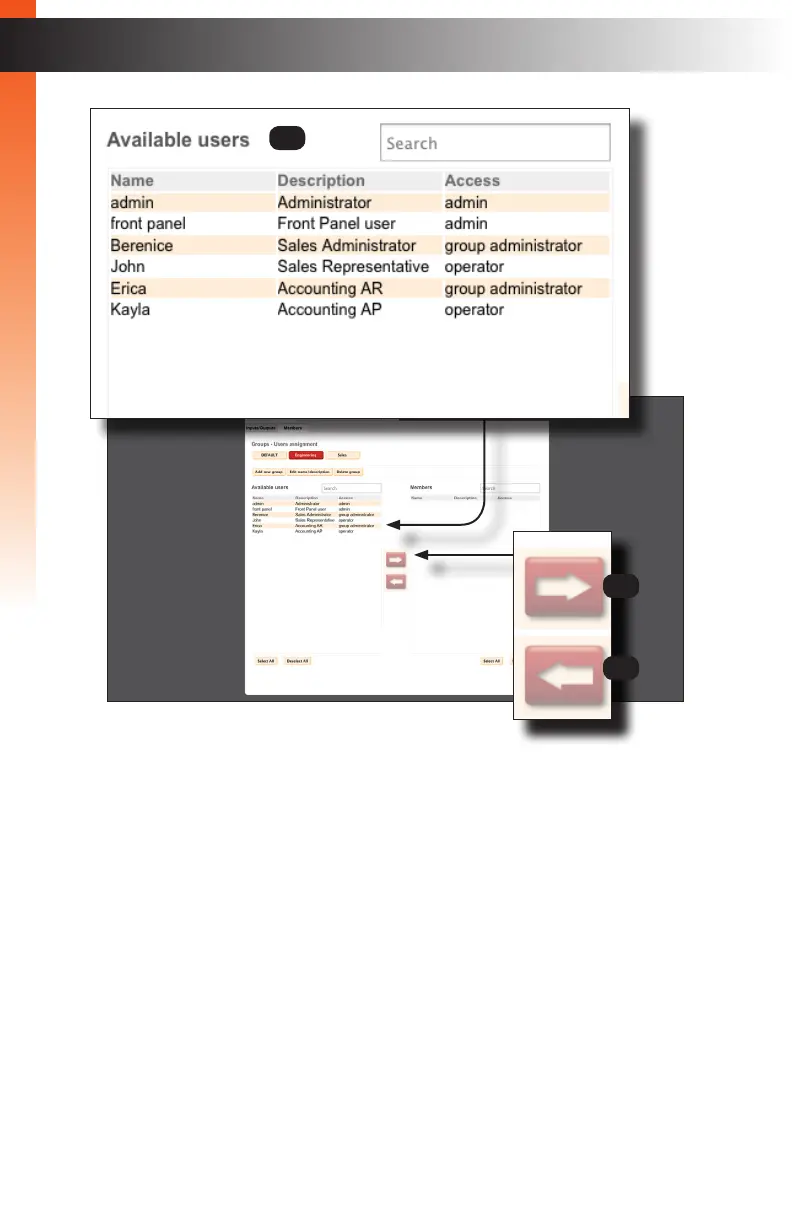
6 Available users
Lists all users that have been created. The admin and front panel user
names are indigenous to the Matrix Controller and cannot be deleted.
See Creating Users (page 30) for more information. For details on how to
add members to groups, see Adding Members (page 47).
7 Right Arrow Icon
Click this button to move the selected users, under the Available users list,
to the Members list. This button is only enabled when one or more users
have been selected from the Available users list. See Adding Members
(page 47) for more information.
8 Left Arrow Icon
Click this button to move the selected Members to the Available users list.
This button is only enabled when one or more members have been selected
from the Member list See Removing Members (page 49) for more
information.
6
7
8



 To Next Page