EasyManua.ls Logo

Gtec SATURN - User Manual

Default Icon
291 pages
Go to English
Print Icon
To Next Page IconTo Next Page
Loading...
1
C
C
P
P
S
S
(
(
C
C
e
e
n
n
t
t
r
r
a
a
l
l
P
P
o
o
w
w
e
e
r
r
S
S
u
u
p
p
p
p
l
l
y
y
)
)
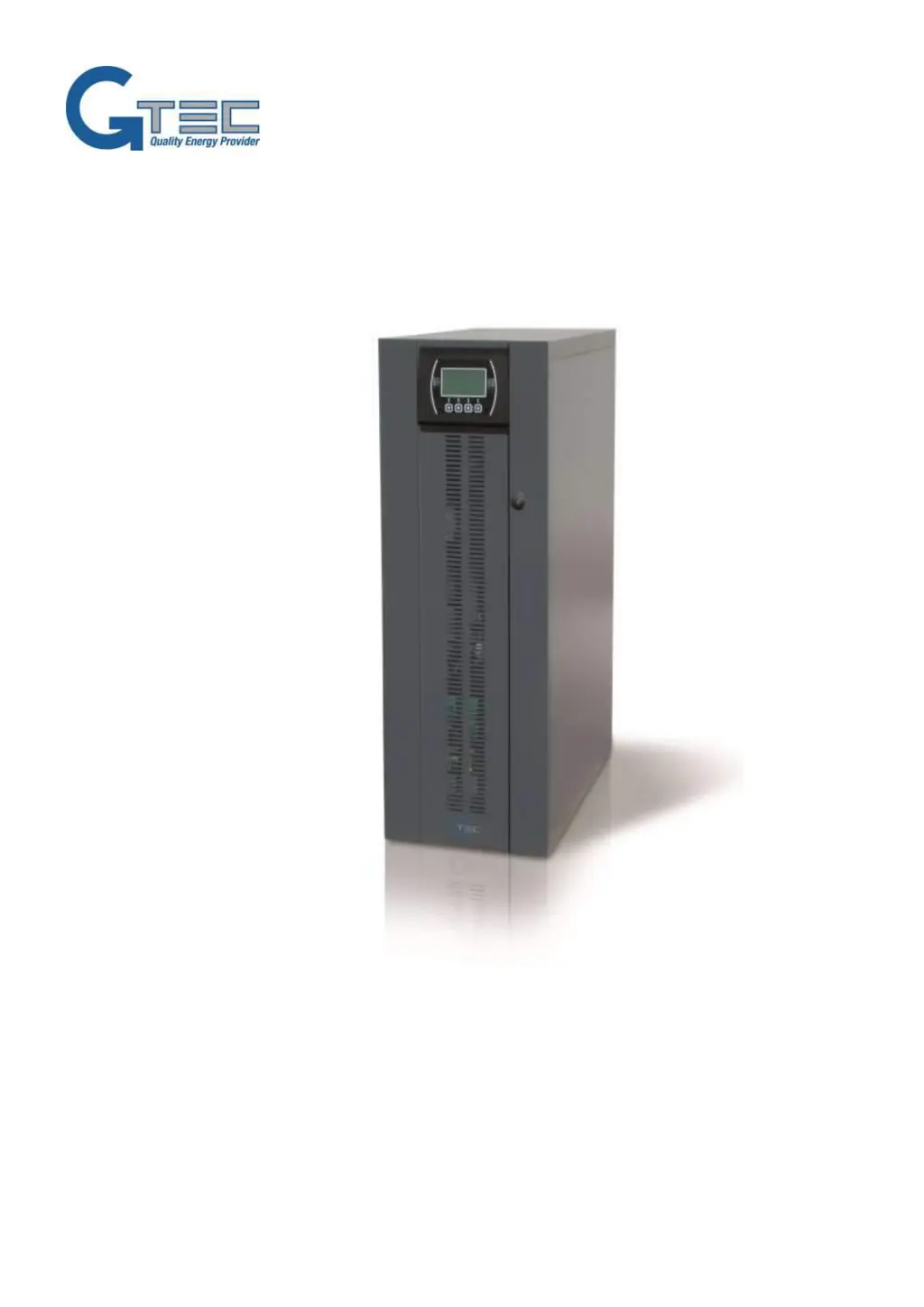
Manuale d’uso / User Manual ( IT, GB, F, D, E )
CPS (SATURN Model)
6 - 10 - 15kVA Input 3Phases / Output 1phase
6 - 10 - 15kVA Ingresso trifase / uscita monofase

Table of Contents

Other manuals for Gtec SATURN

Questions and Answers

  • A
    ahollowayAug 28, 2025
    What does C01 mean on Gtec Power Supply?
    • C
      catherine17Aug 28, 2025
      If the display on your Gtec Power Supply shows the code C01, it means the jumper is either missing from the R.E.P.O. connector (J13) or is not inserted correctly. To resolve this, mount the jumper or check that it is properly inserted.
  • M
    Mary MaciasAug 27, 2025
    What to do if Gtec Power Supply displays codes A22, F23, or L23?
    • M
      mbondAug 27, 2025
      If the display of your Gtec Power Supply shows one or more of the following codes: A22, F23, L23, it indicates that the load connected to the CPS is too high. Reduce the load until it falls within the 100% threshold, or the specified load threshold if code A22 is displayed.
  • P
    paulmontesAug 27, 2025
    What does code S07 mean on Gtec Power Supply?
    • E
      Emily StarkAug 27, 2025
      If the display of your Gtec Power Supply shows the code S07, it indicates that the batteries are discharged. The CPS is waiting for the battery voltage to rise above the established threshold. You can either wait for the batteries to recharge or manually force a start-up from the “START UP” menu.
  • Z
    Zachary HortonAug 25, 2025
    Why does Gtec Power Supply operate off batteries even though mains power is present?
    • K
      Kimberly JonesAug 26, 2025
      If the Gtec Power Supply operates off batteries even when mains power is present, it could be due to the intervention of the upstream protection device; in this case, restore the protection, ensuring there is no overload or short circuit at the CPS output. Alternatively, the input voltage may be outside the accepted operating values for mains power. If this is the case, wait until the input voltage returns to within the tolerance values, at which point the CPS will automatically switch back to mains power.
  • M
    Michael TaylorAug 25, 2025
    What to do if no power reaches the load from Gtec Power Supply?
    • S
      Shawn OsborneAug 25, 2025
      If no power reaches the load from your Gtec Power Supply, first ensure the load is correctly connected to the output terminals. Check that the SWOUT switch behind the door is closed. If the CPS is in standby mode, initiate the start-up sequence. Verify that the 'STAND-BY OFF' mode hasn't been selected, as this mode powers loads only during blackouts. In case of a CPS malfunction and the automatic bypass is out of use, insert the maintenance bypass (SWMB) and contact the nearest service center.

Summary

INSTALLATION

STORING THE CPS AND THE BATTERY BOX

Conditions for storing the CPS and battery box.

PREPARING FOR INSTALLATION

Preliminary information and requirements for installation preparation.

INSTALLATION ENVIRONMENT

Guidelines for choosing a suitable installation site and ambient conditions.

INTERNAL BATTERIES (FOR CPS 6 - 10 ONLY)

Safety precautions and procedures for internal batteries.

INSTALLING THE CPS AND THE BATTERY BOX

Key considerations for physically installing the CPS and battery box.

ELECTRICAL CONNECTIONS

WIRING DIAGRAMS FOR CONNECTING TO THE ELECTRICAL SYSTEM

Diagrams illustrating electrical system connection methods.

INTERNAL PROTECTIVE DEVICES OF THE CPS

Details on internal fuses and isolators.

EXTERNAL PROTECTIVE DEVICES

Information on external protective devices and magnetothermal switches.

CONNECTIONS

CROSS SECTION OF THE CABLES

Table specifying minimum cable cross-sections for connections.

CONNECTING THE BATTERY BOX TO THE CPS

CPS POWER-OFF PROCEDURE:

Steps to safely power off the CPS before connecting the battery box.

CONNECTING THE BATTERY BOX:

Procedure for connecting the battery box to the CPS.

USE

PRELIMINARY OPERATIONS

Essential checks and steps before powering on the CPS.

POWERING ON FOR THE FIRST TIME

Step-by-step guide for initial CPS power-on.

POWERING OFF THE CPS

Instructions for safely powering off the CPS.

CONFIGURING THE CPS

CONFIGURATION

Options for configuring CPS parameters via software.

DEFAULT CONFIGURATION

Pre-defined default settings for the CPS.

TROUBLESHOOTING GUIDE

STATUS; ALARM CODES

TECHNICAL DATA

Input

Technical specifications for the input stage.

Output

Technical specifications for the output stage.

Battery Charger

Technical specifications for the battery charger.

Dimensions and weight

Physical dimensions and weight of the CPS.

Modes and efficiency values

Operating modes and efficiency values.

Miscellaneous

Noise, color, and ambient temperature.

Gtec SATURN Specifications

General IconGeneral
BrandGtec
ModelSATURN
CategoryUPS
LanguageEnglish

Related product manuals