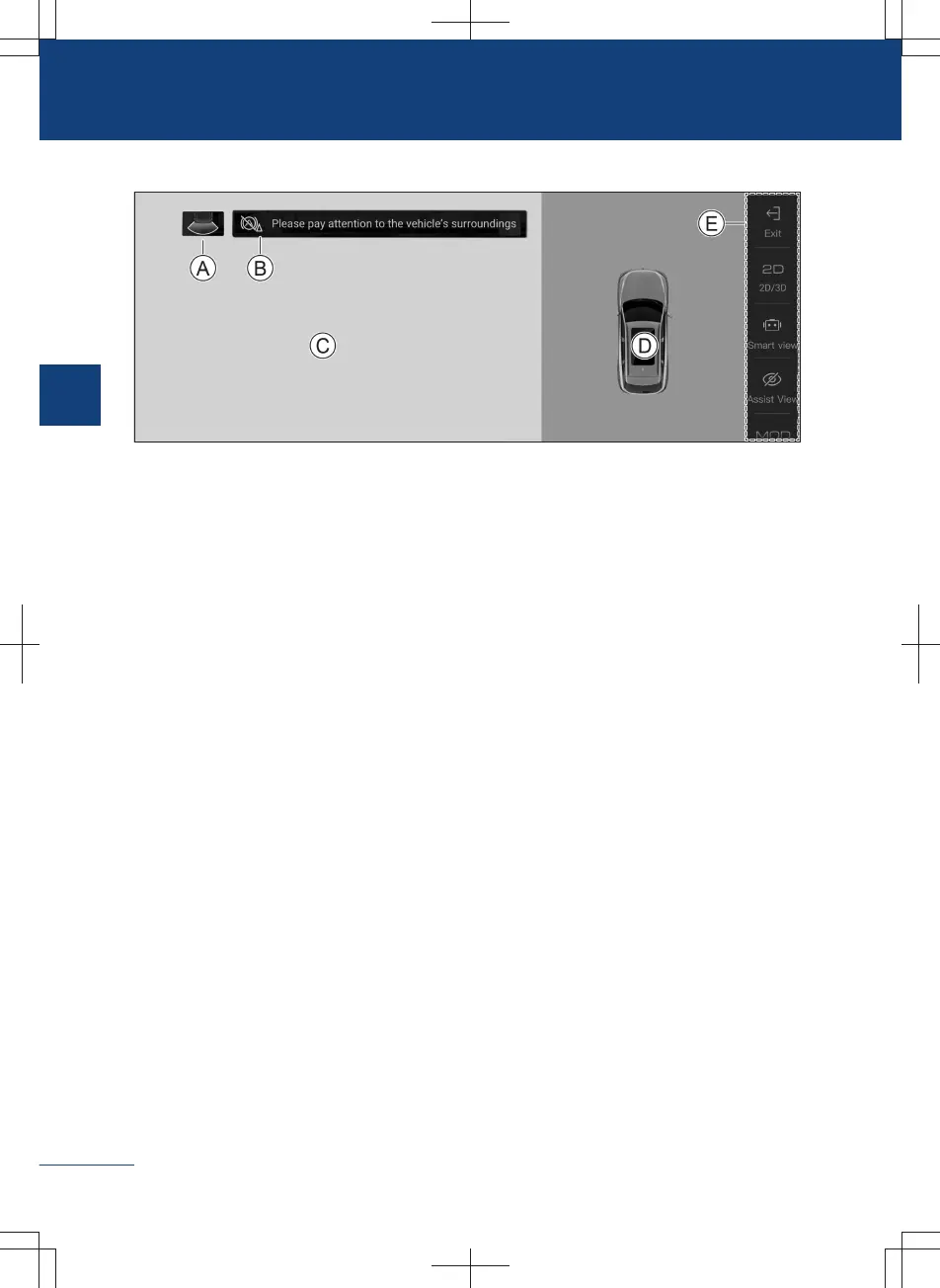
Interface layout
3D9083E2560E
Ⓐ View identification
In 2D view mode, it indicates the orientation of the current view.
Ⓑ Low speed emergency braking function indicator
Green: it indicates that the low speed emergency braking function is normally activa-
ted.
Red: it indicates that an obstacle is detected and automatic emergency braking is per-
formed.
Yellow: it indicates abnormal function.
Ⓒ Image area
Ⓓ Top view area
Ⓔ Function selection control area
Slide up and down to view more function items. Please refer to the actual vehicle for
specific items.
Introduction to function selection control buttons
〉
【Exit】
Touch the exit button to exit the AVM.
〉
【2D/3D】
Tap the button to switch the view mode between 2D and 3D.
〉
【Track line】
Touch the track line button repeatedly to switch the display mode of the track line.
When set to display mode, the guidance line displays the body width, which can assist
the driver in parking.
112
2
Driving



 To Next Page