88F58BF1F93D
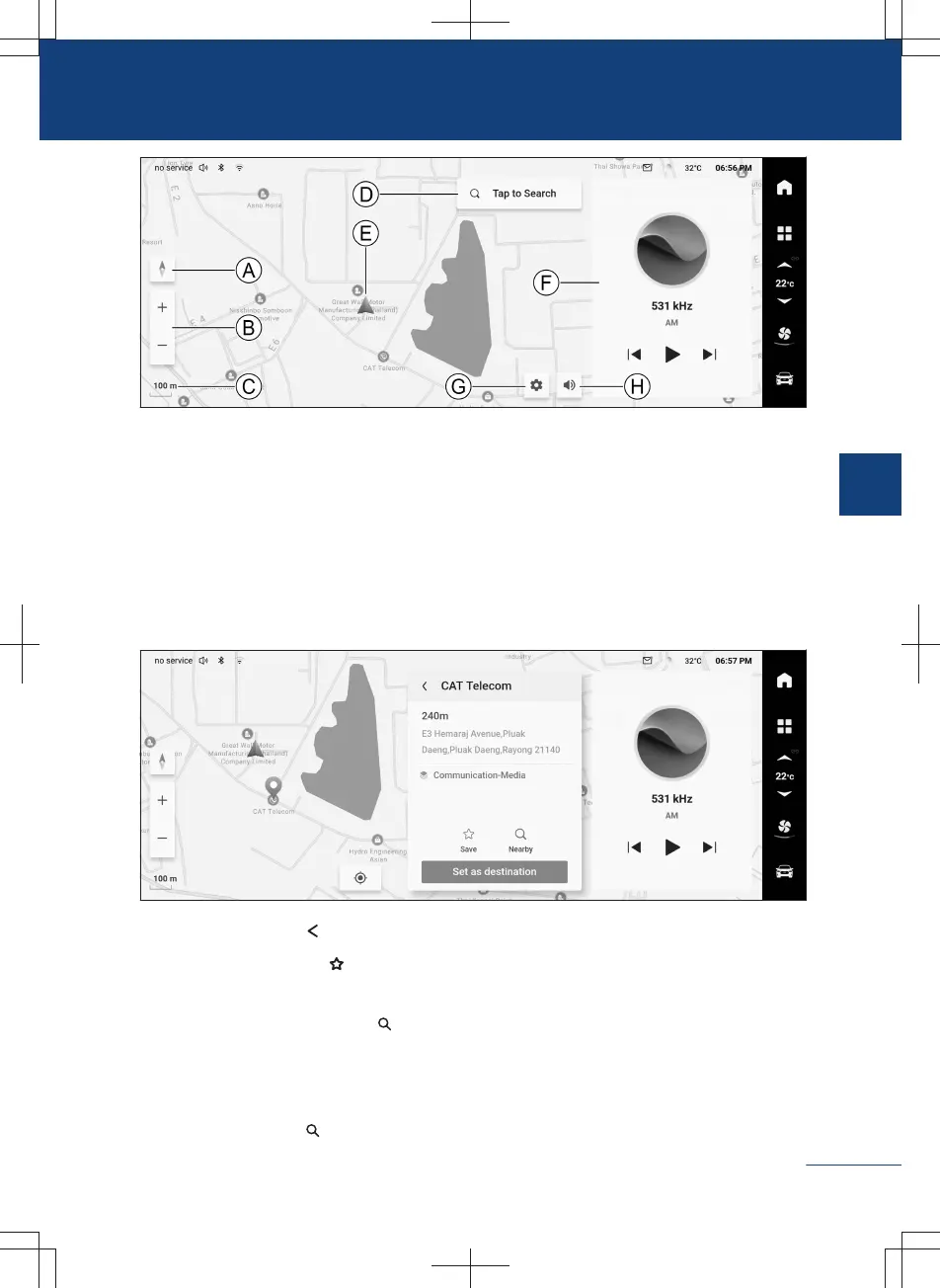
Ⓐ Map view
Ⓑ Map zoom in/out
Ⓒ Map scale
Ⓓ Destination search
Ⓔ Vehicle position
Ⓕ Audio play window
Ⓖ Navigation setting
Ⓗ Navigation mute
Location selection on map
Select a location by tapping it for a while on the map to switch to the location details
screen.
F6C4C0298C26
〉
Tap the back button to return to the previous interface.
〉
Tap the favorites button to collect the current location. Tap this button again to unfa-
vorite.
〉
Tap the search around button to search around.
〉
Tap the button 【 Set as destination】 to set the current location to the destination.
Destination search
Tap the search button on the map interface to switch to the destination search interface.
183
3
Audiovisual system



 To Next Page