1A03E1D08EA3
〉
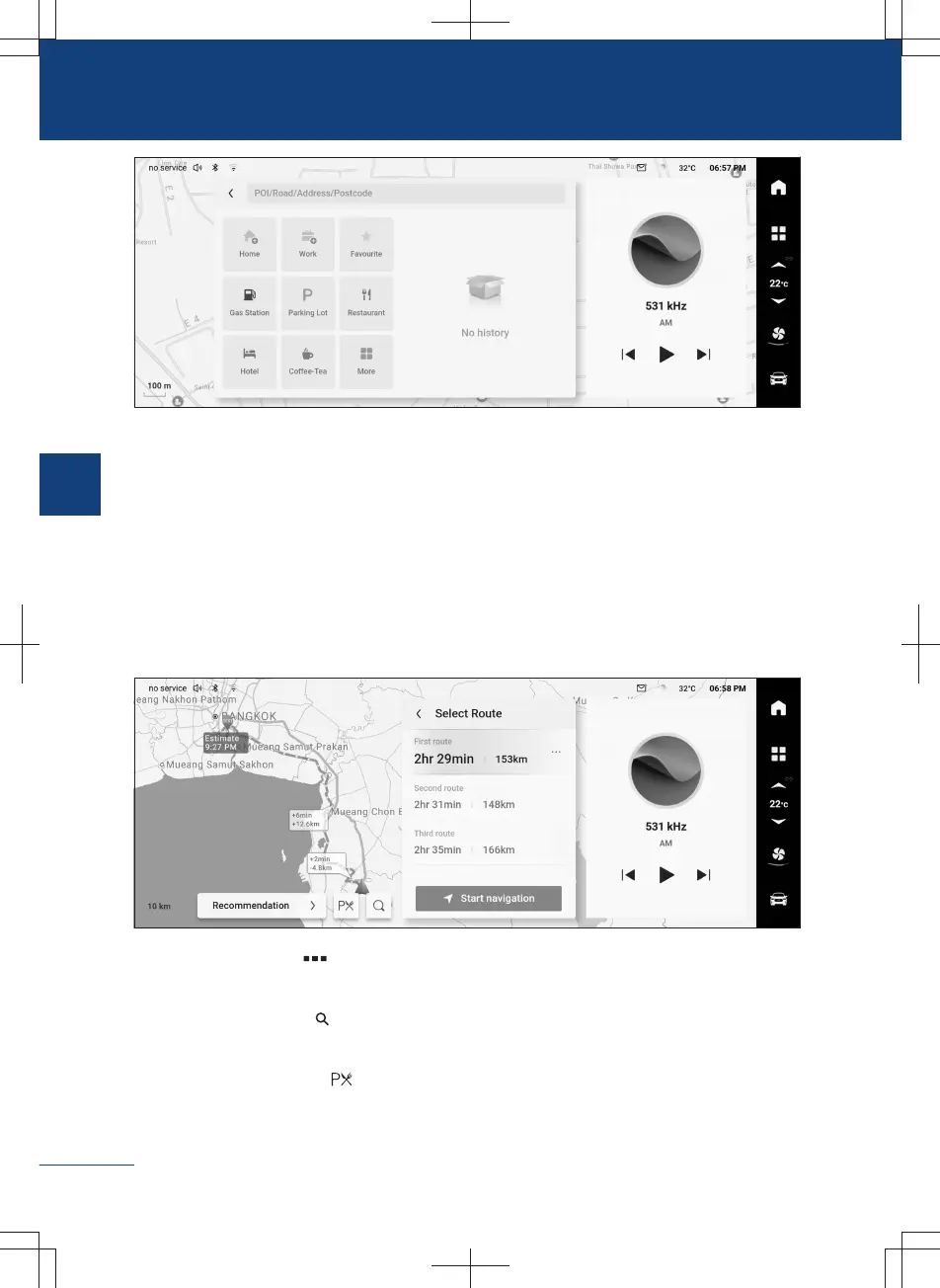
Tap the button 【Home】 to set the home address. After setting, tap this button to set
the location of home as destination.
〉
Tap the button 【Work】 to set the company address. After setting, tap this button to
set the location of company as destination.
〉
Tap the button 【Favourite】 to switch to the favourites interface to display the favourite
places. You can view, delete and set the destination of the favourite places.
Path planning
After setting the destination in various ways, switch to the route planning interface.
A8E948319121
〉
Tap the button more behind the route to pop up the route details interface. Route
names on the current route are displayed from top to bottom.
〉
Tap the search button to switch to the destination search interface and add way-
points or change destinations.
〉
Tap service zone button to display all service zones on the current route.
〉
Tap the button 【Recommendation】 to display route preference menu and switch
184
3
Audiovisual system



 To Next Page