GigE Area Scan Camera User Manual
27
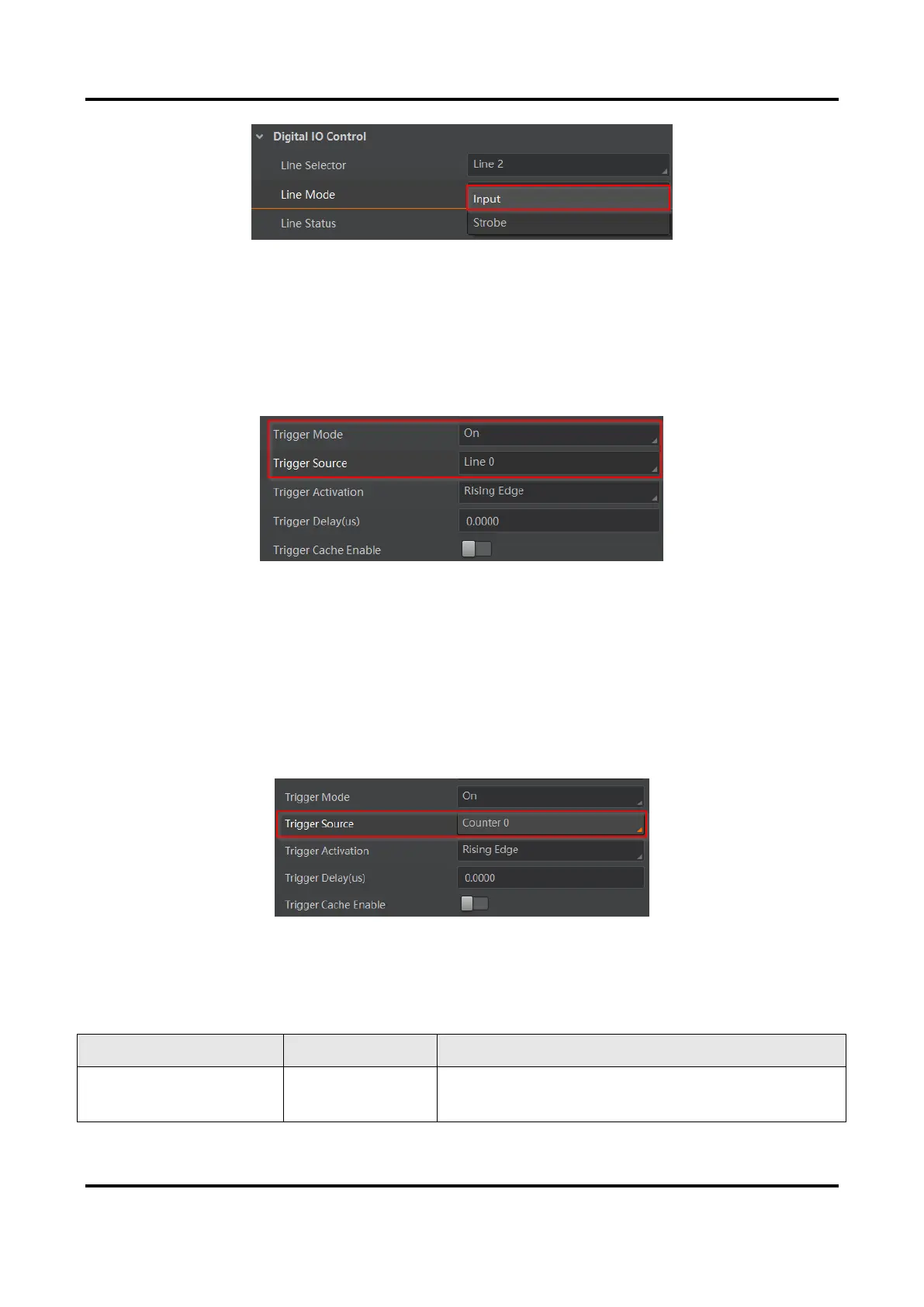
Figure 8-9 Set Line 2 as Input Signal
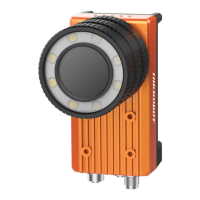
In hardware trigger, external device sends trigger signal to the device to acquire images via
I/O connector.
Steps
1. Go to Acquisition Control → Trigger Mode, and select On as Trigger Mode.
2. Select Line 0 or Line 2 as Trigger Source according to actual demands.
Figure 8-10 Set and Execute Hardware Trigger
Set and Execute Counter Trigger
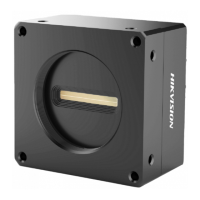
In counter trigger, the counter sends trigger signal to the device to acquire images.
Steps
1. Go to Acquisition Control → Trigger Mode, and select On as Trigger Mode.
2. Select Counter 0 as Trigger Source.
Figure 8-11 Set and Execute Counter Trigger
When using counter trigger, you need to set parameters of Counter and Timer Control as
shown below.
Table 8-2 Parameters of Counter and Timer Control


 To Next Page