F 8627X (0650)
399
6.9.3 Example of a configuration in ELOP II for the communication with a
HIMA OPC-Server
Define the BUSCOM variables used for the OPC communication:
• Select one of the following properties to determine the communication direction of
the BUSCOM variables:
Create the BUSCOM resources' list for HIMA OPC server:
• Open the resource's context menu and select
Documentation.
• Select the submenu function
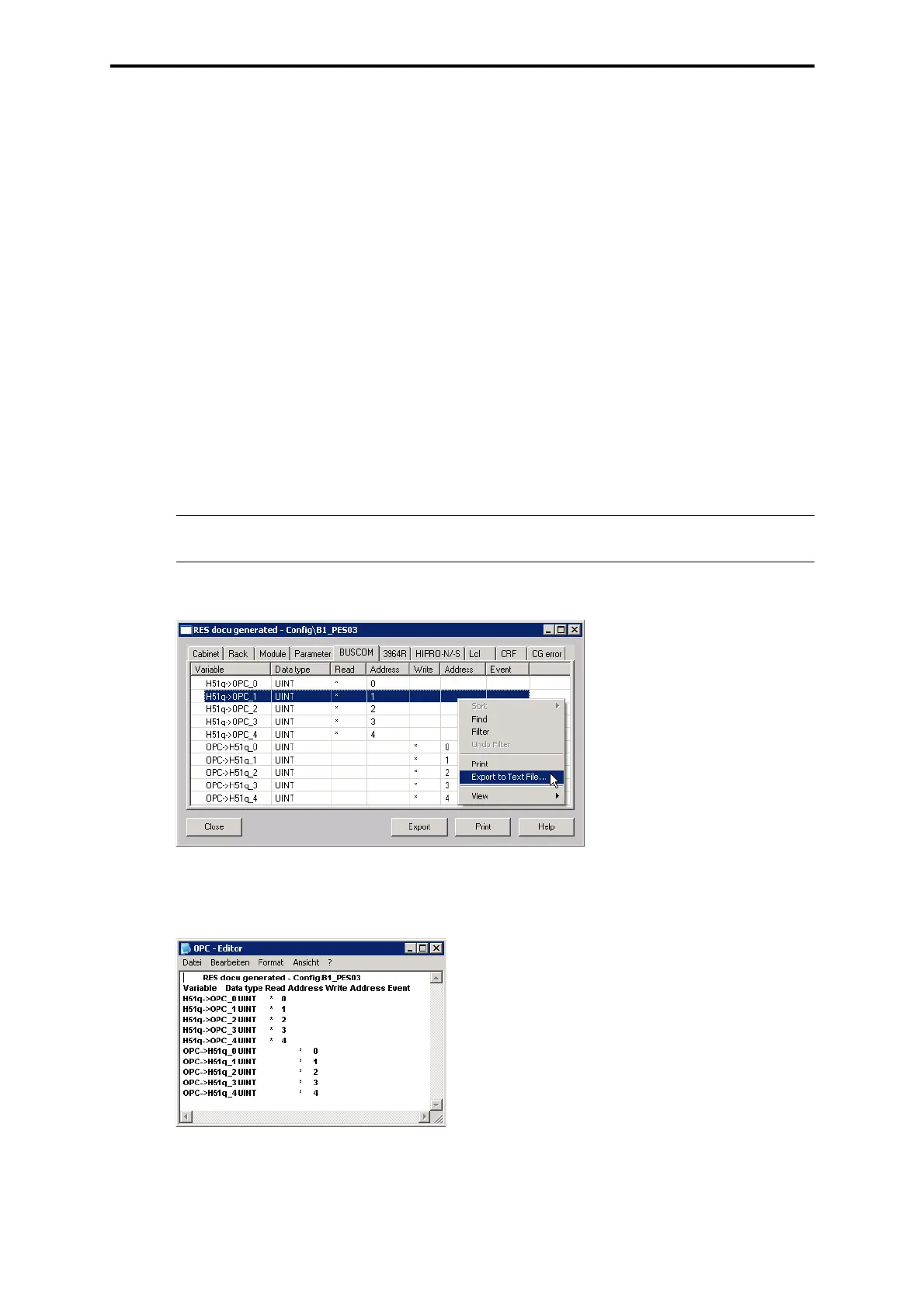
RES-Docu (generated) to open the dialog "Res-Docu
(generated)".
• Select the tab "BUSCOM" located in the dialog "Res-Docu (generated)".
• Right click on the BUSCOM variable line, to open the export context menu.
• Select
Export to Text File.
• Save the file with the extension *.txt on a storage medium (server, floppy disk),
which the HIMA OPC server can read.
Figure 17: Dialog "Res-Docu (generated)"
The generated BUSCOM list appears as seen in Figure 18 and can be used by the HIMA OPC
server without any changes.
Figure 18: BUSCOM list for the HIMA OPC server
Export: read by HIMA OPC server
Import: written by HIMA OPC server
Import/Export: both written and read by HIMA OPC server
Note Consider that no filters are set during the export!
Read: To be read by the
HIMA OPC server
Write:To be written by the
HIMA OPC server


 To Next Page
 Loading...
 Need help?
 General