12-7
12
SET MODE
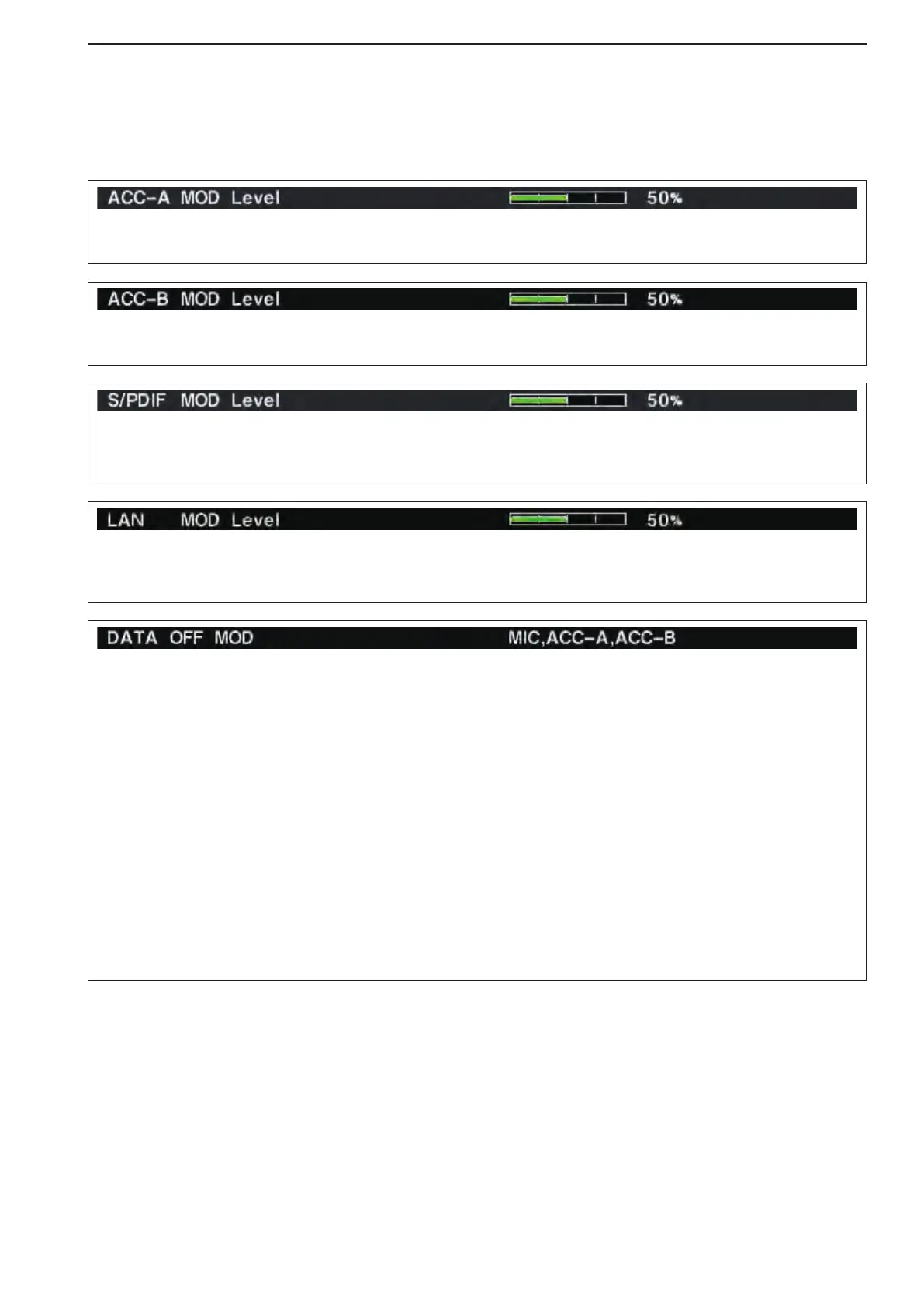
Sets the desired audio input level for modulation from
[ACC1–A].
•Approximately100mVat50%(default)setting.
Sets the desired audio input level for modulation from
[ACC1–B].
•Approximately100mVat50%(default)setting.
Sets the desired input level for modulation from [S/P
DIF], within 0 to 100% in 1% steps.
(default: 50%)
Sets the desired input level for modulation from [LAN],
within 0 to 100% in 1% steps.
(default: 50%)
■ ACC set mode (continued)
Selects the desired connector(s) for modulation input
when data mode is not in use.
•MIC :Usethesignalsfrom[MIC].
•ACC-A :Usethesignalsfrom[ACC1–A]
(pin 4).
•ACC-B :Usethesignalsfrom[ACC1–B]
(pin 4).
•MIC,ACC-A :Use the signals from [MIC]
and [ACC1–A] (pin 4).
•MIC,ACC-B :Use the signals from [MIC]
and [ACC1–B] (pin 4).
•ACC-A,ACC–B :Usethesignalsfrom[ACC1–A]
and [ACC1–B] (pin 4).
•MIC,ACC-A,ACC–B:Use the signals from [MIC],
[ACC1–A] and [ACC1–B] (pin
4). (default)
•S/PDIF :Use the signals from [S/P
DIF].
•LAN :Usethesignalsfrom[LAN].



 To Next Page