55
DSC OPERATION
7
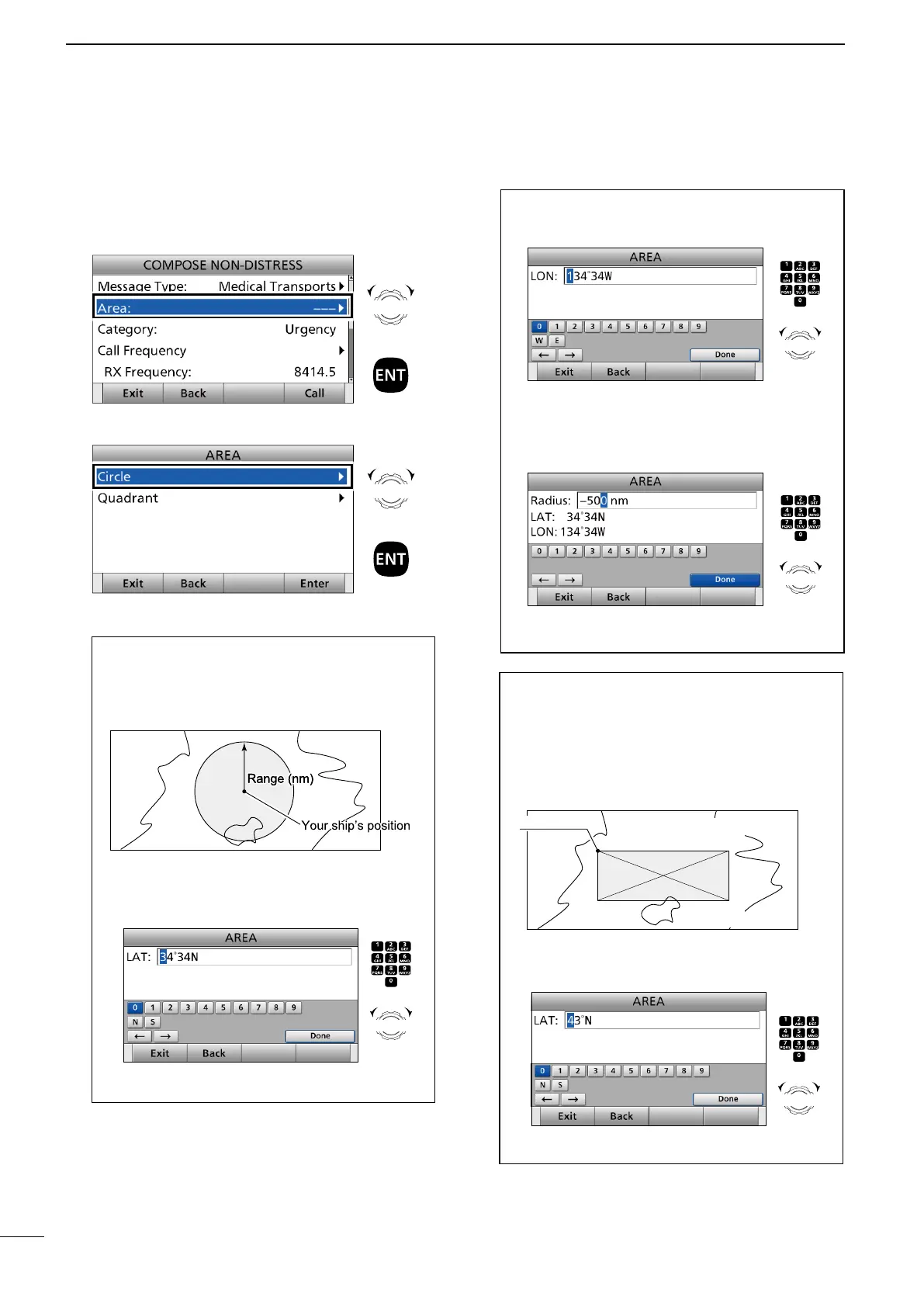
■ Sending a Non-Distress calls
When selecting “Circle”:
You can send a Medical Transports call or Ships and
Aircraft call within the area covered by a set nautical
mile radius from your position.
1 Enter the latitude of your position.
After entering, select “Done” and push [ENT].
Displays your ship's position as default.
Push
+
Rotate
to select
a character
CH/GRP
When selecting “Quadrant”:
You can send a Medical Transports call or Ships and
Aircraft call within the square area as shown below.
Your position is the upper left corner of the square.
10˚N
100˚W
20˚N/100˚W
10˚N
80˚W
20˚N
80˚W
• Example
Latitude: 20°N Behind You: 10°
Longitude: 100°W To Your Right: 20°
1 Enter the latitude of your position.
After entering, select “Done” and push [ENT].
Push
+
Rotate
to select
a character
CH/GRP
D Sending a Medical Transports call or Ships and
Aircraft call (continued)
4. Select “Area.”
5. Select “Circle” or “Quadrant.”
6. Enter the area information.
Rotate
+
Push
Rotate
+
Push
2 Enter the longitude of your position.
After entering, select “Done” and push [ENT].
Displays your ship's position as default.
3 Enter the radius of the Medical Transports call or
Ships and Aircraft call area.
After entering, select “Done” and push [ENT].
(Example: 500 nm)
Push
+
Rotate
to select
a character
CH/GRP
Push
+
Rotate
to select
a character
CH/GRP



 To Next Page