56
7
1
2
3
4
5
6
Quick Reference
8
9
10
11
12
13
14
15
16
17
7
DSC OPERATION
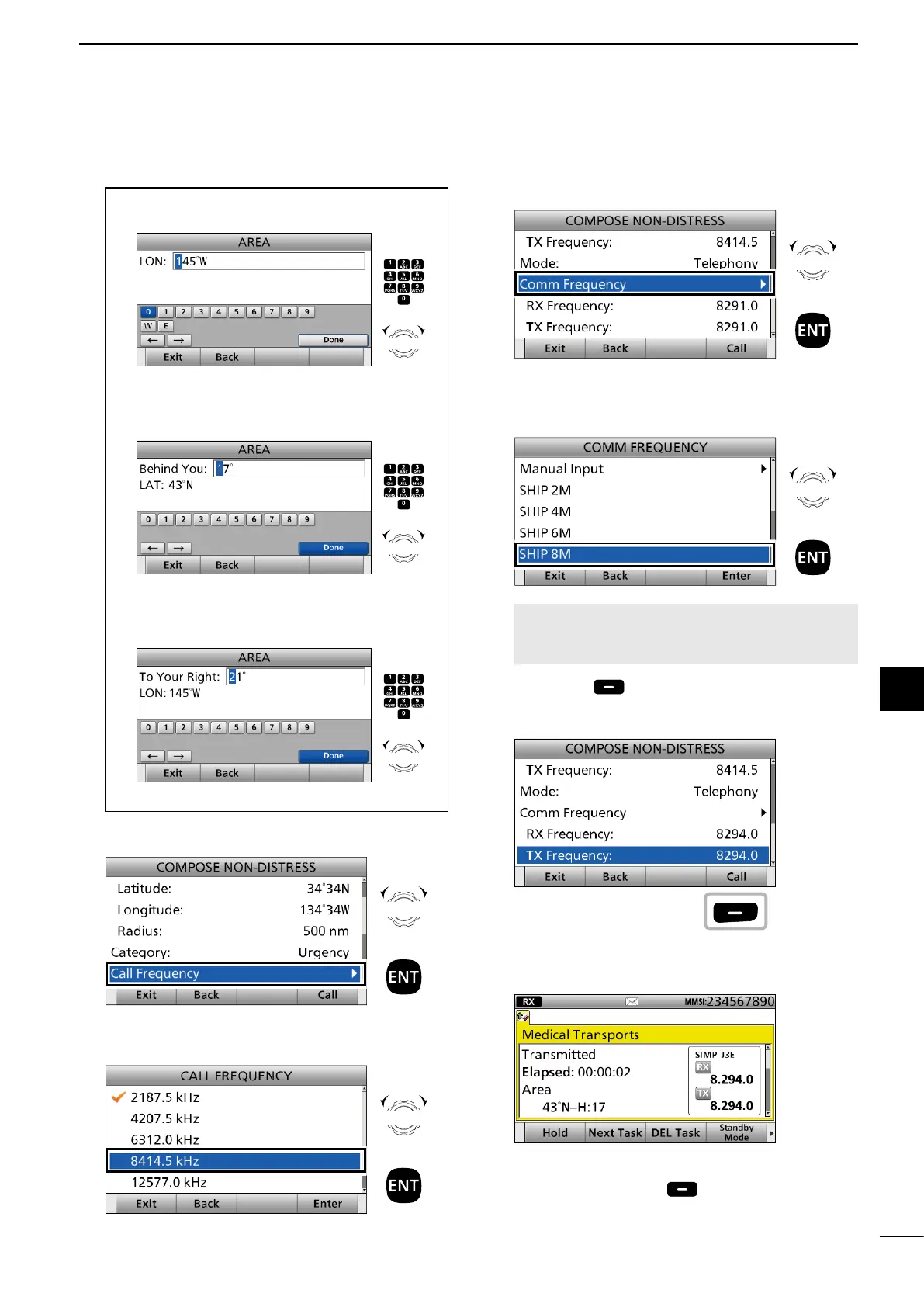
2 Enter the longitude of your position.
After entering, select “Done” and push [ENT].
3 Enter the height of the Medical Transports call
area. After entering, select “Done” and push
[ENT].
4 Enter the width of the Medical Transports call
area. After entering, select “Done” and push
[ENT].
Push
+
Rotate
to select
a character
CH/GRP
Push
+
Rotate
to select
a character
CH/GRP
Push
+
Rotate
to select
a character
CH/GRP
7. Select “Call Frequency.”
8. Select an option.
(Example: 8414.5 kHz)
Rotate
+
Push
Rotate
+
Push
9. Select “Comm Frequency.”
10. Select a communication frequency, or “Manual
Input.”
(Example: SHIP 8M)
NOTE: When you select “Manual Input” in this step,
push the keypad to manually enter a communication
frequency.
11. Push [Call] to send the Medical Transports
or Ships and Aircraft call.
(Example: Medical Transports call)
12. After sending, the following screen is displayed.
See page 29 for details of the software key functions
in the DSC Task mode.
13. Hold down [PTT] to communicate.
14. Push [Standby Mode] to return to the
Standby mode.
Rotate
+
Push
Rotate
+
Push
Push



 To Next Page