Model 250
Printer Applicator
Operators/Technical Manual Section Three
Section 3 Page 12 of 19
Ribbon Loading (ZEBRA)
This is an abbreviated procedure for loading
ribbon onto the print engine and should only
be used as a reference for the re-supply of
media after first initially reading the operator
manual provided by the manufacturer of the
print engine. The print engine manual fully
explains all the procedures required for safe
operation of the PAX engine. Please read
the provided manual before attempting to
operate the engine. This will maximize the
life of the print engine and ensure you are
fully aware of all the facts, features and
benefits of the machine.
CAUTION: When installing the ribbon roll
on the ribbon supply spindle, make sure
it is pushed up against the stop and that
the ribbon is aligned squarely with its
core. DO NOT use ribbon that is
narrower than the media. If the print
head is not protected by the smooth
backing of the ribbon, premature
printhead failure may result due to
excessive abrasion.
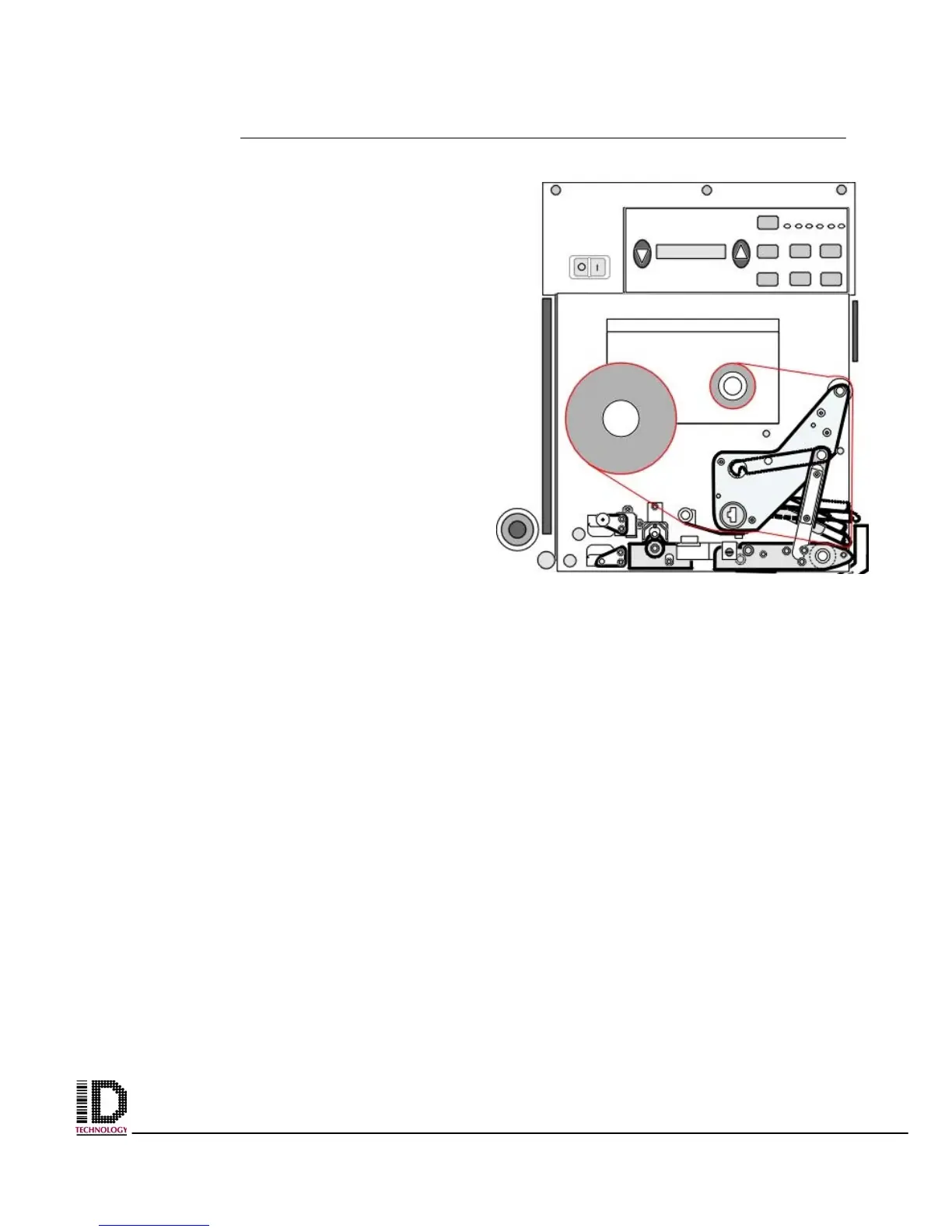
1. Push the ribbon roll onto the supply spindle (N) as far as it will go, so the ribbon
feeds as shown in fig 3-20.
2. Install an empty ribbon core onto the ribbon take-up spindle (O).
3. Open the printhead assembly (C), by latching the printhead lock lever (D) from the
locking pin (E).
4. Thread the ribbon below the lower guide roller (P), under the printhead assembly
(C), and up and over the upper ribbon guide roller (Q) as shown in figure X-XX.
Use caution not to crease or wrinkle the ribbon.
5. Attach the ribbon to the take-up spindle core (use a label if needed) and wind for
several turns in the direction shown in figure 3-20 on next page.
6. Close the printhead assembly (C) by latching the printhead lock lever (D) onto the
locking pin (E).
7. Ensure the ribbon is located between the ribbon Sensor and the sensor reflector
positioned above it.
Figure 3-19 Front view of label web
threaded through Zebra engine



 To Next Page