Model 250
Printer Applicator
Operators/Technical Manual Section Five
Section 5 Page 2 of 18
Using the menus
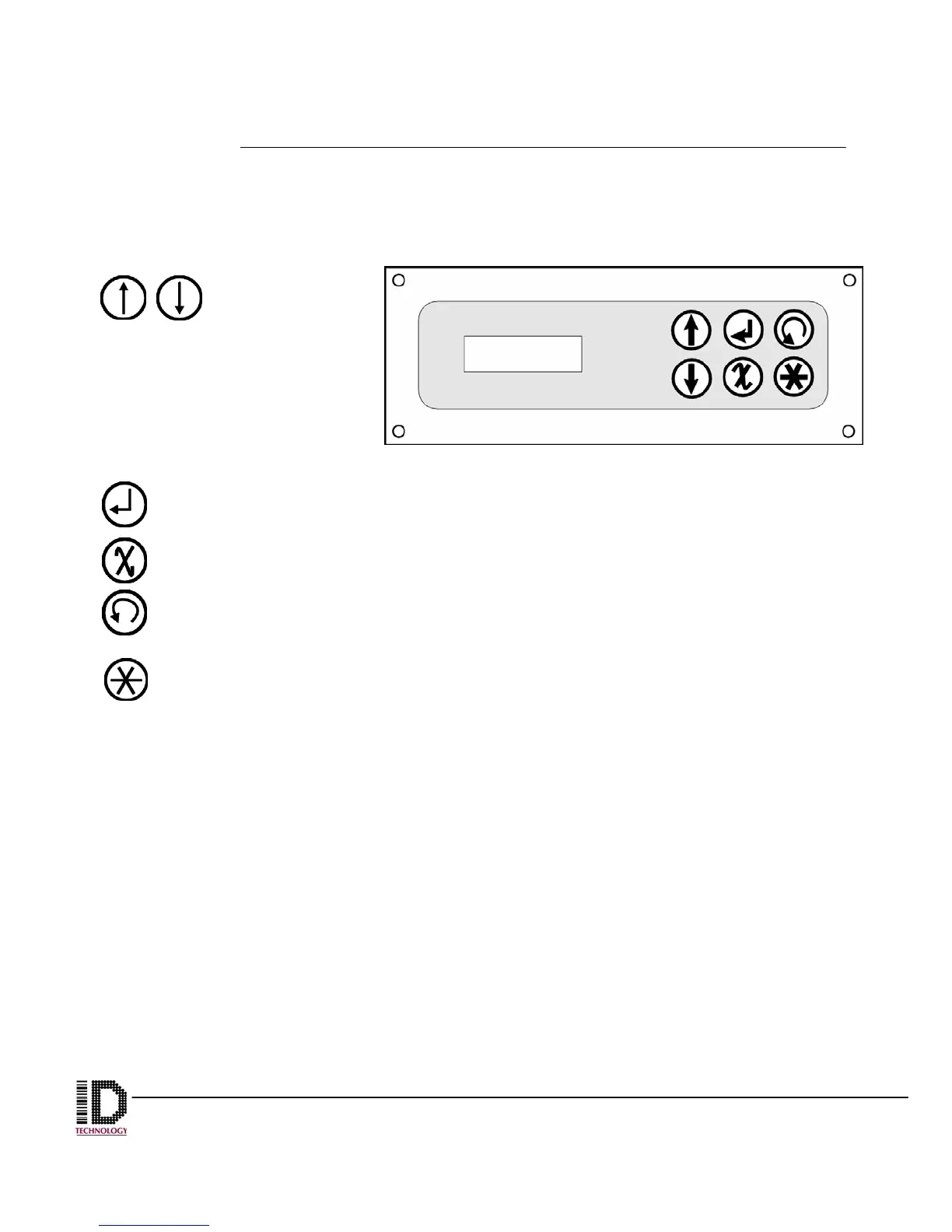
The menus on the 250 are really quite easy to use. The six buttons on the control panel
are used to navigate through the menu structure and make selections.
The Up and Down
arrows toggle you
through the
different menus from the first
page and throughout the inner
menus.
Within each main menu are
sub menus to select and
change system parameters.
The return or enter arrow selects the item chosen.
This button takes you back one menu each time it is pressed.
The circled arrow button jogs the applicator one machine cycle. So for a tamp
machine, the air cylinder would extend and retract when this button is pushed.
This dims or brightens the LCD screen when at the main menu level. When
entering a dwell or delay, each press changes the increment value. It will cycle
through 1’s, 10’s and 100’s with each press.



 To Next Page