Model 250
Printer Applicator
Operators/Technical Manual Section 3B
Section 3B Page 8 of 9
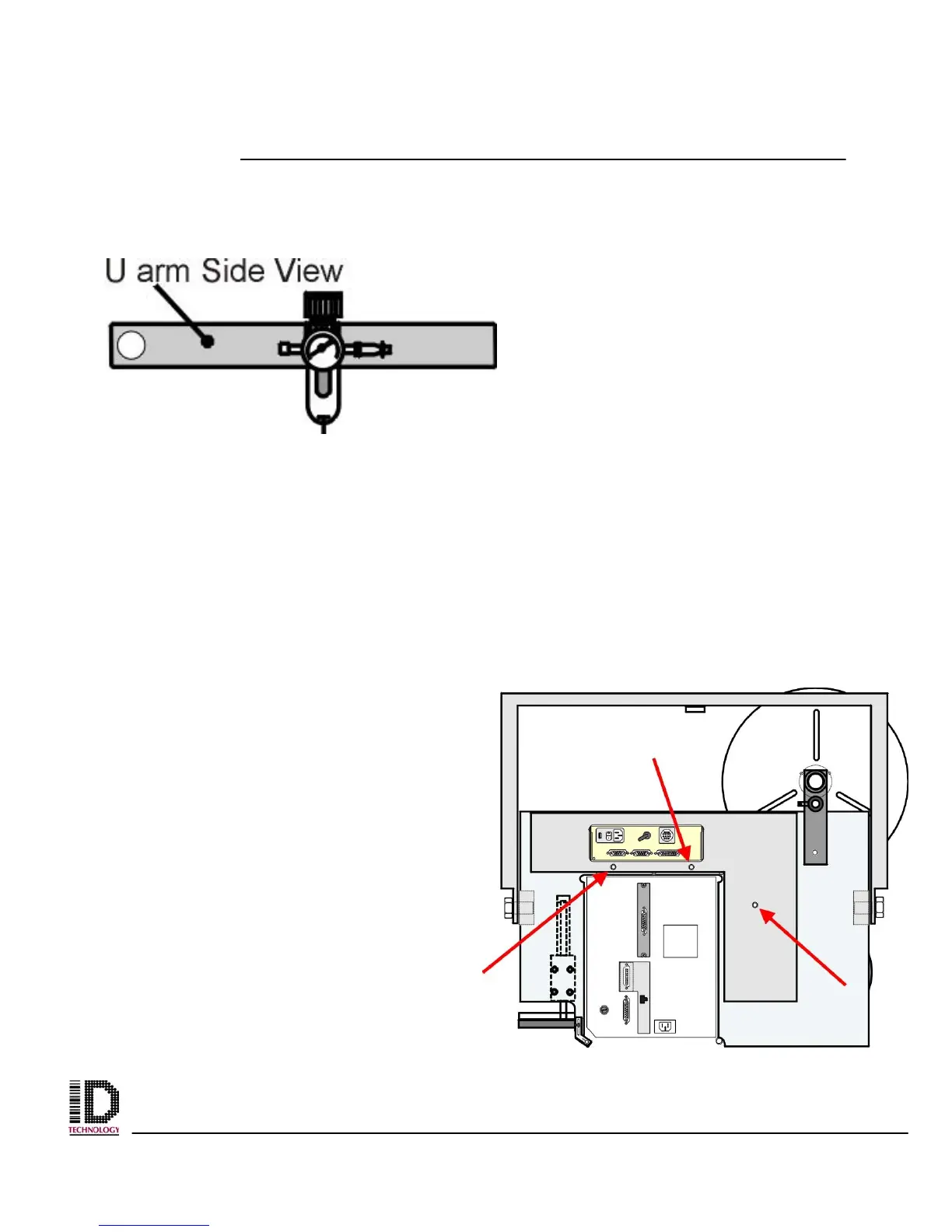
Figure 3A-5 Location of Back Cover
mounting bolts
Disconnect Plant Air from the unit’s air filter connection.
Figure 3B-X Location of plant air in on applicators u-arm.
Allen wrench (3mm) is needed to remove the back cover. (M4 Cap
head bolt)
Remove the back cover of the applicator. Using an M4 Allen wrench, remove the three
bolts from the back cover and set aside. These bolts will be needed to re-install the
cover.
The location of the bolts are pointed out in Fig. 3A-5 with the arrows. The cover is held in
place with only the three bolts so; after the last bolt is removed the cover will fall. Ensure
you have a hand holding the cover in place. Set the cover aside at this time.
Figure 3A-3 Electronics Module, Back
View, Connector Identification.



 To Next Page