Model 250
Printer Applicator
Operators/Technical Manual Section Three
Section 3 Page 1 of 19
Section Three
Installation
3.1 Unpacking and Setting up the machine
If you purchased a T-base stand and received the stand unassembled- locate the
cartons that contain the applicator stand. Refer to the section on component
location and parts identification pages 11, 12, &13 of 14. These pages will identify
and show placement of all the T-base parts and accessories.
If your machine came in separate cartons, open all cartons and remove packing.
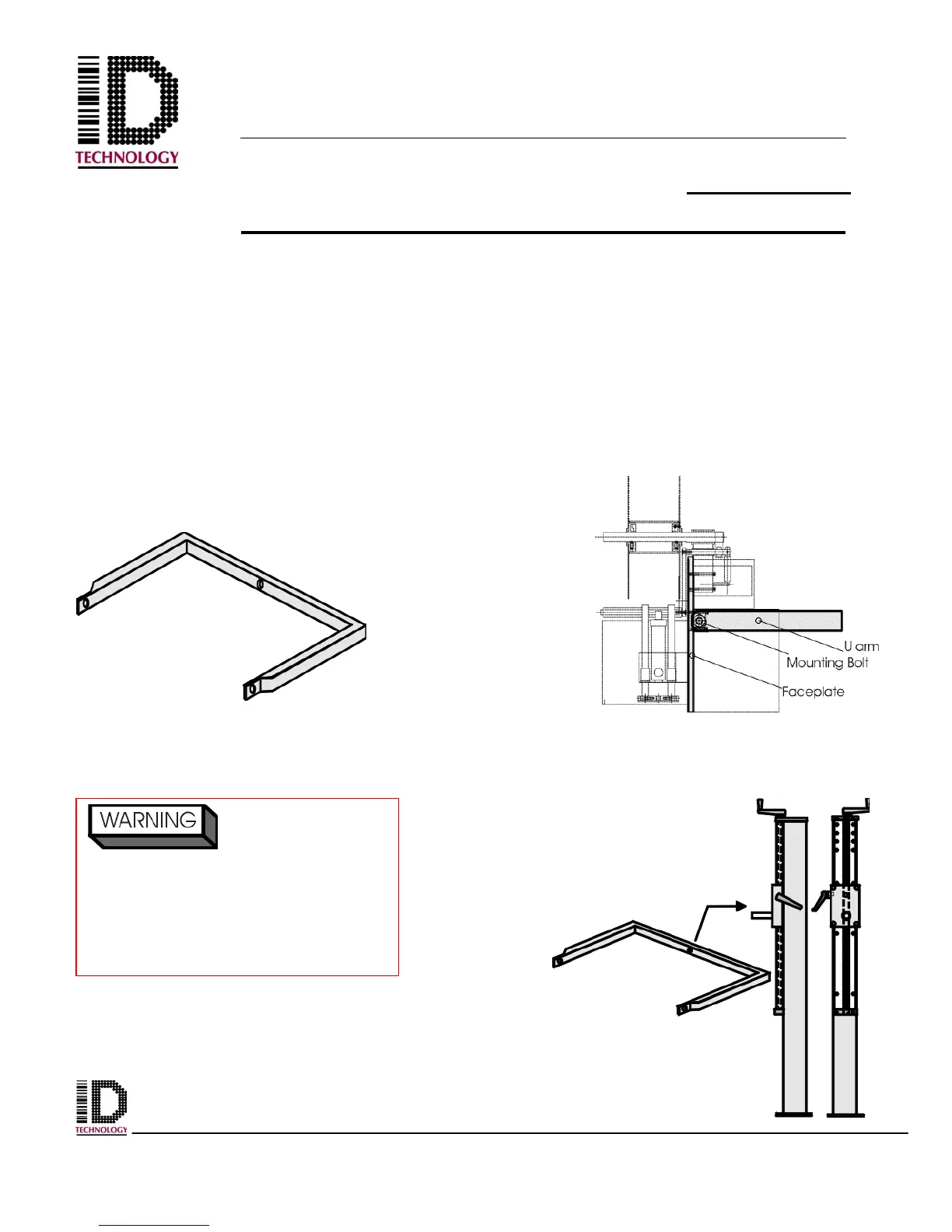
Attach u-arm to applicator with the 20 mm bolts, lock washer and washers provided.
Once the u-arm is attached, tighten down the bolts until the u-arm is secured and
immobile.
U-arm will attach to the
T base vertical column
by inserting the u-arm
(mounting hole) over
the vertical column’s
mounting bolt.
Figure 3-1 U-arm
Figure 3-2 U-arm placement on
applicator
Figure 3-3 U-arm placement
on vertical post
Ensure the u-arm is
securely tightened to the body of
the applicator. When lifting the
applicator. If the u-arm is not
tightened securely it could possibly
rotate and cause personnel injury.



 To Next Page