Model 250
Printer Applicator
Operators/Technical Manual Appendix 2
Section A2 Page 1 of 3
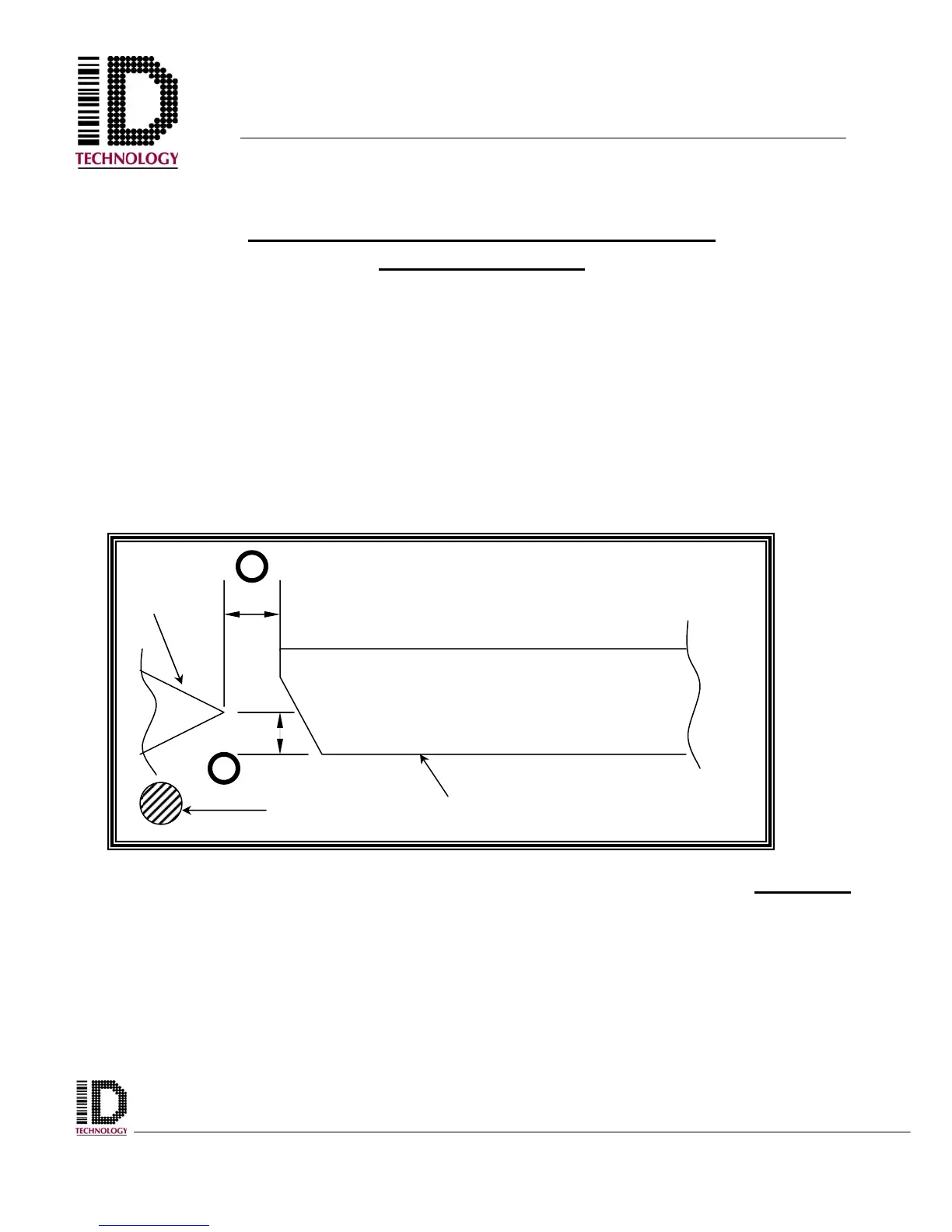
3/16”
3/16”
Tamp pad
Peel
Edge
Air Assist
CORRECTLY SETTING UP A TAMP PAD
TO A PEEL EDGE
In Figure 1 the peel edge of a printer or peel plate, the tamp pad, and air assist
tube are all shown. To correctly set up a tamp pad to a peel edge two things must
be kept in mind.
1. Maintain aprox 3/16” between the edge of the peel plate and the front of
the tamp pad.
2. Maintain aprox. 3/16” from the peel point to the bottom of the tamp pad.
Figure 1
1
2



 To Next Page