- 55 -
Changing sizes to print
4
1
2
3
5
Convenient print
functions
Appendix Index
Checking and
Changing Printer
Settings Using
the Control Panel
Network
Setup
Matching
Colors
Using Utility
Software
- 54 -
Changing sizes to print
4
1
2
3
5
Convenient print
functions
Appendix Index
Checking and
Changing Printer
Settings Using
the Control Panel
Network
Setup
Matching
Colors
Using Utility
Software
Using Windows PCL printer drivers
1
Open the le to be printed.
2
Select [Print] in the [File] menu.
3
Click [Advanced] (or [Preferences]).
4
Select the paper size to be edited in
[Size] in the [Setup] tab.
5
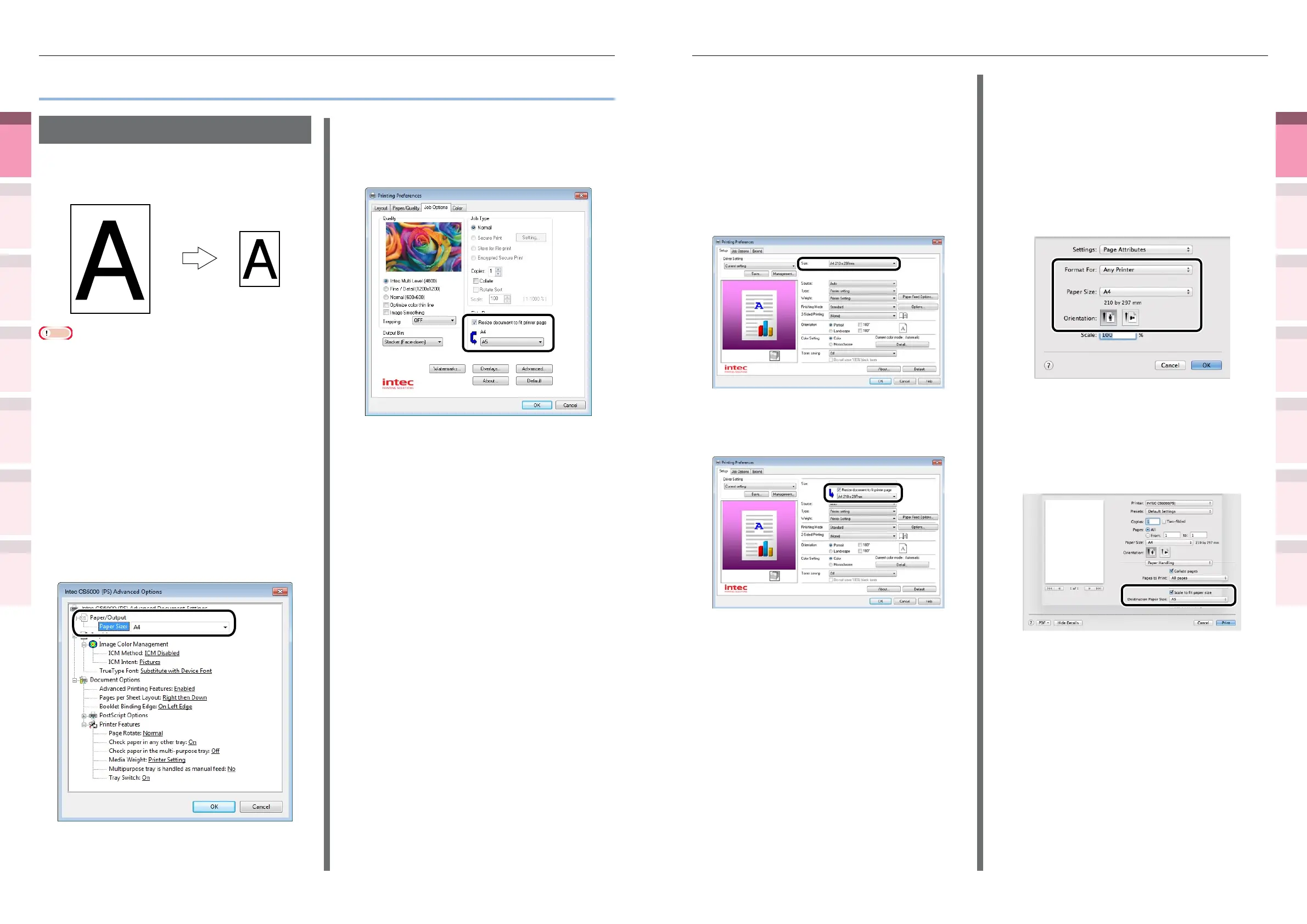
Enable the [Resize document to t
printer page] check box, and select the
paper size to be printed.
6
Printing will be implemented.
Using Mac OS X printer drivers
1
Open the le to be printed.
2
Select [Page Setup] in the [File] menu.
3
Select the printer model name in
[Format For], and select the paper size
to be edited in [Paper Size], and click
[OK].
4
Select [Print] in the [File] menu.
5
Enable the [Scale to t paper size] in
the [Paper Handing] panel, and select
the paper size to be edited using
"Destination Paper Size".
6
Printing will be implemented.
z
Changing sizes to print
Enlarging/reducing pages
You can print on different paper sizes without
changing the print data.
A4
A6
Note
z
Not normally operable with some applications.
Using Windows PS printer drivers
1
Open the le to be printed.
2
Select [Print] in the [File] menu.
3
Click [Advanced] (or [Preferences]).
4
Click [Advanced] in the [Paper/Quality]
tab.
5
Select the paper size to be edited in
[Paper Size].
6
Enable the [Resize document to t
printer page] check box in the [Job
Options] tab, and select the paper size
to be printed.
7
Printing will be implemented.



 To Next Page