- 126 - - 127 -
Matching Colors Using the Printer Drivers Matching Colors Using the Printer Drivers
4
3
5
1
2
4
3
5
1
2
Convenient print
functions
Appendix Index
Checking and
Changing Printer
Settings Using
the Control Panel
Network
Setup
Matching
Colors
Using Utility
Software
Convenient print
functions
Appendix Index
Checking and
Changing Printer
Settings Using
the Control Panel
Network
Setup
Matching
Colors
Using Utility
Software
Using Windows PS printer drivers
1
Open the le to be printed.
2
Select [Print] in the [File] menu.
3
Click [Advanced] (or [Preferences]).
4
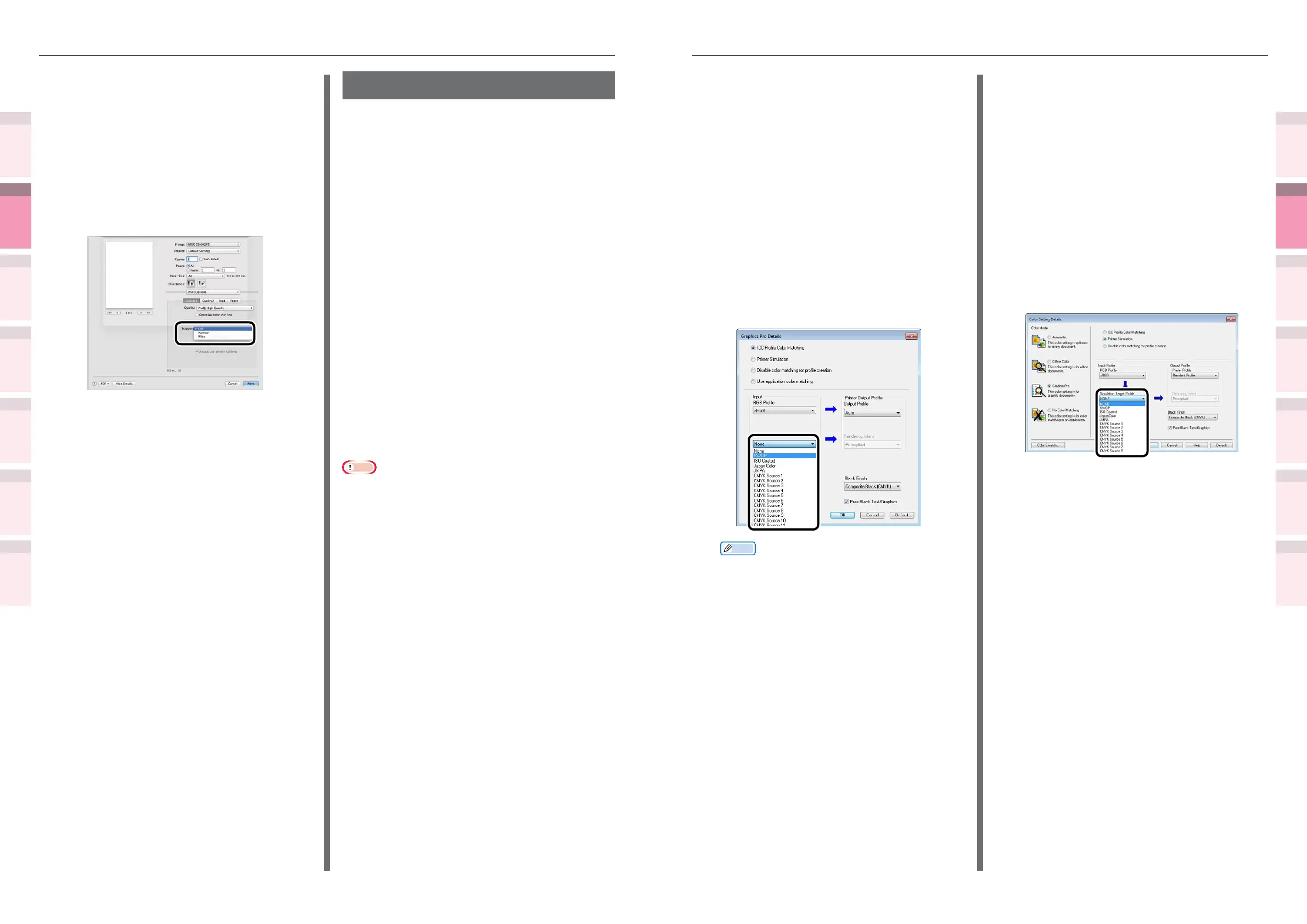
Select [Graphics Pro] in [Color Mode]
in the [Color] tab, and then click
[Advanced].
5
Select [Printer Simulation], and then
select the ink characteristics to be
simulated using [Simulation Target
Prole].
Memo
z
For business documents, etc., you can select [Ofce
Color] in the [Color] tab in Steps 4 and 5, and then
click [Advanced], and select the ink characteristics
to be simulated using [CMYK Input Prole].
6
Click [OK].
7
Printing will be implemented.
Using Windows PCL printer drivers
1
Open the le to be printed.
2
Select [Print] in the [File] menu.
3
Click [Advanced] (or [Preferences]).
4
Click [Detail] in the [Setup] tab, and
select [Graphic Pro].
5
Select [Printer Simulation], and then
select the ink characteristics to be
simulated using [Simulation Target
Prole].
6
Click [OK].
7
Printing will be implemented.
Using Mac OS X printer drivers
1
Open the le to be printed.
2
Select [Print] in the [File] menu.
3
Click the [Quality 1] button in the
[Print Options] tab, and select the print
misalignment calibration method using
[Trapping].
4
Printing will be implemented.
Simulating print effects
The ink characteristics used in offset printing,
etc., by adjusting the CMYK color data is
simulated by the device.
The ICC proles registered as standard are
described below.
z
RGB prole
– sRGB
– AdobeRGB
z
CMYK input prole
– SWOP
– ISO Coated
– Japan Color
– JMPA
z
CMYK link prole
– SWOP
– ISO Coated
– Japan Color
– JMPA
Note
z
Cannot be used with Mac OS X printer drivers depending
on the application.
z
Enabled when [Color Mode] is set to either [Ofce Color]
or [Graphic Pro].



 To Next Page