- 16 - - 17 -
Printer driver functions table Printer driver functions table
4
1
2
3
5
4
1
2
3
5
Convenient print
functions
Appendix Index
Checking and
Changing Printer
Settings Using
the Control Panel
Network
Setup
Matching
Colors
Using Utility
Software
Convenient print
functions
Appendix Index
Checking and
Changing Printer
Settings Using
the Control Panel
Network
Setup
Matching
Colors
Using Utility
Software
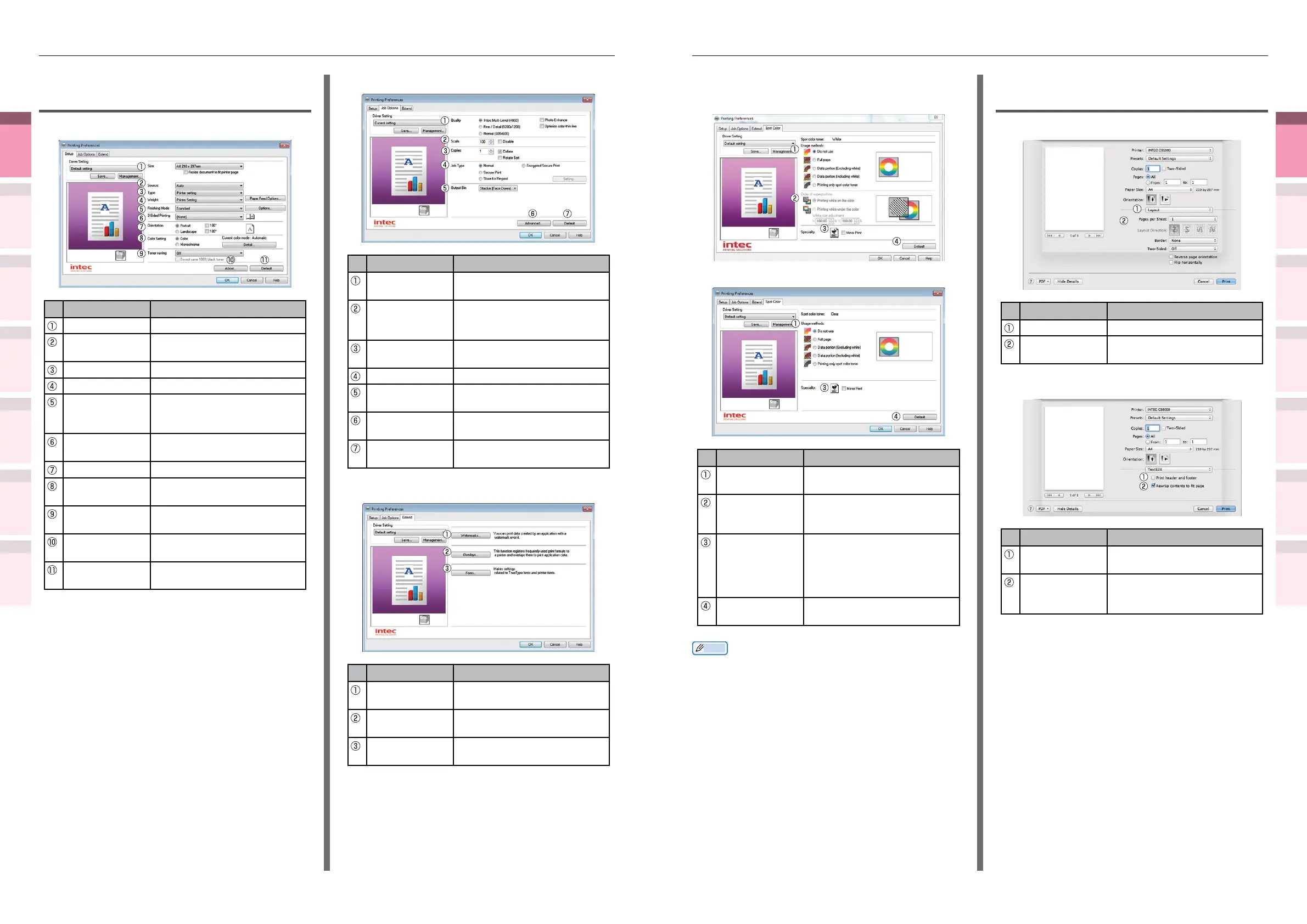
[Spot Color] Tab
z
In white mode
z
In clear mode
Item Explanation
Usage methods Species the range of Spot
Color printing.
Order of
superposition
Species the order of color
and white overlay (white
mode only).
Mirror Print Sets when to print by
reversing the horizontal
orientation so that the
document is as if reected in
a mirror.
Default Restores the tab settings to
the default settings.
Memo
z
"Spot Color" is a function for model CS5000 only. For
details, see the "Separate Volume Spot Color Guide".
*: "Spot Color" is a function for model CS5000 only. For
details, see the "Separate Volume Spot Color Guide".
Mac OS X PS printer driver
functions
[Print Options] panel
Item Explanation
Print Options Sets various functions.
Setup Items Species the setup items
conforming to the print setup.
[TextEdit] panel
Item Explanation
Printing header
and footer
Enable to print page numbers,
dates, and text titles, etc.
Rewrap
contents to t
page
Enable to print by aligning
to the text wrapping method
durign editing.
Windows PCL printer driver
functions
[Setup] Tab
Item Explanation
Size Species the paper size.
Source Species the tray to feed the
paper.
Type Species the paper type.
Weight Species the paper thickness.
Finishing Mode Species multi-page printing,
booklets, and poster printing,
etc.
2-Sided Printing Species to print on both
sides of the paper.
Orientation Species the print orientation.
Color Setting Species whether to print in
color or monochrome.
Toner saving Species the print density
when economizing on toner.
About Displays the printer driver
version information.
Default Restores the tab settings to
the default settings.
[Job Options] Tab
Item Explanation
Quality Species the resolution
during printing.
Scale Species the rate of
enlargement and contraction
during printing.
Copies Species the quantity to be
printed.
Job Type Species the print format.
Output Bin Species the paper output
bin.
Advanced You can make several other
print setups.
Default Restores the tab settings to
the default settings.
[Extend] Tab
Item Explanation
Watermarks Species when implementing
stamp printing.
Overlays Species when implementing
overlay printing.
Fonts Sets the TrueType fonts and
printer fonts.



 To Next Page