- 20 - - 21 -
Printer driver functions table Printing on various papers
4
1
2
3
5
4
1
2
3
5
Convenient print
functions
Appendix Index
Checking and
Changing Printer
Settings Using
the Control Panel
Network
Setup
Matching
Colors
Using Utility
Software
Convenient print
functions
Appendix Index
Checking and
Changing Printer
Settings Using
the Control Panel
Network
Setup
Matching
Colors
Using Utility
Software
z
Printing on various papers
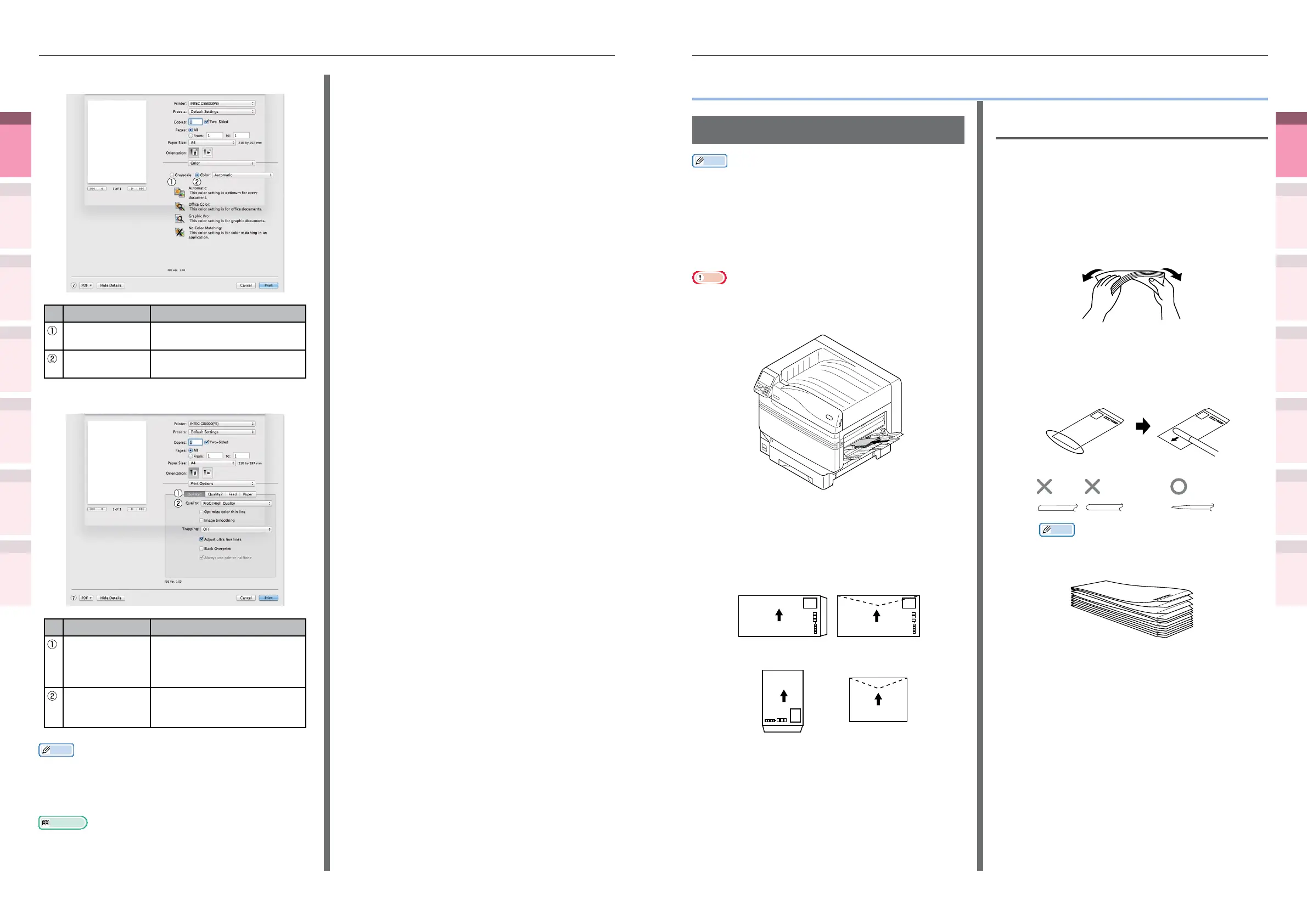
Printing on envelopes
Memo
z
For the types of envelopes that can be used, see “Usable
Paper Types” in “Basic”.
z
For the Multi-Purpose Tray preparations, see "Setting
paper in the Multi-Purpose Tray" in "Basic".
z
You can print by manually feeding one page at a time from
the Multi-Purpose Tray. For details, see “Printing single
sheets manually” (P.74).
Note
z
2-sided printing and printing from paper trays are disabled
for envelopes.
z
Print speed will be slowed.
z
Setting the paper orientation
Set the print surface face-up.
Set as a diagram to print the addressee.
(Yougata 0 gou/2
gou/4 gou
Yougata Long 3 gou)
(Yougata 0 gou/2
gou/4 gou
Yougata Long 3 gou)
Com-9, Com-10
DL, C4, C5
Monarch
(Kakugata
2 gou)
Before setting
1
Check that the envelope is not bent or
swollen.
2
If the envelope is bent, hold the
diagonally-opposite edges of the
envelope and slowly bend to straighten
the envelope.
3
If there is a difference in the thickness
on the left and right when the envelopes
are stacked, use a rod to make the
thickness universal.
z
Cross-sectional diagram of an envelope
Memo
z
If the front edge of the envelope is bent or
swollen, extend the envelope out at as shown
in the diagram below.
[Color] panel
Item Explanation
Grayscale Species to use monochrome
printing.
Color Species alignment to color
mode when printing in color.
[Print Options] panel
Item Explanation
Print Options Species alignment to the
items that have been set such
as print quality, paper type,
etc.
Items Setup Species the setup items
conforming to the print setup
tab.
Memo
z
This section uses [MemoPad] for its Windows explanations,
and [TextEditor] for its Mac OS X explanations.
Descriptions may differ depending on the applications and
printer drivers used.
Reference
z
For detailed explanations of the printer driver setup items,
see the printer driver "Online Help".



 To Next Page