- 176 - - 177 -
Network setting items Initializing network settings
5
1
2
4
3
5
1
2
4
3
Convenient print
functions
Appendix Index
Checking and
Changing Printer
Settings Using
the Control Panel
Network
Setup
Matching
Colors
Using Utility
Software
Convenient print
functions
Appendix Index
Checking and
Changing Printer
Settings Using
the Control Panel
Network
Setup
Matching
Colors
Using Utility
Software
z
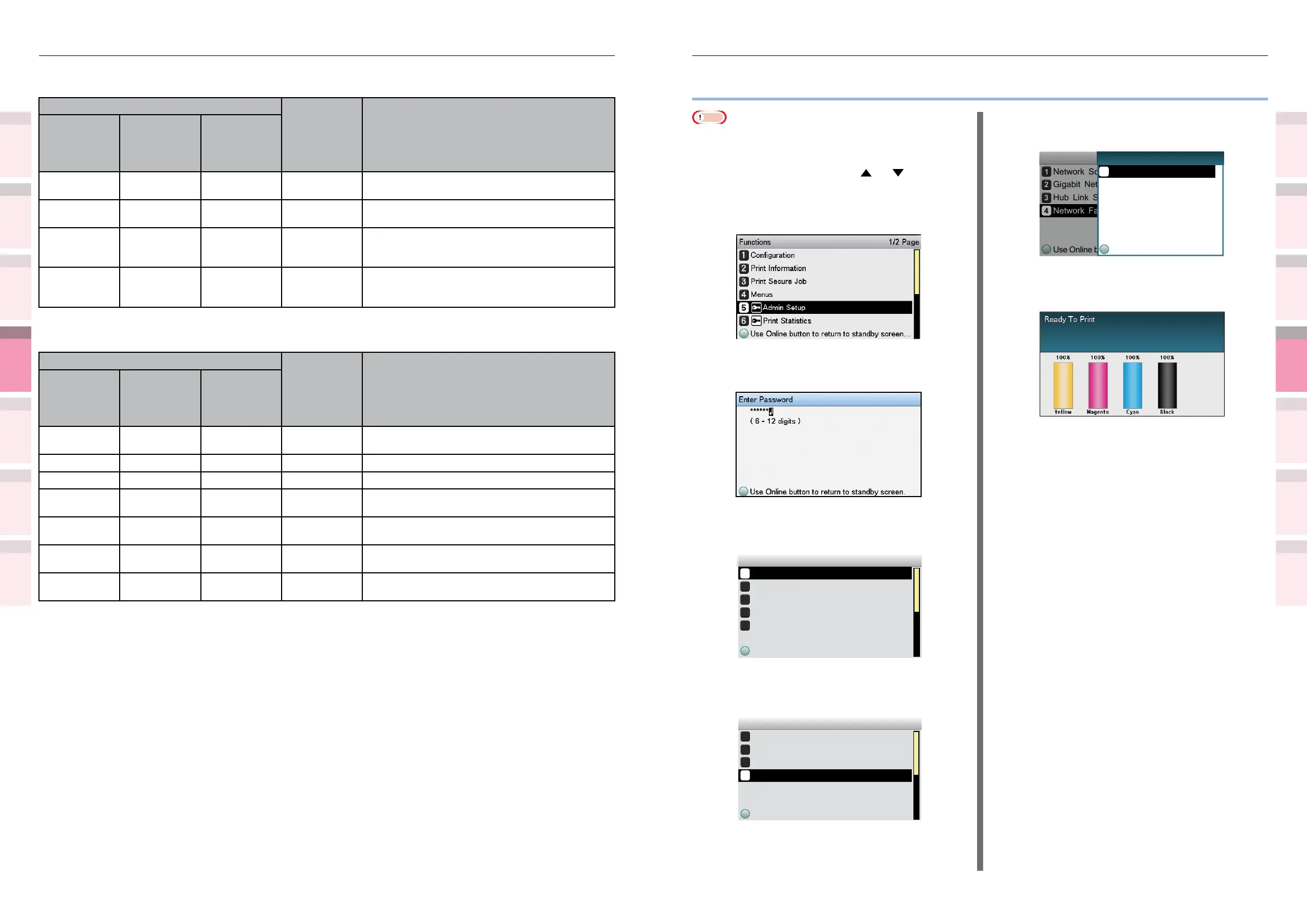
Initializing network settings
Note
z
Implementing this operation will initialize all network
settings.
1
Press the scroll button or .
2
Select [Admin Setup], and press the
[OK] button.
3
Enter the administrator password, and
press the [OK] button.
4
Select [Network Setup], and press the
[OK] button.
Admin Setup 1/3 Page
Network Setup
Print Setup
PS Setup
PCL Setup
Use Online button to return to standby screen
USB Setup
5
Select [Network Factory Defaults], and
press the [OK] button.
Network Setup 3/3 Page
Network Scale
Hub Link Setting
Network Factory Defaults
Use Online button to return to standby screen
Gigabit Network
6
[Execute] will be displayed, so press
the [OK] button.
Network Scale
Gigabit Network
Hub Link Setting
Network Factory Defaults
Use Online button to return to standby screen
Network Setup
Use Online button to return
Execute
1/1 PageNetwork Factory Defaults
7
The display will return to the standby
screen.
Maintenance
Item
Factory
Default
Settings
Explanation
Web Page
Conguration
Tool/ Network
Setting Plug-in
Network
Card Setup
Utility
(Mac OS X)
Restarting the
network
- - Implement Use to restart the network card.
Initializing the
network
- - Implement Use to restore the network settings to the factory
settings.
Network scale - - Normal Use the factory settings. [Small] is recommended
provided you are using a small-scale LAN
connecting multiple PCs.
Sleep
cancellation
setting
- - Disable Use the factory settings. Set to "Enable" to
cancel sleep mode using MIB Get.
Web printing
Item
Factory
Default
Settings
Explanation
Web Page
Conguration
Tool/ Network
Setting Plug-in
Network
Card Setup
Utility
(Mac OS X)
Paper feed
tray
- - Auto selection Species the tray used in the print job.
Copies - - 1 Species the copies.
Batch printing - - Disable Species whether to sort the output.
Align to paper
size
- - Enable Species whether to align the document size to
the paper size.
Duplex - - None Species whether to close, and the closure
method, during 2-sided duplex.
Print page
specication
- - Disable Species the pages to be printed.
PDF password - - Disable If printing an encrypted PDF le, select the item
and enter the required password.



 To Next Page