LIP-9070 iPKTS User Guide
71
Note
° The upgrade software file, upgrade.zip, can be obtained from the local Ericsson-LG representative.
° During the upgrade procedure, do NOT unplug or remove the phone from the power source or LAN.
° An upgrade will return the Call Preferences, Flex button labels and Call Sound settings to the default values.
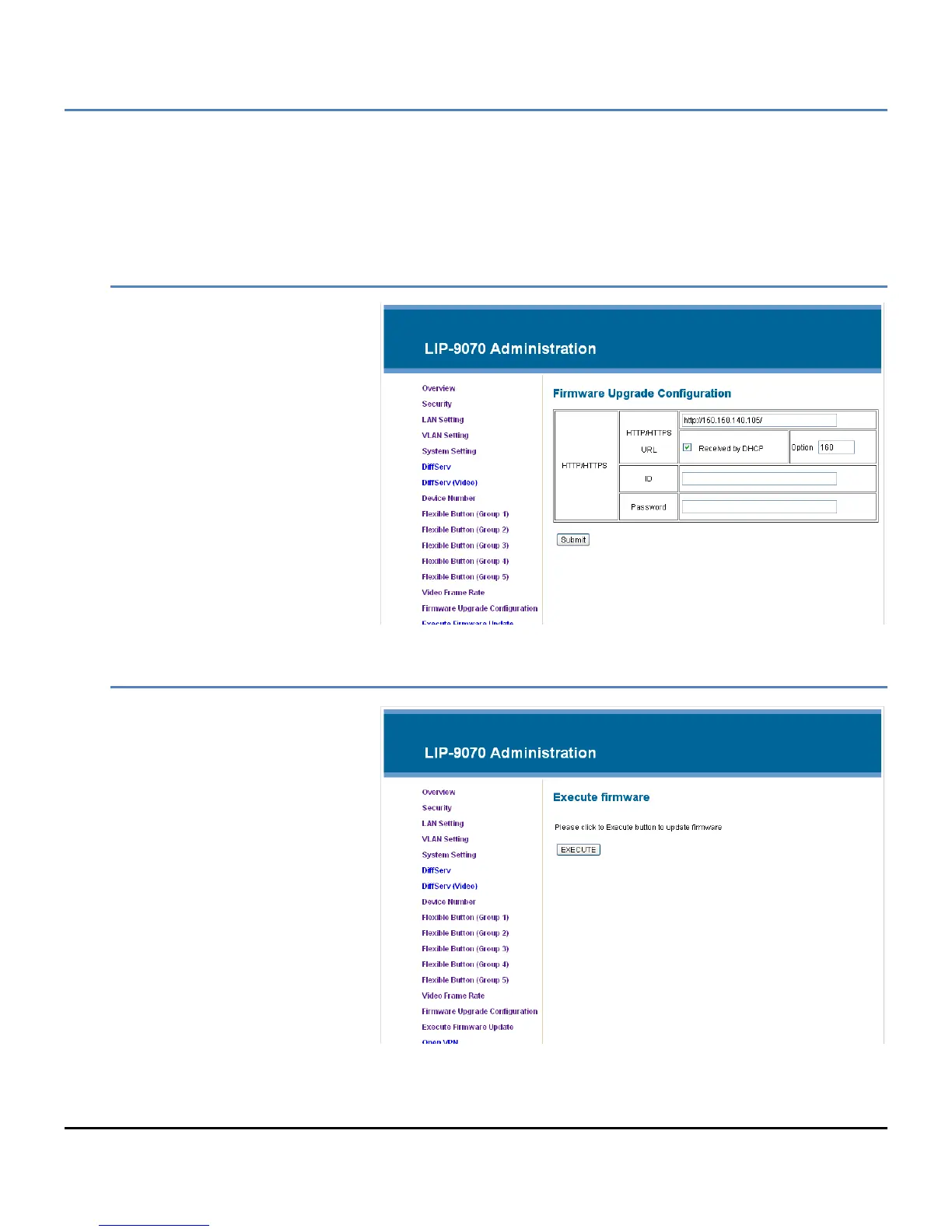
Firmware Upgrade Configuration
Prior to upgrading the software, the
phone must be configured with the
upgrade server information. The
information required includes the
server IP address or URL and for https,
the Authentication ID and password.
The phone may request the server IP
address or URL from the local DHCP
server using Option 160 as the server
address or URL.
Note
° iPECS-CM may use FTP to
upgrade the phone software.
Execute Firmware Upgrade
Once the software is loaded on the
upgrade server and the phone
configured with the server information,
the software can be upgraded. To
upgrade the software,
1. Select ‘Execute Firmware
Upgrade’.
2. The LIP-9070 contacts the
upgrade server and
downloads the firmware.



 To Next Page