Chapter 2. The Validator AVS Hardware
Kaye Validator AVS User’s Manual 18
2.2.3 Side Port for Data Transfer
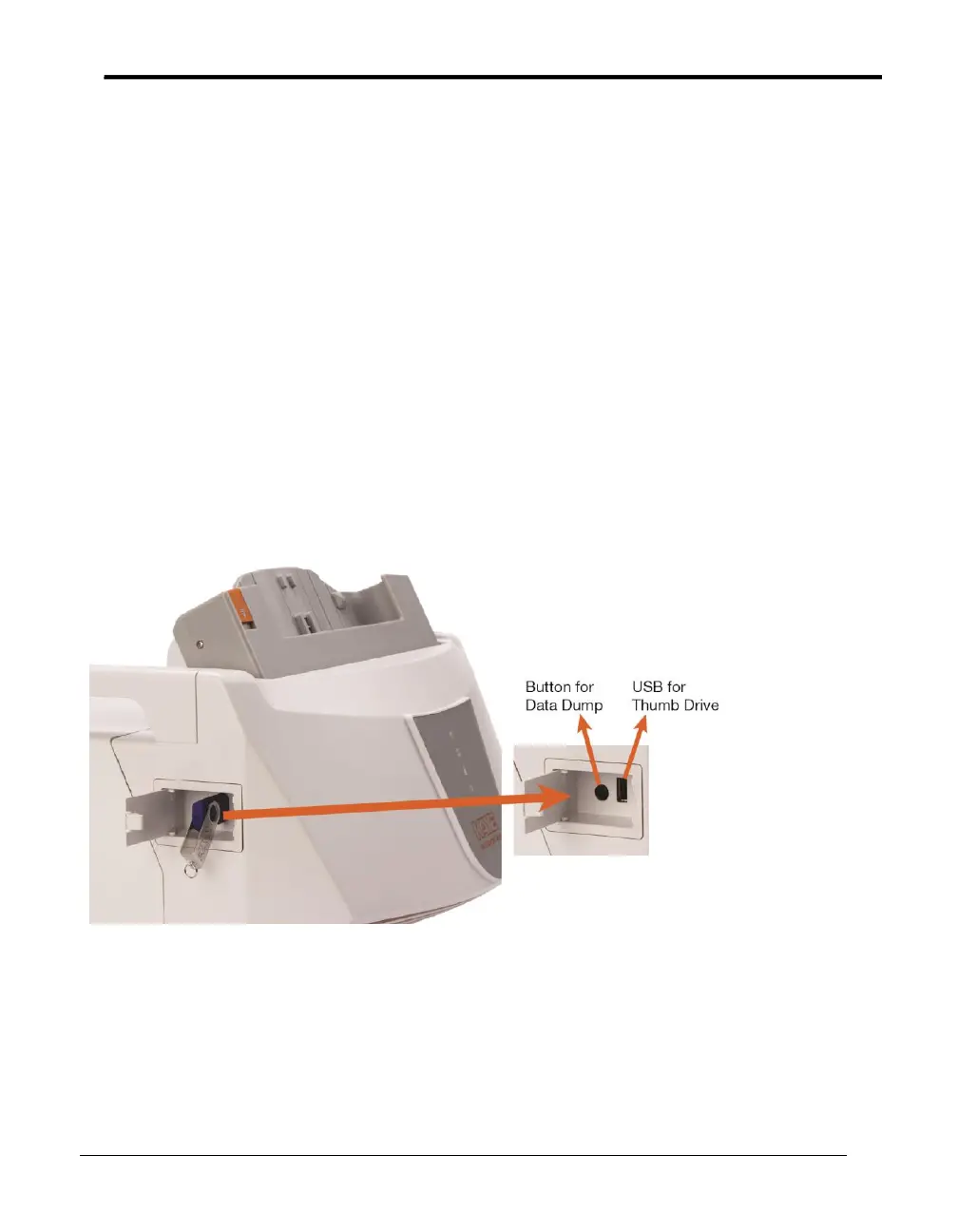
On its left side, the Validator AVS offers a side port with a USB port (to accommodate a
USB flash drive) and a button for data transfer, as shown in Figure below.
The Validator AVS writes the study data into the internal memory. If there is an unread
study available on the Validator AVS there is a message when connecting the console and
the study data is transferred to the console directly. Alternatively the study data can be
dumped to the USB side port. After connecting an USB flash drive and pressing the button
the last 10 studies are written to the Flash drive and can be reimported into the console
through the AVS software. To provide data security, data is stored in secure data files that
can only be read by the Validator AVS software. Files that have been tampered with are
no longer readable by the software. This port is used only for data dump and not for
connecting console.
Use the AVS convert function (see chapter 3.7) to import the files into the Validation
console.
Figure 6: Side Port for Data Transfer



 To Next Page