Chapter 8. Viewing Live Data
Kaye Validator AVS User’s Manual 93
8.3 Check Communications Connections
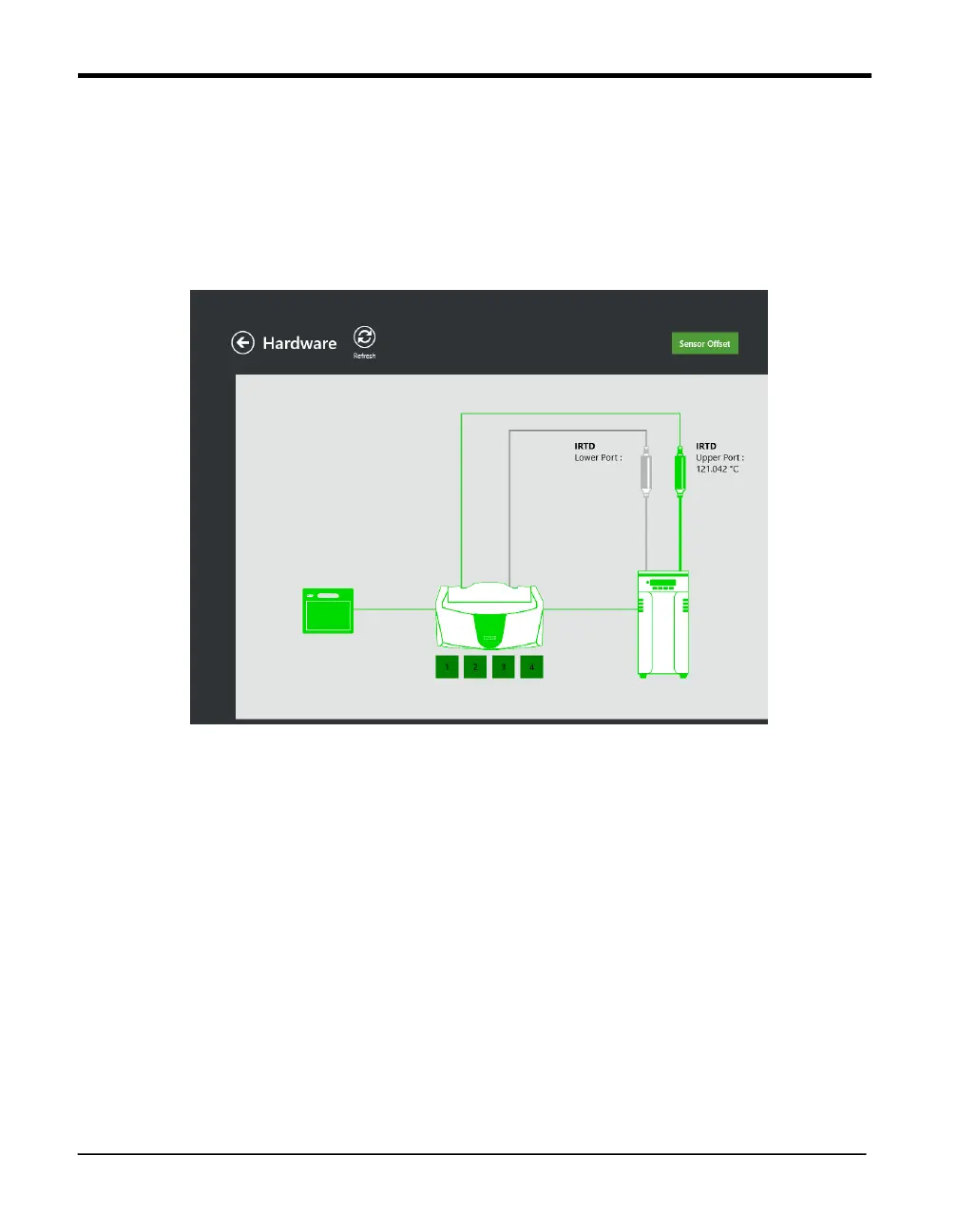
On any of the live data monitoring screens, you can check your communications connections
by pressing the Hardware button. On the Hardware screen each hardware item (Kaye
equipment) is shown with a communications link.
Figure 61: Hardware Screen
A Device Not Found status indicates that the hardware is not communicating and may not be
connected properly.
If the link to the Kaye Validator AVS is not responding, all links will be marked with a grey image
of device.
8.4 Select a Temperature Standard
If you have two IRTDs connected to the Kaye Validator AVS, IRTD on the upper port will be
used as temperature standard. The lower IRTD port will display in the hardware screen or can
be used to power a pressure transducer with a special cable. For calibration and verification
studies only the upper port is recognized.



 To Next Page