Chapter 7. Calibrating and Verifying Sensors
Kaye Validator AVS User’s Manual 80
7.3 Selecting Sensors
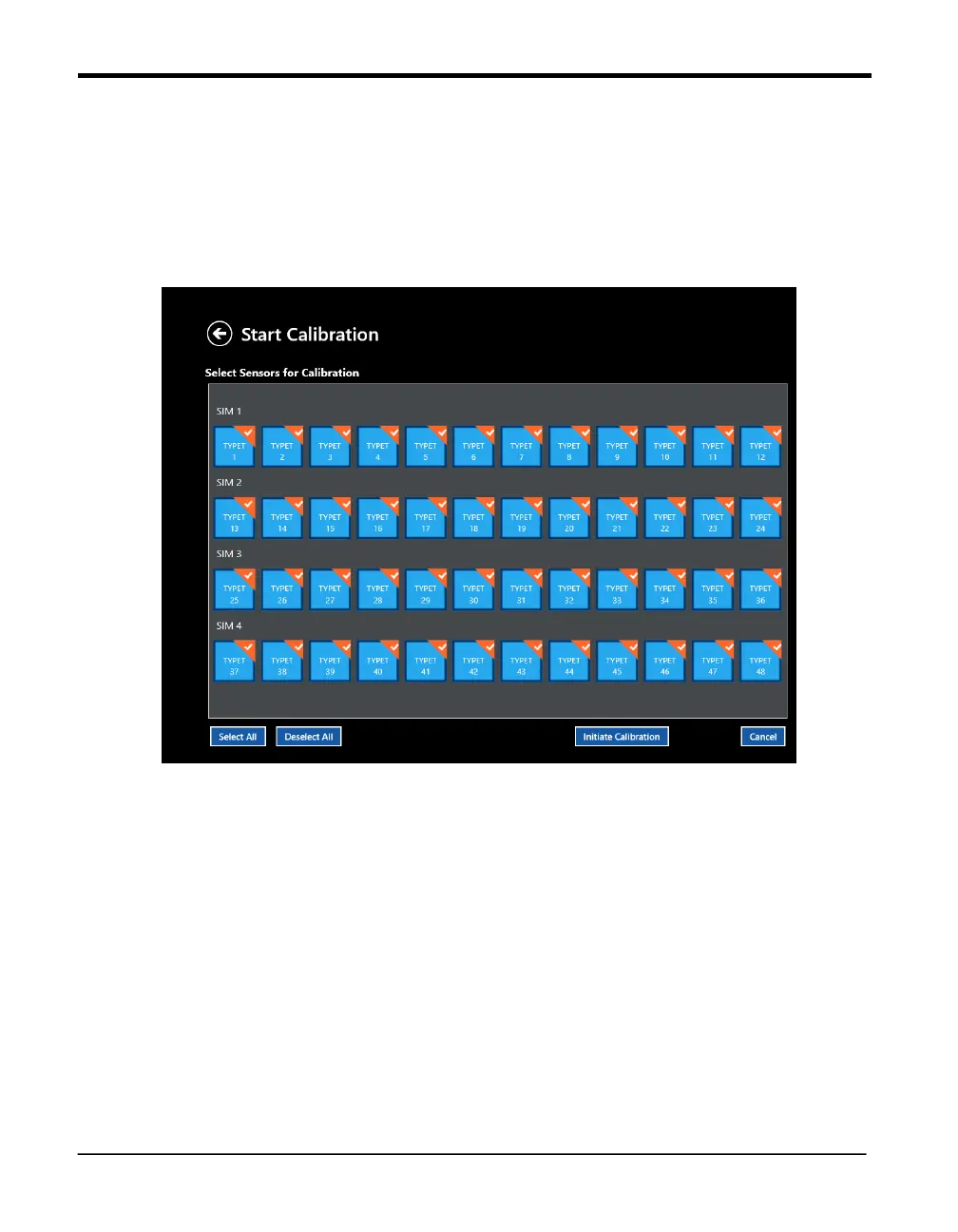
You select the sensors to be calibrated or verified on the Select Sensors screen. This screen
(Figure below) lists all thermocouple sensors defined in the setup. Sensors that are not
selected appear as plain blue, while selected sensors appear in their SIM row in deep blue
with an orange triangle. For each SIM, you can select sensors individually or select all
sensors in one step.
Figure 47: Sensor Selection Screen
• To select sensors individually, press the individual sensor tile. The icon color changes to
deep blue and the check box is enabled.
After you have selected and confirmed your sensors, press Initiate Calibration to start a new
calibration, or Initiate Verification to perform a verification. (Press Cancel to discard
the sensor
selections and return to a fresh screen. Press the return button in the upper left to exit the
option.)
Note: Once you begin a new calibration, any offsets from previous calibrations will be lost.



 To Next Page