Chapter 7. Calibrating and Verifying Sensors
Kaye Validator AVS User’s Manual 79
7.2 Loading a Setup into the Validator AVS
Before you begin the calibration or calibration verification process, you have to load your
setup into the Kaye Validator AVS. If a Kaye IRTD is used then connect Kaye IRTD to top
port of the Validator AVS.
IMPORTANT: When you load a setup with a different calibration signature (calibration
parameters and/or temperature units) than the setup currently in memory,
any sensors already calibrated will be marked as uncalibrated. If you reload
the original setup, and you have not calibrated sensors using the new setup,
the offsets are restored and the sensors are marked as calibrated.
When you load a setup with a different line frequency than the setup currently in memory, you
must wait for the Kaye Validator AVS to stabilize (approximately 2 - 3 minutes) before
calibrating sensors or verifying sensor calibration or you may see invalid sensor data
displayed. You can also turn the Kaye Validator AVS off and then back on, and then calibrate
your sensors or verify sensor calibration.
To load a setup:
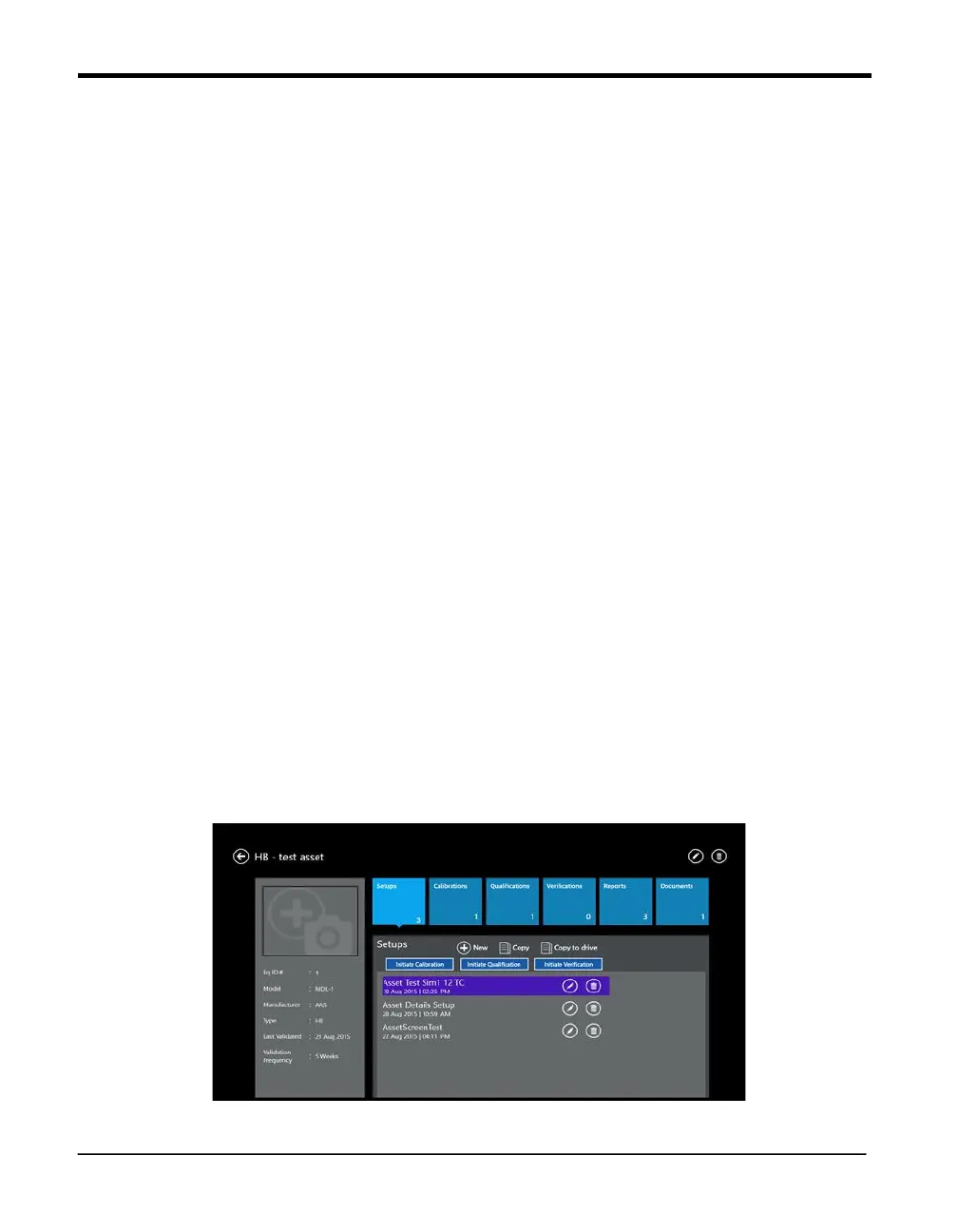
• From the Main Menu go to the Asset details and then select a setup from list of available
setups. Now the buttons for initiating a study are active, and pressing “Initiate Calibration” or
“Initiate Verification” starts the corresponding process.
Select the Kaye Validator AVS to use. The docking mode is already preselected but it is
possible to select any AVS from the list populated after pressing the discovery button, of Kaye
Validators AVS that are currently available through a network connection and idle. Select the
desired Kaye Validator AVS and press the “Connect” button (see also Chapter 8 for details of
selecting a Kaye Validator AVS).
The Kaye Validator AVS loads the setup and reads sensor information. This process may
take a few seconds to complete. The Console then proceeds to the Sensor Selection screen.
Figure 46: Initiate a Calibration from Asset Setups



 To Next Page