Chapter 7. Calibrating and Verifying Sensors
Kaye Validator AVS User’s Manual 81
7.4 Calibrating or Verifying Sensors
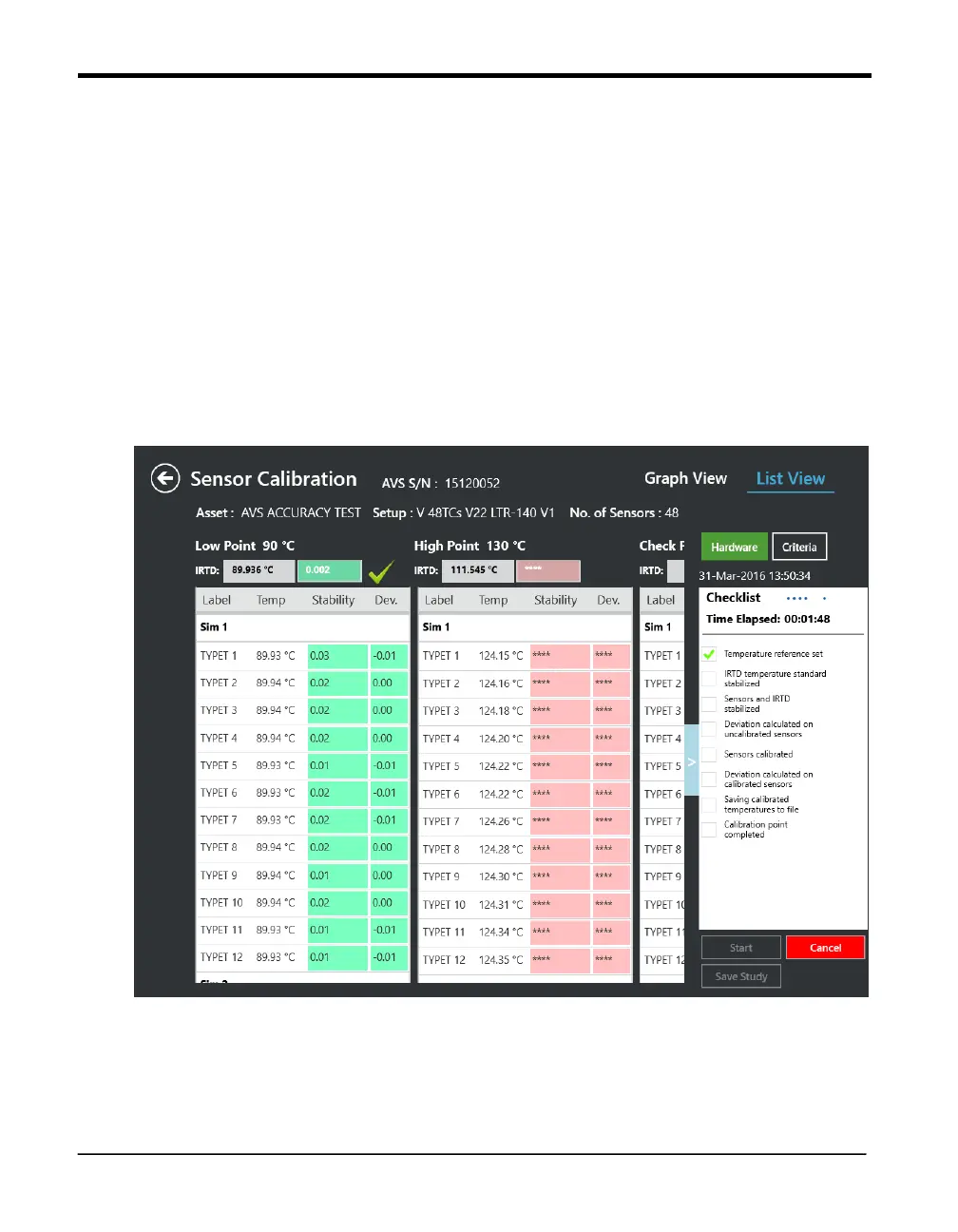
The Calibration study can be started in the calibration study screen by pressing the start
button. The Kaye Validator AVS automatically calibrates (or verifies) sensors at the
setpoints defined in your setup. In case of a verification it is possible to change the
checkpoint setting via the Criteria button before starting the run to allow to adapt to
changed requirements.
The hardware connections and the criteria as defined in the setup can be reviewed any time
by pressing the corresponding buttons.
Note: It is recommended to make sure live data is actually displayed from connected
sensors and IRTD before starting the study.
Figure 48: Calibration Study
Screen
The Kaye Validator AVS clears calibration offsets stored in the SIMs for the selected sensors,
and establishes communications with the temperature reference and the IRTD. The Calibration
screen displays the temperature readings and stability readings for each sensor being



 To Next Page