Chapter 9. The Qualification Study
Kaye Validator AVS User’s Manual 98
9.3 Viewing the Active Qualification Study
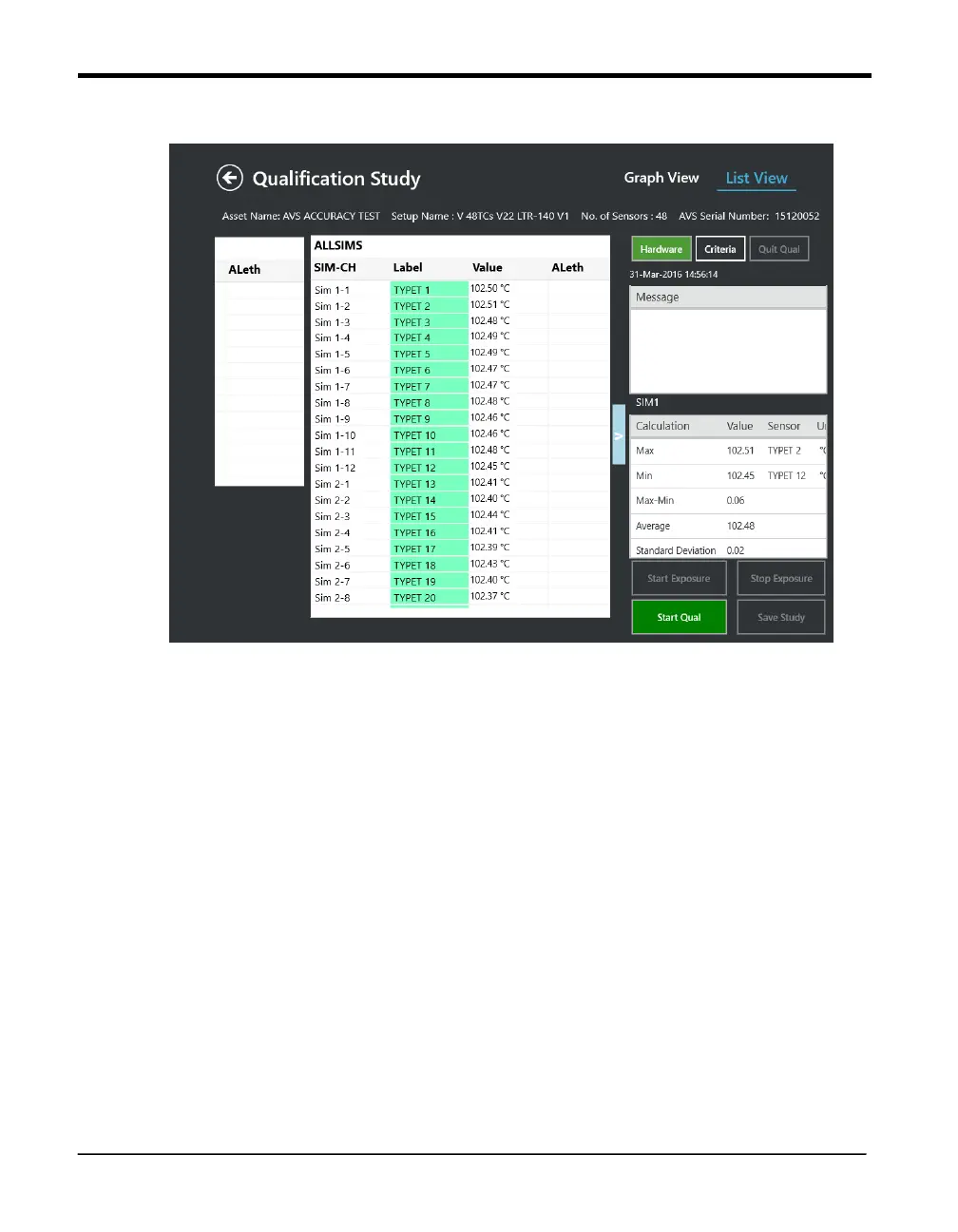
Figure 63: Real-Time Readings
The Study is started by pressing the Start Qual or by the automatic start condition defined
in the setup (in that case the start button is not available).
During the qualification study, real-time sensor readings and calculations for each group
defined in the setup are displayed. Also view real-time events that apply to the whole study
(start/stop qualification, start/stop exposure), as well as all group-specific events are
displayed in the message window. Graph option enables to view the data graphically.
When viewing sensor readings and calculations, the following guidelines apply:
• Calculations are computed, events are monitored and displayed on the Console screen.
• The resolution of sensor readings and calculation results is dependent on the lowest
resolution in the group.



 To Next Page