Chapter 3. Creating User Accounts
Kaye Validator AVS User’s Manual 49
• Disable User IDs during entry masks the User ID entry similar to the password entry with
dots in the login screen.
• Disable the password system. User IDs and passwords will not be required to use the
software.
• Allow editing the D value in the lethality calculation. When this option is enabled, the D
value field on the Lethality Calculations screen is editable in the setup. If this option is not
enabled, the D value field does display but is not editable when creating a new setup.
3.6 Updating the Kaye Validator AVS Firmware
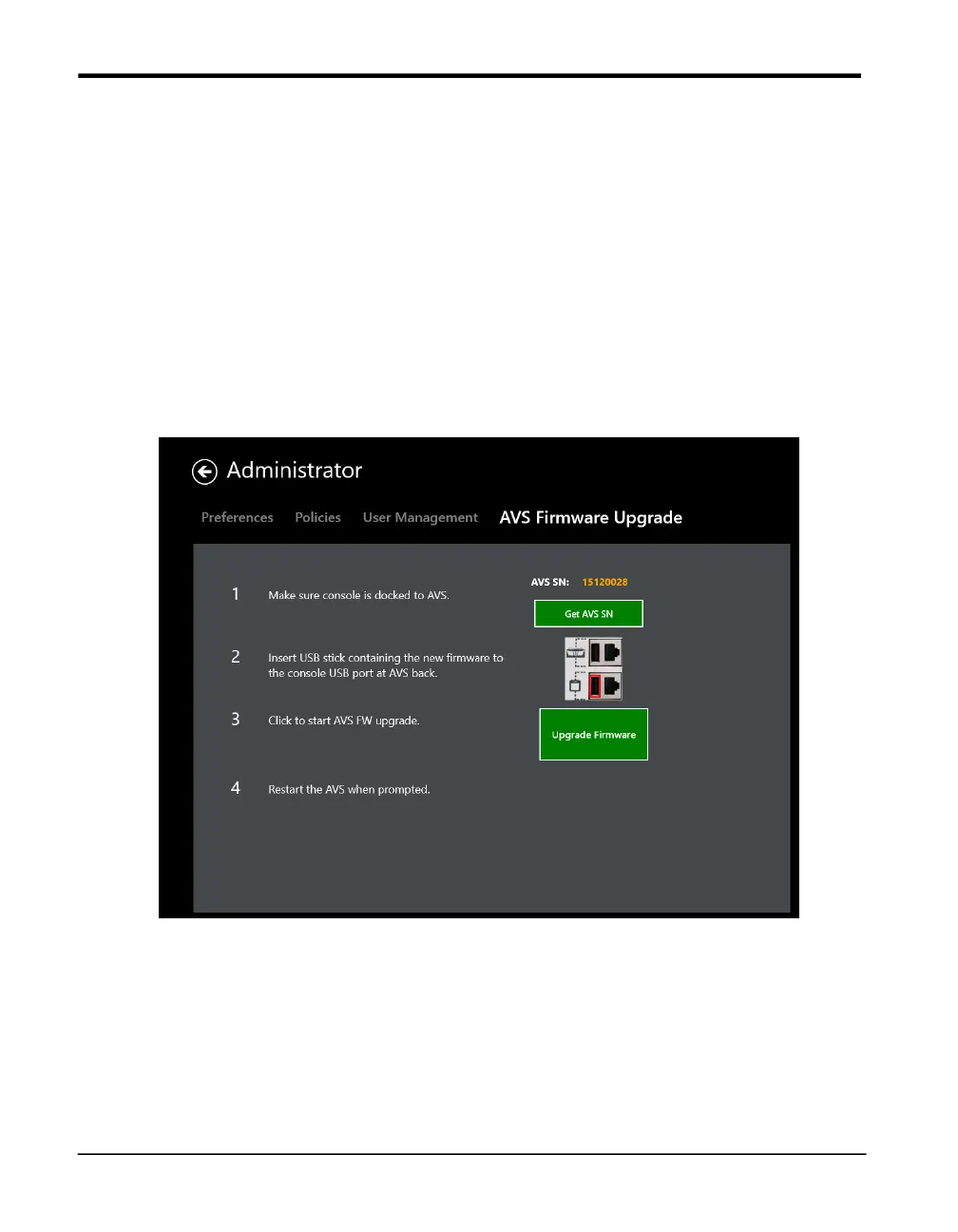
Figure 26: The Firmware Upgrade Tab
A new firmware release upgrade release for the Kaye Validator AVS can be applied using
the AVS Firmware Upgrade tool from the Admin functions. For upgrading the Firmware
please follow the steps exactly as outlined in the software:
1. Dock the console to the Kaye Validator AVS that is supposed to get upgraded
Note: A remote upgrade using Ethernet or Wi-Fi is not supported!
Press the “Get AVS SN” number to establish a connection to the Kaye Validator AVS.
This assures the connectivity and retrieves the serial number for the audit trail entry.



 To Next Page