Chapter 2. The Validator AVS Hardware
Kaye Validator AVS User’s Manual 23
2.3.1 Wiring SIMs
There are two methods for wiring SIMs. You can assign sensor locations in your setup
file, and then wire the sensors according to the Setup Report, or you can buy pre-wired
SIMs or wire the SIMs yourself and then create a setup that reflects the sensor locations.
This section shows you how to wire SIMs yourself.
IMPORTANT: The SIM contains a static sensitive component that stores calibration
information. Use caution when connecting sensors. It is recommended
that you wear an anti-static ground strap when connecting sensors and
routing wires.
To connect sensors to SIM locations:
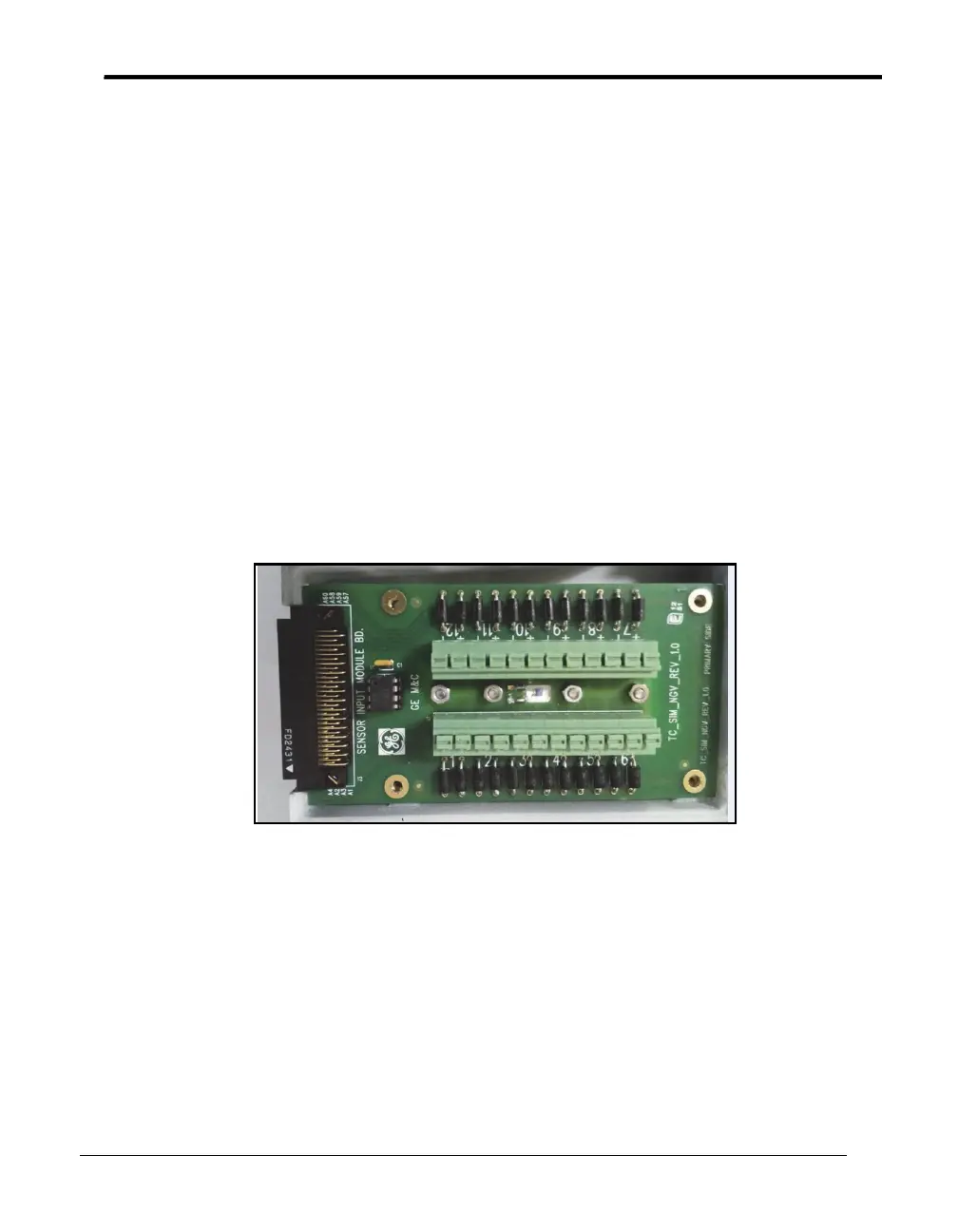
1. Loosen the two screws in the top of the module to open a SIM. Figure 8 below shows
the inside of a SIM.
Figure 8: SIM Wiring
Components:
• Tie wrap mounts
• Connector (locations 1 - 6)
• Sensing RTD
• Connector (locations 7 - 12)
• Sensor location number. There are 12 connection locations, labeled 1 - 12, with a
positive and negative connector for each input.
2. Press the two press-keys to open connectors where the sensor is to be inserted.



 To Next Page