Chapter 3. Creating User Accounts
Kaye Validator AVS User’s Manual 42
3.2.1 Creating Your System Administrator Account (cont.)
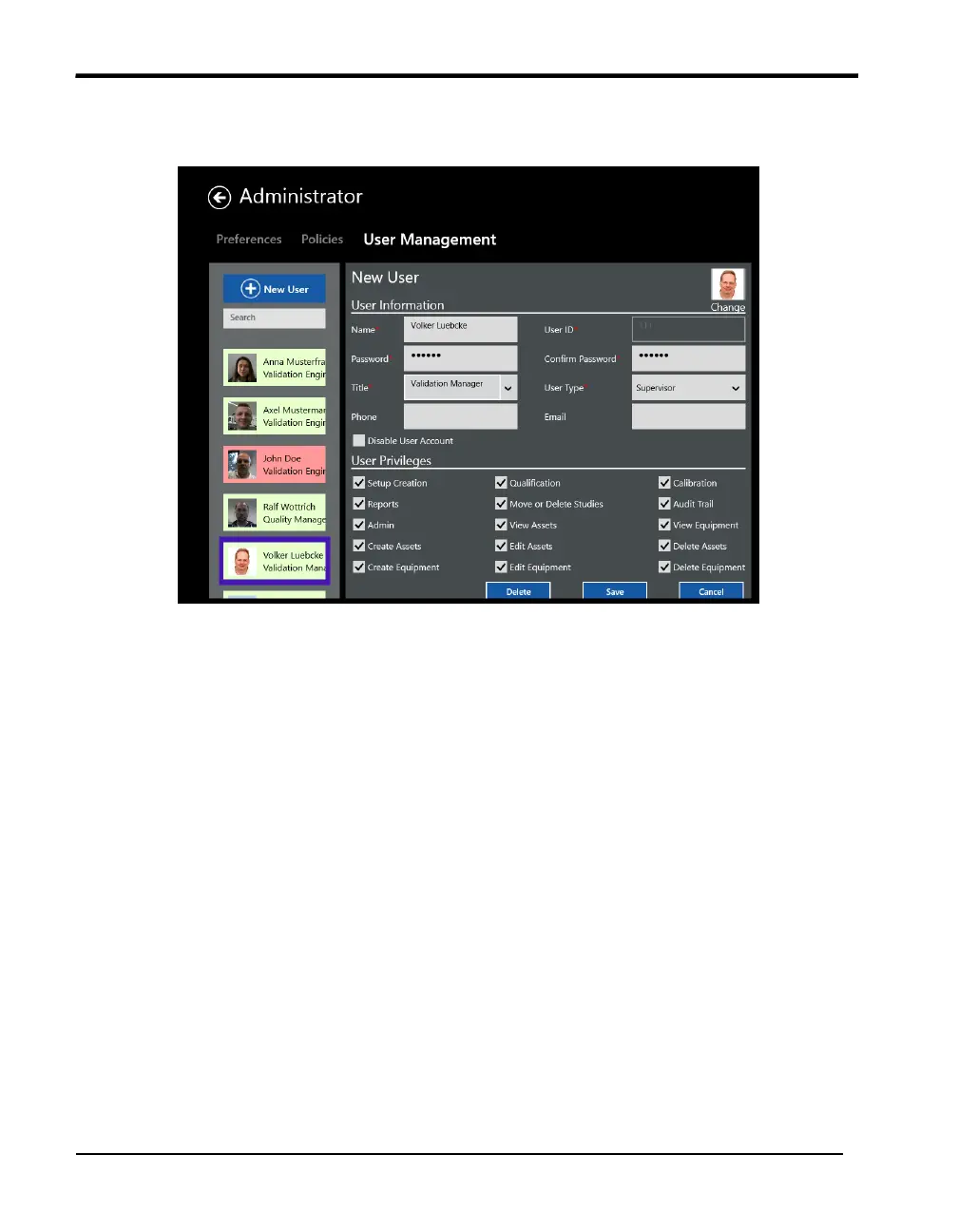
Figure 23: User Management Tab
The name you enter here displays later in the active user list on the left side of the screen.
In contrast to the User ID, the User names are not unique. Once you have added your
name to the active user list, you can enter the same name again. Your name is associated
with the user ID/password combination that you entered. You use this user ID/password
combination to log in to the Validator AVS.
4. Enter your new System Administrator identification in the User ID text box. Your
user ID can be any combination of numbers and characters, up to a maximum of 16. A
user ID may not be used by more than one active account.
5. Enter your new System Administrator password in the Password text box. Your
password can be any combination of numbers and characters, up to a maximum of 16.
For security reasons, it is preferable to use more than six characters or numbers.
6. Enter your password again in the Confirm password field and press OK.
At this point you should record your user ID and password for future reference. You need
both to log in to the Validator AVS. If you do not enter the correct user ID/password
combination, you will be denied access.



 To Next Page