Chapter 6. Defining Study Setups
Kaye Validator AVS User’s Manual 71
The screen also offers the following options:
• Delete - permits deletion of a group of sensor
• Move Sensors - permits moving sensors to another sensor group
(specified in drop-down list)
• Add Sensors - allows users to add further sensors to a group
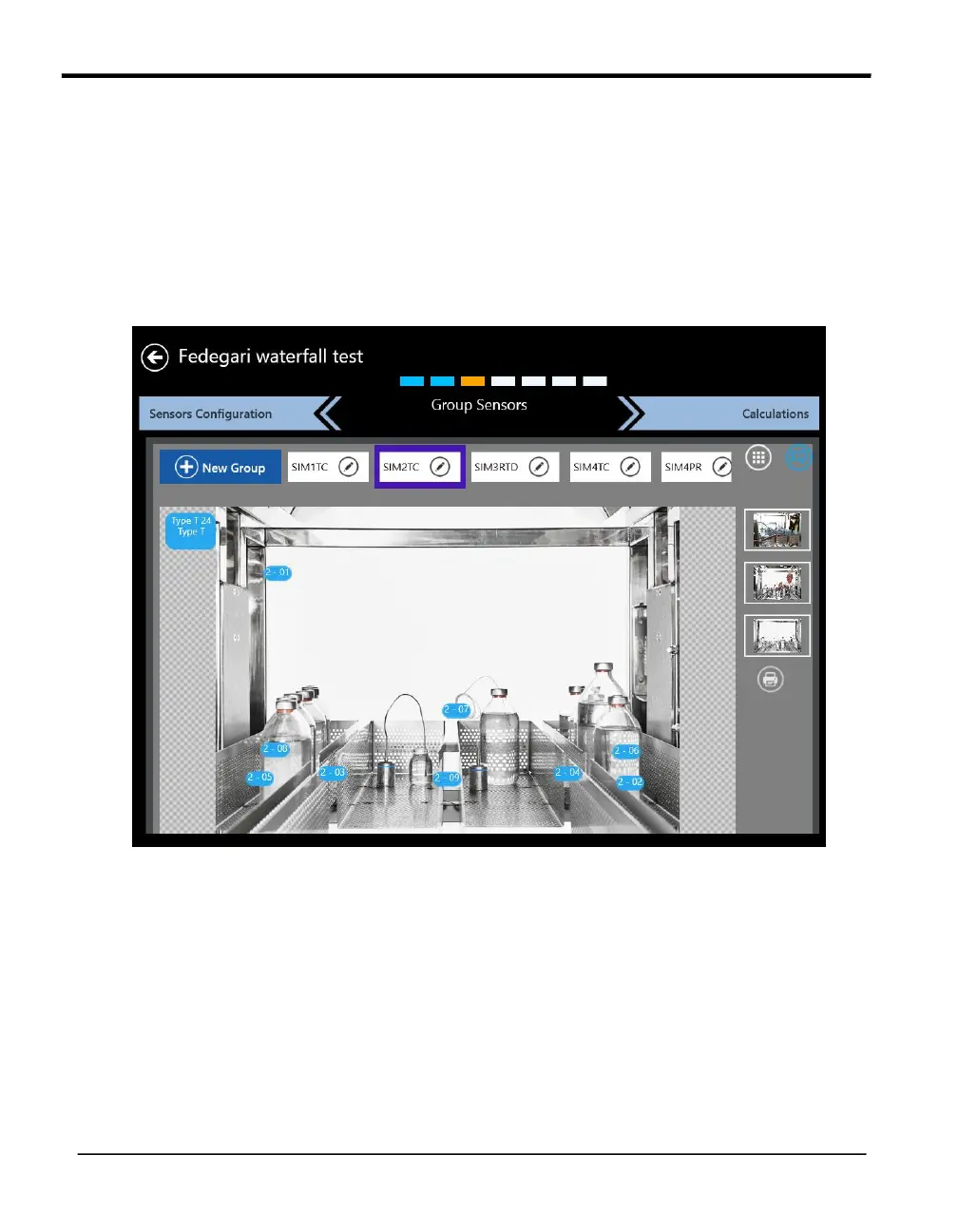
• Wiring overlay – accessible via the book icon - enables displaying the wiring overlay graphic:
Figure 42: Wiring Overlay Diagram
In the wiring overlay one of the pictures predefined in the asset details can be chosen as a
background while the sensors per group can be dragged into the picture to reflect the
position during the study. The sensor positions are stored in the setup.
The printer button enables the export of the wiring overly to a pdf file that can be uploaded
to the asset with the upload document function in the asset details.
When you have finished and saved your changes, press Calculations to proceed to the
Group Calculations screen.



 To Next Page