A75UM3EB (Ver. E.2)
3-67
3.6.1 Shift and Centering
[Functions]
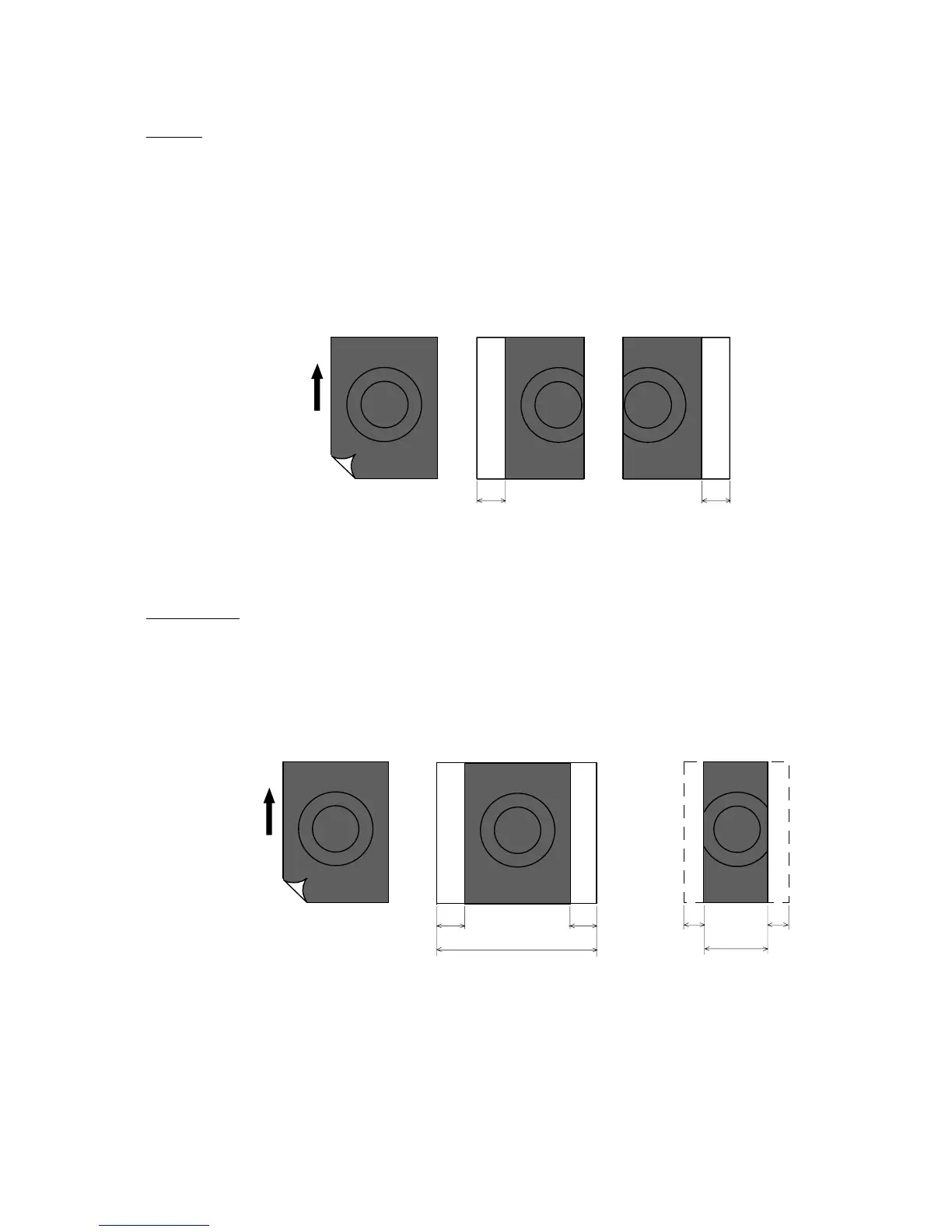
A. Shift
It is possible to shift the whole copy image to either left or right.
If the image goes out of the copying media by the result of Shift, it is lost.
(Maximum amount of Shift)
35.40 inches for both right shifting and left shifting
(Unit of setting)
0.01 inches
B. Centering
The copy image is placed at the horizontal center of the copying media and same amount of
margins are provided to both sides of the copy.
Note : If the copy image is wider than the copying media, same width of images are lost from both
sides of the copy image.
ABCDEFGHJKLMN
ABCDEFGHJK DEFGHJKLMN
Original Copy (Right shifting) Copy (Left shifting)
Amount of shift Amount of shift
Direction of
original feeding
ABCDEFGHJKLMN
Original
Direction of
original feeding
ABCDEFGHJKLMN
CDEFGHJKL
Width of copying media Width of copying media
Margin Margin Lost image Lost image
Copy Copy



 To Next Page