A75UM3EE (Ver. E.2)
3-91
3.7.3 Rotation of Date Stamp
[Function]
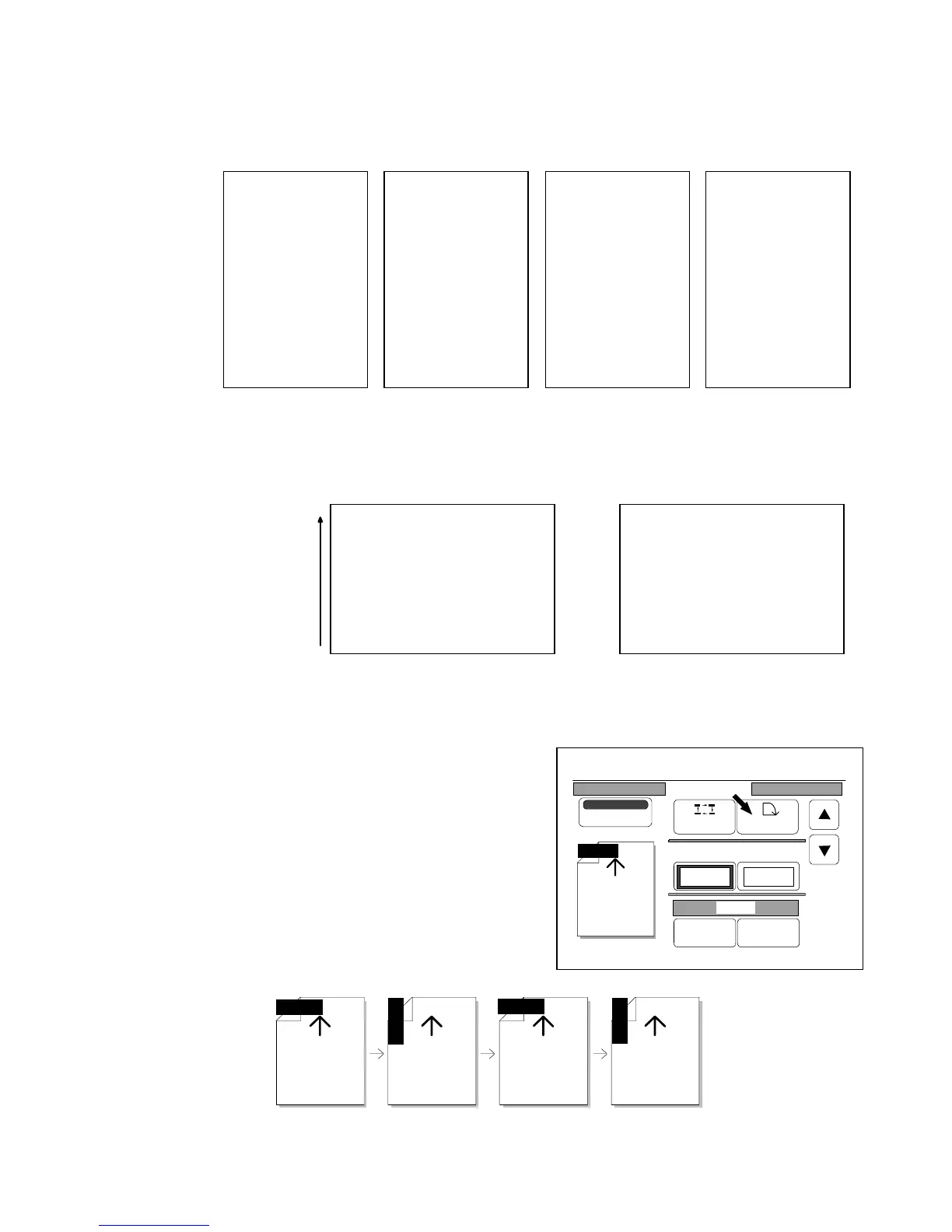
According to the direction of original’s image, rotate the Date Stamp.
It is possible to choose any of 0 degree, 90 degrees, 180 degrees and 270 degrees arc rotation.
(Example of use)
When original’s image is rotated 270 degrees arc against the scanning direction, choose 270
degrees arc rotation.
[How to change the rotation]
Whenever you press “Rotate”, you can select the rotation
in the following order.
The arrow mark in the indication shows the feeding
direction of original.
So, select your preferable rotation.
0 degree 90 degrees 180 degrees 270 degrees
Y/M/D
Y/M/D
Y/M/D
Y/M/D
SCANNER
KIP
KIP
SCANNER
1999/ 01/ 31
SCANNER
KIP
KIP
SCANNER
0 degree 90 degrees 180 degrees 270 degrees
1999/01/31
1999/01/31
1999/01/31
KIP
SCANNER
1999/01/31
KIP
SCANNER
Scanning
direction
Original Copy
0%
001
Date Stamp
Print
Y/M/D
Position Rotate
X Shift Y Shift
0.00" 0.00"
Y/M/D
Change Detail



 To Next Page