A75UM2E1 (Ver. E.2)
2-1
2.1 Turning on the Scanner
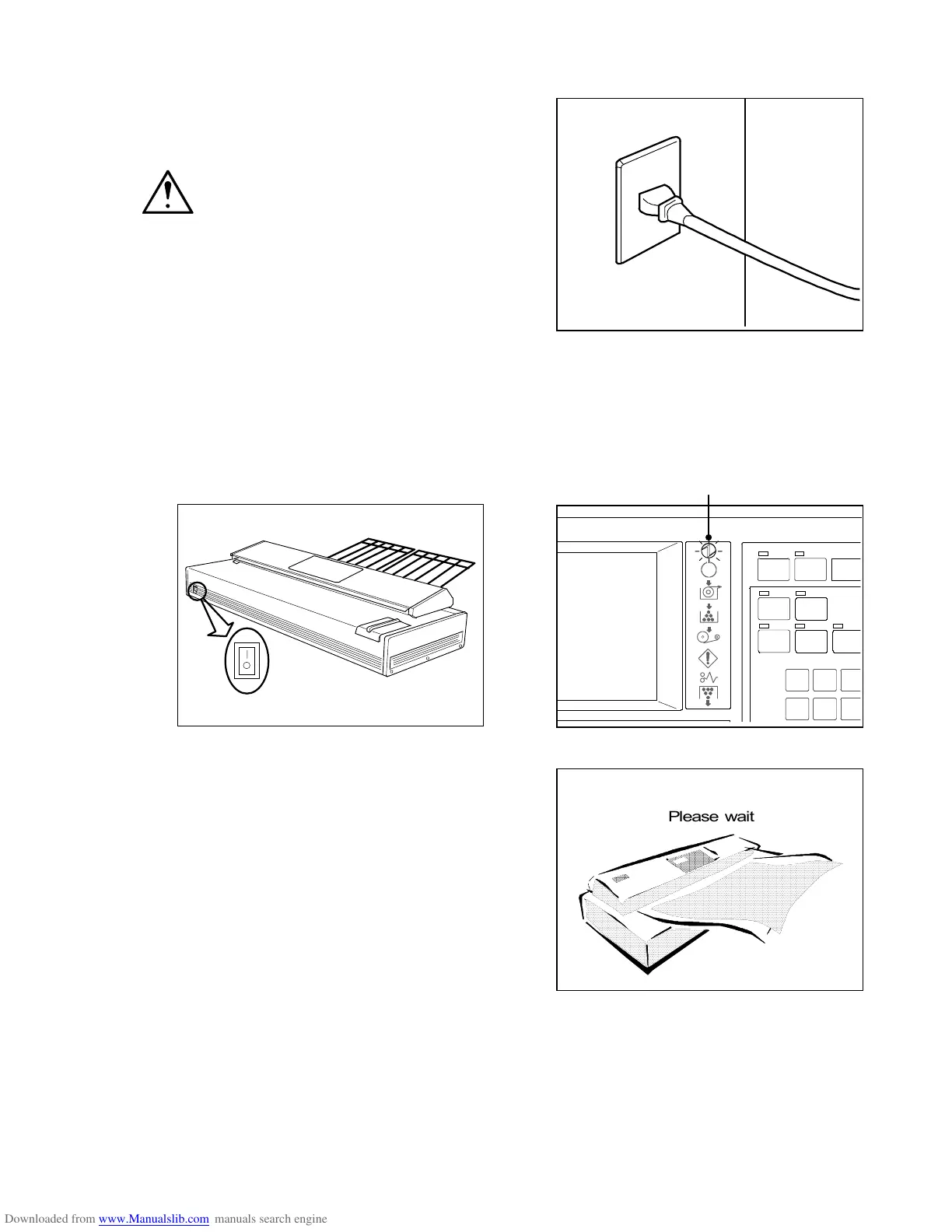
1) Make sure to connect the power plug to the outlet
firmly.
WARNINGS
1. Do not handle the power plug with wet hand
since it will cause to receive an electric
shock.
2. Make sure to connect the machine to the
ground.
If a leak occurs while it is not connected to
the ground, it will cause a fire or to receive
an electric shock.
2) Push the bar “|” side of the Power Switch to turn on the Scanner.
The Power Indicator lights up.
If the Power Indicator does not light up, check whether or not the power plug is firmly inserted to
the outlet.
Also, turn on the connected printer.
Power Indicator
3) “Please wait” is indicated on the LCD until the
scanner gets ready.
POWER
INT ERRUPT
RESET
SET COPY
AU TO ZOO M
CONCURRENT
AUTO PAPER
ROTA TE
4
7
5
8
6
9
PRI NT
SAVE



 To Next Page