A75UM3EN (Ver. E.2)
3-163
H. Date / Time
[Function]
It is possible to adjust date and time
Data and time decided here can be printed on the copy by the Date Stamp Mode.
As for the Data Stamp Mode, refer to “Date Stamp Settings” on the page 3-84.
[How to adjust date and time]
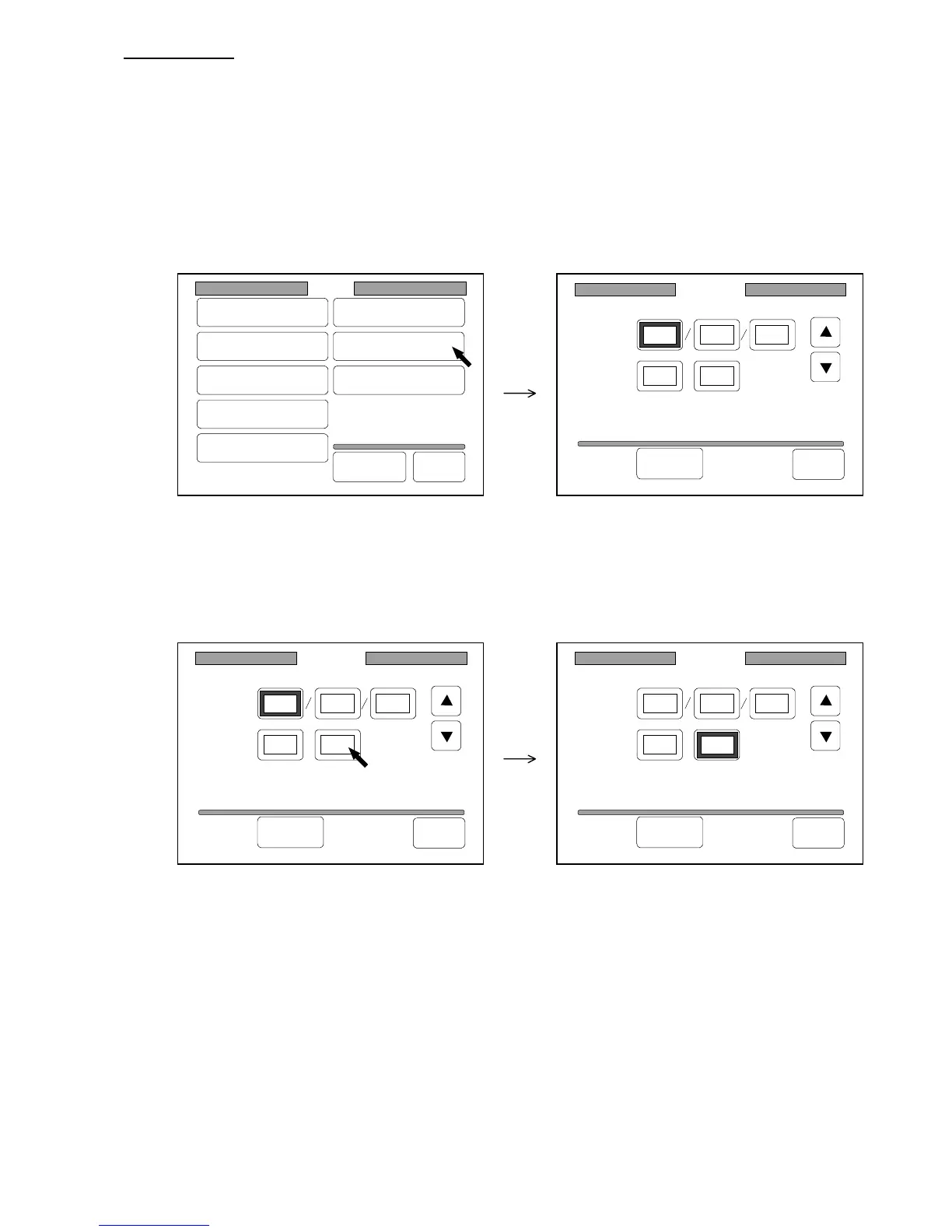
1) Press “Date/Time” in the Setting Screen to indicate the Date/Time Setting Screen on the LCD.
(Setting Screen) (Date/Time Setting Screen)
2) Press each value that you will change.
The frame of the value becomes thick and it becomes possible to change the value.
(Example : You will change “minute”.)
Date/Time
Date:
Time:
1999 10 28
09 54:
Set Back
Date/Time
Date:
Time:
1999 10 28
09 54:
Set Back
Date/Time
Date:
Time:
1999 10 28
09 54:
Set Back
Setting
Register
Zoom Ratio
Auto Start
Standard Mode
Mode Memory
Memory
Date/Time
SCSI
Set Back
Original
Format



 To Next Page