A75UM3EC (Ver. E.2)
3-73
3.6.2 Leading Edge and Trailing Edge
[Function]
Leading Edge
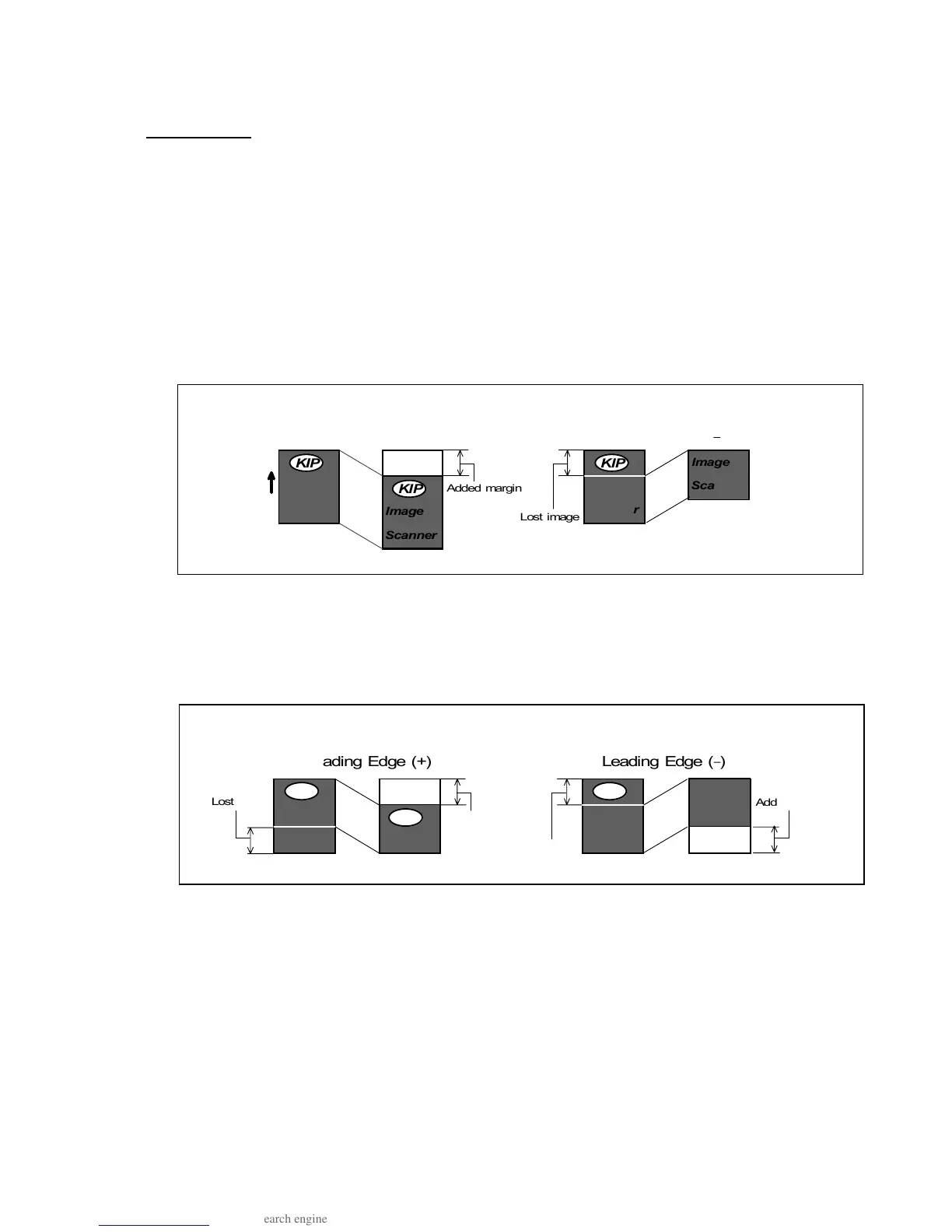
Leading Edge (+) : Some amount of margin is provided to the leading edge of copy.
Leading Edge ( - ) : Some amount of original’s leading image is prevented from being copied.
(Maximum amount of Leading Edge)
4.00 inches for both plus and minus
(Unit of setting)
0.01 inches
Note : The result of copy is different if the selected Cut Mode is different.
1. In the Synchro Cut, margin is simply provided (plus setting) and original’s leading
image is simply prevented from being copied (minus setting) as follows.
2. If you provide some amount of margin by plus setting in the Standard Cut, the same
amount of trailing image is lost from the copy.
And if you prevent some amount of original’s leading image from being copied, the
same amount of margin is provided to the trailing edge of copy.
Leading Edge (+) Leading Edge ( )
Direction of
original feeding
Original
Copy
Original
Copy
Synchro Cut
Ima ge
Scan ner



 To Next Page