A75UM3E6 (Ver. E.2)
3-33
3.4.2 Standard Zoom Ratio
[Function]
The following zoom ratios are called Standard Zoom Ratios that are used often for reduction
and enlargement of standard size as “24 inches to 36 inches” and “18 inches to 12 inches”.
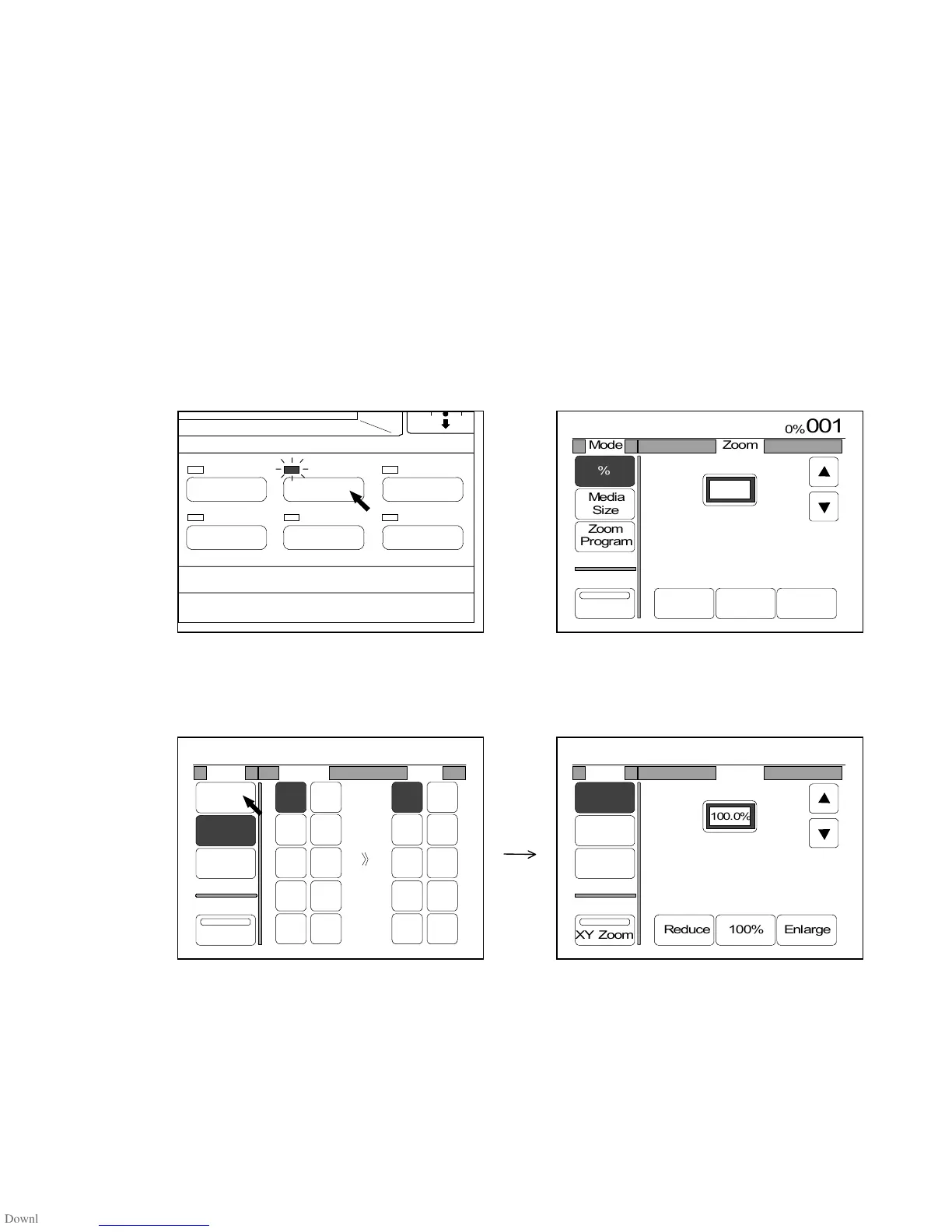
It is possible to choose these zoom ratios easily pressing “Reduce”, “100%” and “Enlarge” in the
Zoom Setting Screen.
“Reduce”, “100%” and “Enlarge” are indicated when the % Mode is selected.
The following are the standard zoom ratios that the scanner has at factory forwarding.
25.0%, 45.0%, 50.0%, 66.7%, 100.0%, 133.3%, 150.0%, 200.0%, 300.0% and 400.0%
[Operation]
1) Push the Zoom Key to indicate the Zoom Setting Screen on the LCD.
(Zoom Key) (Zoom Setting Screen)
2) If “%” is not colored, press “%” to select the % Mode since standard zoom ratios can be selected
in the % Mode.
IMAGE QUALITY
LAYOUT/SORT
ZOOM
DATE STAMPFUNCTION
PAPER



 To Next Page