A75UM3EO (Ver. E.2)
3-176
3.12 Power Save Function
[Function]
Power Save is a function not to consume so much power if you do no operation for a long time.
This scanner has 4 kinds of mode and any of them is selected always.
If you wish to change the current mode with another one, or if you wish to change the waiting
time that is required until each Power Save Mode starts working, call your service engineer.
Note : If any of the following Power Save works (not regarding manual or automatic), all user settings
are initialized according to the Standard Mode.
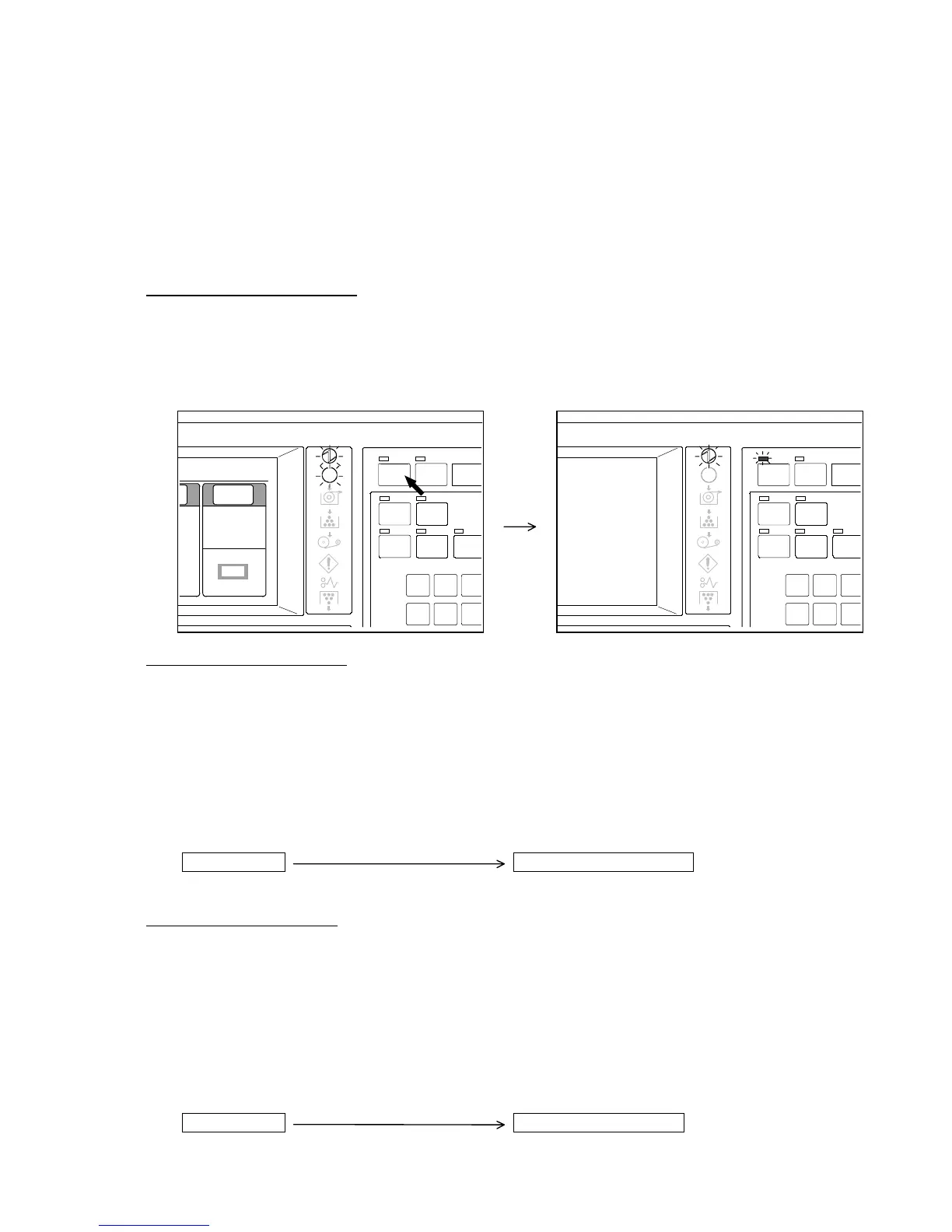
1. Manual Power Save Mode
Power Save is worked not automatically but manually in this mode.
If you push the Power Save Key, LCD and all LED lamps excluding Power Indicator and LED
lamp of Power Save Key are put out so as not to consume the power.
Note that the printer consumes as much power as usual since it is always ready for copying in
this Power Save Mode.
2. Warm Power Save Mode
If you do no operation for a decided time, the Warm Power Save Mode is worked automatically.
Not only all LED lamps (Power Indicator and LED lamp of Power Save Key are excluded) and
LCD on scanner’s Operation Panel are put out but also the temperature of printer’s Fuser Unit is
fallen to some degree in the Warm Power Save Mode.
It is possible to change the waiting time that is required until the Warm Power Save Mode starts
working from 1 minute to 60 minutes in 1 minute increment. (Service engineer can change it.)
It is also possible to work the Warm Power Save Mode manually if you push the Power Save Key
before the Warm Power Save Mode is worked automatically.
Last operation
Warm Power Save Mode
Decided waiting time
3. Cold Power Save Mode
If you do no operation for a decided time, the Cold Power Save Mode is worked automatically.
Not only all LED lamps (Power Indicator and LED lamp of Power Save Key are excluded) and
LCD on scanner’s Operation Panel are put out but also it is stopped to supply the power to
printer’s Fuser Unit in the Cold Power Save Mode.
It is possible to change the waiting time that is required until the Cold Power Save Mode starts
working from 1 minute to 60 minutes in 1 minute increment. (Service engineer can change it.)
It is also possible to work the Cold Power Save Mode manually if you push the Power Save Key
before the Cold Power Save Mode is worked automatically.
Last operation
Cold Power Save Mode
Decided waiting time
POWER
INTE RRUPT
RESE T
SET COPY
AUTO ZOOM
CONCURRENT
AUTO P APER
ROTA TE
4
7
5
8
6
9
PRINT
SAVE
POWER
INTE RRUPT
RESE T
SET COPY
AUTO ZOOM
CONCURRENT
AUTO P APER
ROTA TE
4
7
5
8
6
9
PRINT
SAVE
0%
0%
001
Image
Quali ty
Line
Background
[Threshold]
Auto



 To Next Page