A75UM3EO (Ver. E.2)
3-173
3.11 Reference Screen
[Function]
The Reference Screen indicates “Count” and “Job Count”.
Count : When the printer is printing out certain Copy Job at present, the Copy Count decided
for it is indicated.
And it is also indicated which copy of it is now on printing.
Job count : It is indicated how many Copy Jobs exist in the memory including the one now on
printing.
(If you scan the original, its image data is stored in the memory as one Copy Job.
Since it is possible to scan originals successively even if the printer is printing out the
former job, several jobs can exist in the memory at one time.)
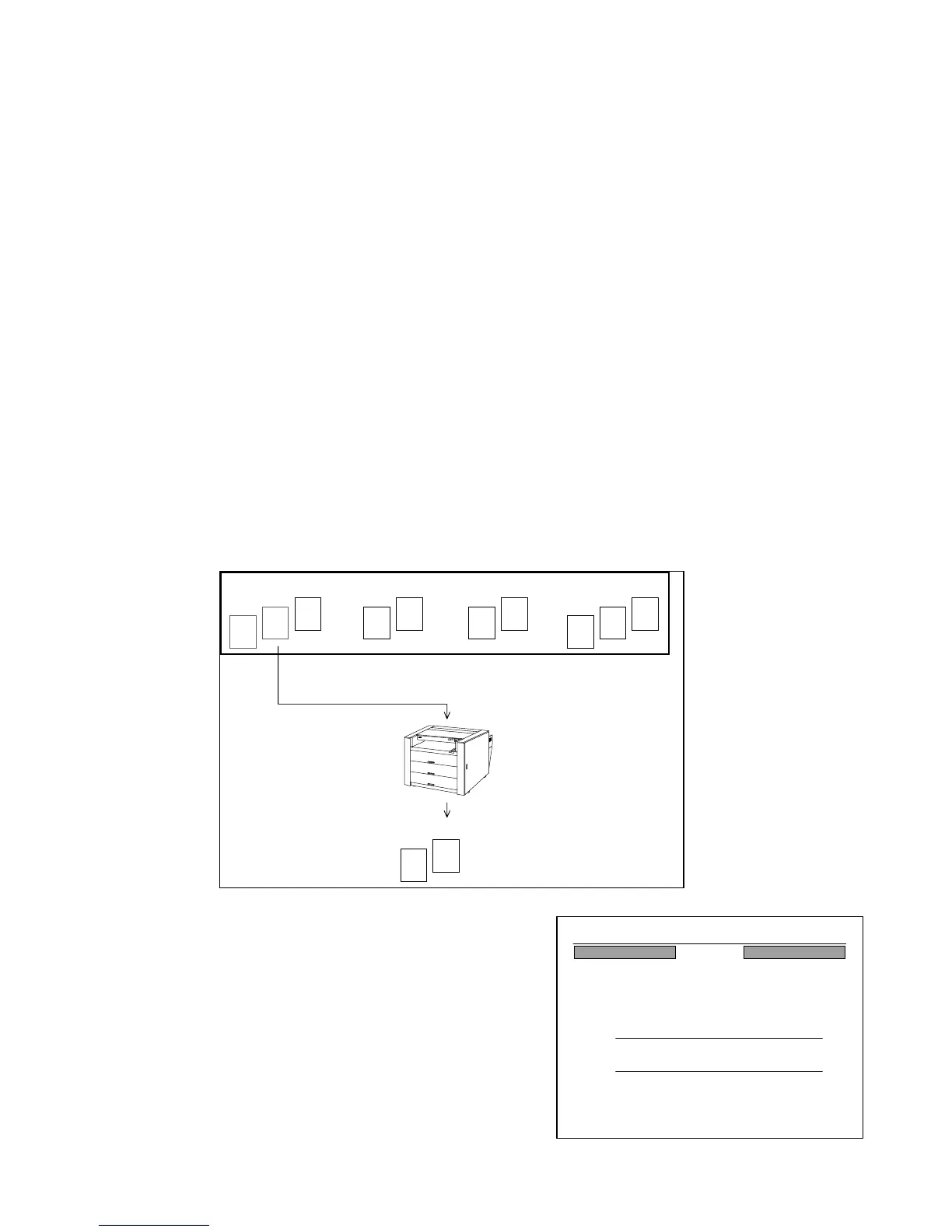
[Example of indication]
You have scanned 4 originals in the order as A, B, C and D.
Therefore, 4 Copy Jobs exist in the memory.
And you have decided the Copy Count as follows.
Original A : 3 sheets Original C : 2 sheets
Original B : 2 sheets Original D : 3 sheets
Supposing that the printer has printed out 2 copies of the Copy Job A and is printing the rest of
1 copy at present.
If you open the Reference Screen at this time, it
indicates as the right figure.
“3 Count” means the Copy Count decided for the Copy
Job A is “3 sheets”, and “: 3” means 3rd copy of it is now
on printing.
“Job Count : 4” means the memory has 4 Copy Jobs at
present including the one on printing.
Copy Job A
(On printing)
Memory
Copy Job B
(Waiting)
A
A
A
B
B
C
C
Copy Job C
(Waiting)
Copy Job D
(Waiting)
D
D
D
A
A
24%
001
Reference
3 Count
JOB Count
:3
:4



 To Next Page