A75UM3EO (Ver. E.2)
3-174
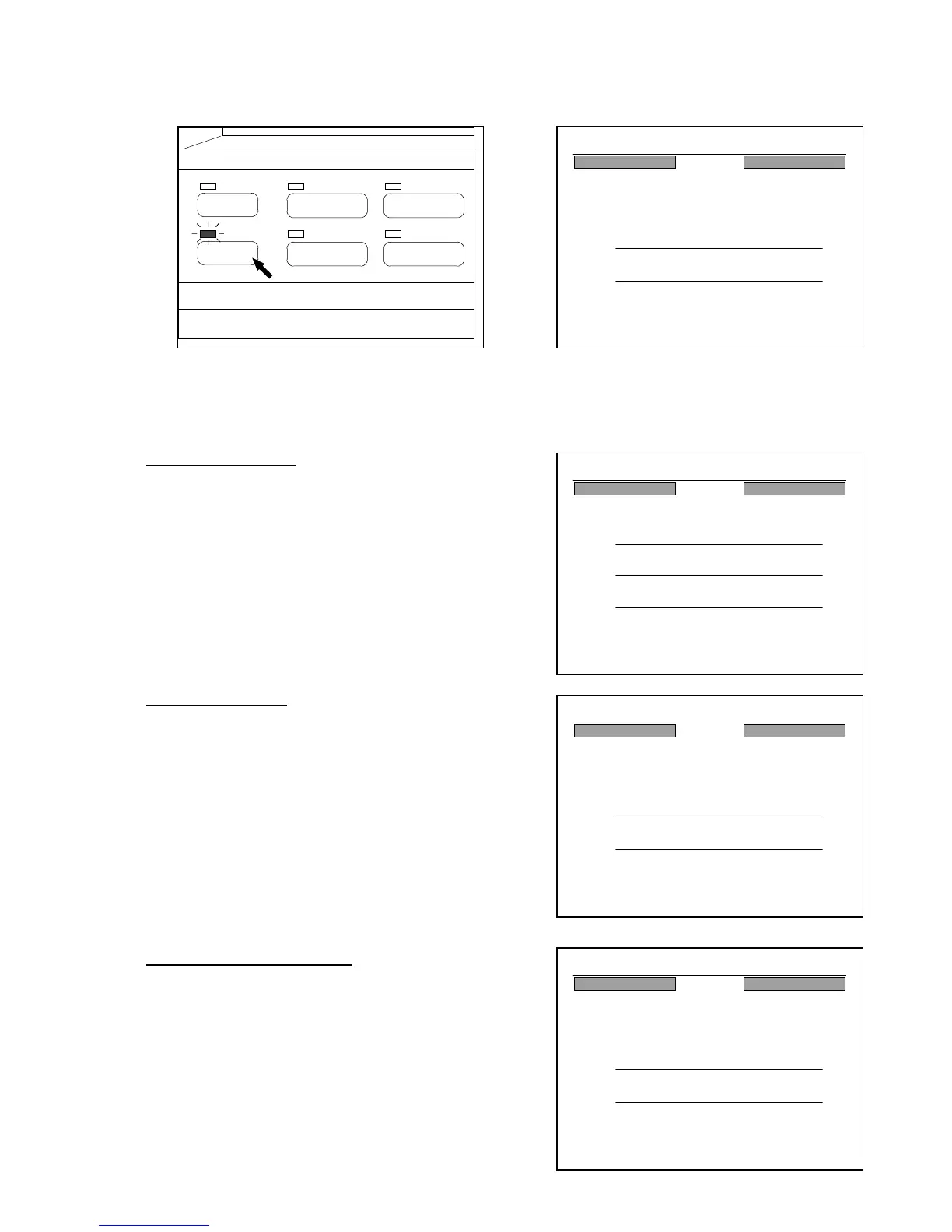
[How to indicate the Reference Screen]
Push the Reference Key to indicate the Reference Screen on the LCD.
The LED lamp of the Reference Key lights up.
(Reference Key) (Reference Screen)
[Several indications]
In the Interrupt Mode
The Reference Screen indicates the Copy Count
decided for the interrupting Copy Job, and which copy
of it is now on printing
In the Sample Copy
The Reference Screen indicates “Sample Copy” when
the sample copy is done.
In the Concurrent Print Mode
The Reference Screen indicates “Concurrent Print”
when the copy is printed out in the Concurrent Print
Mode.
PAPER
FUNCTION
BASIC SCREEN
MODE MEMORY
MENU
REFERENCE
24%
001
Reference
3 Count
JOB Count
:3
:4
34%
001
Reference
3 Count
JOB Count
:3
:4
5 Count : 3
Interrupt
0%
001
Reference
JOB Count
:0
Sample Copy
47%
001
Reference
JOB Count
:1
Concurrent Print



 To Next Page