A75UM2E1 (Ver. E.2)
2-6
2.4 Setting the Original to the Scanner
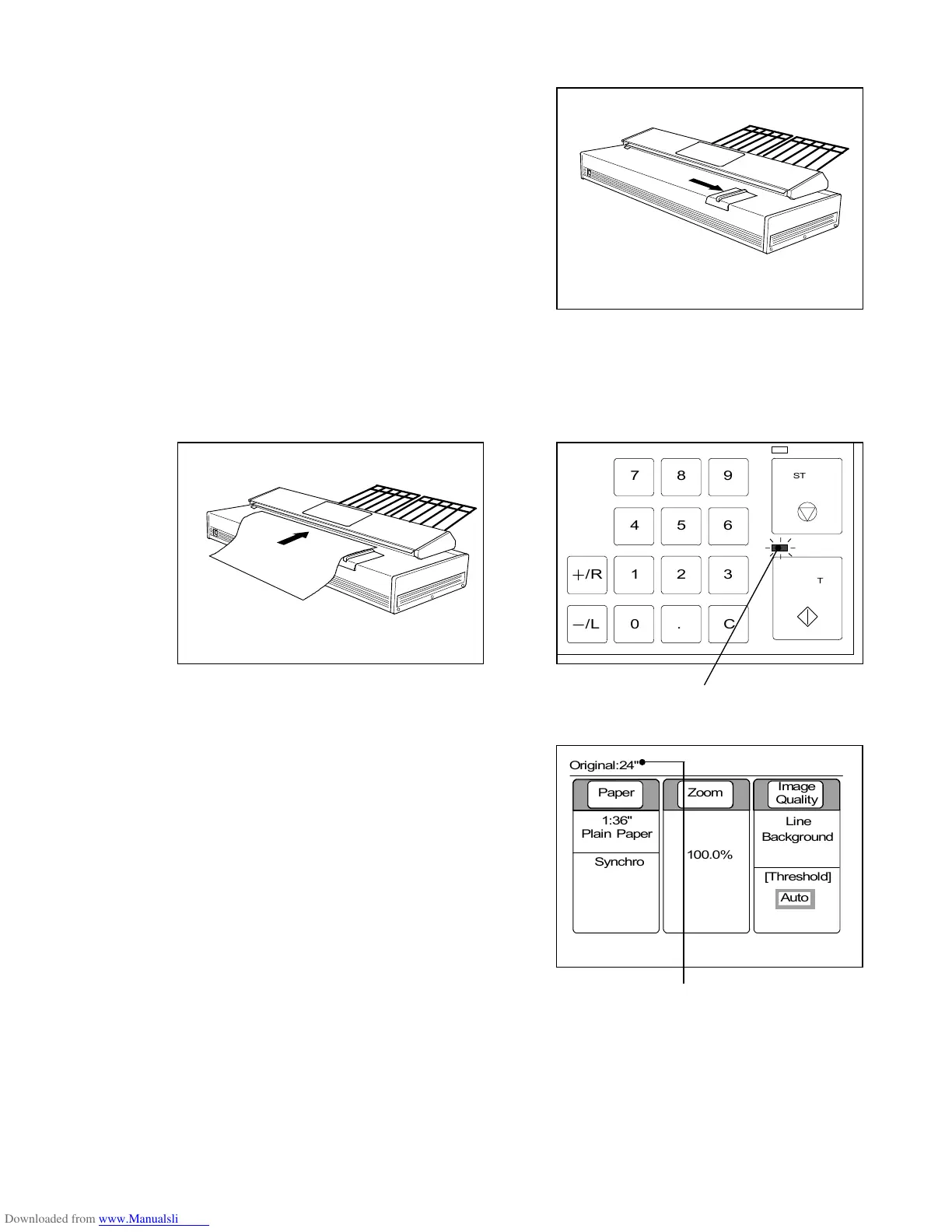
1) There are marking lines for original size on the
Original Table.
Move the Original Guide to the required size mark
according to the width of scanned original.
2) Push in the original with face down under the Upper Unit along the Original Guide until the leading
edge touches the Original Feeding Roller.
The original is a little carried to the leading edge side, and then is stopped.
The LED lamp of the Start Key lights up with green.
LED lamp of Start Key
3) LCD indicates the size of inserted original.
Size of original
0%
001



 To Next Page