A75UM3E4 (Ver. E.2)
3-17
3.3.3 Cut Modes
It is possible to select either Synchro Cut or Standard Cut in the Paper Setting Screen.
These Cut Modes are effective only in the roll media feeding.
A. Synchro Cut
[Function]
Roll media is cut as long as the Output Image Length.
Synchro Cut is suitable when the original is not standard sized.
It is also suitable when the selected zoom ratio is not Standard Zoom Ratios.
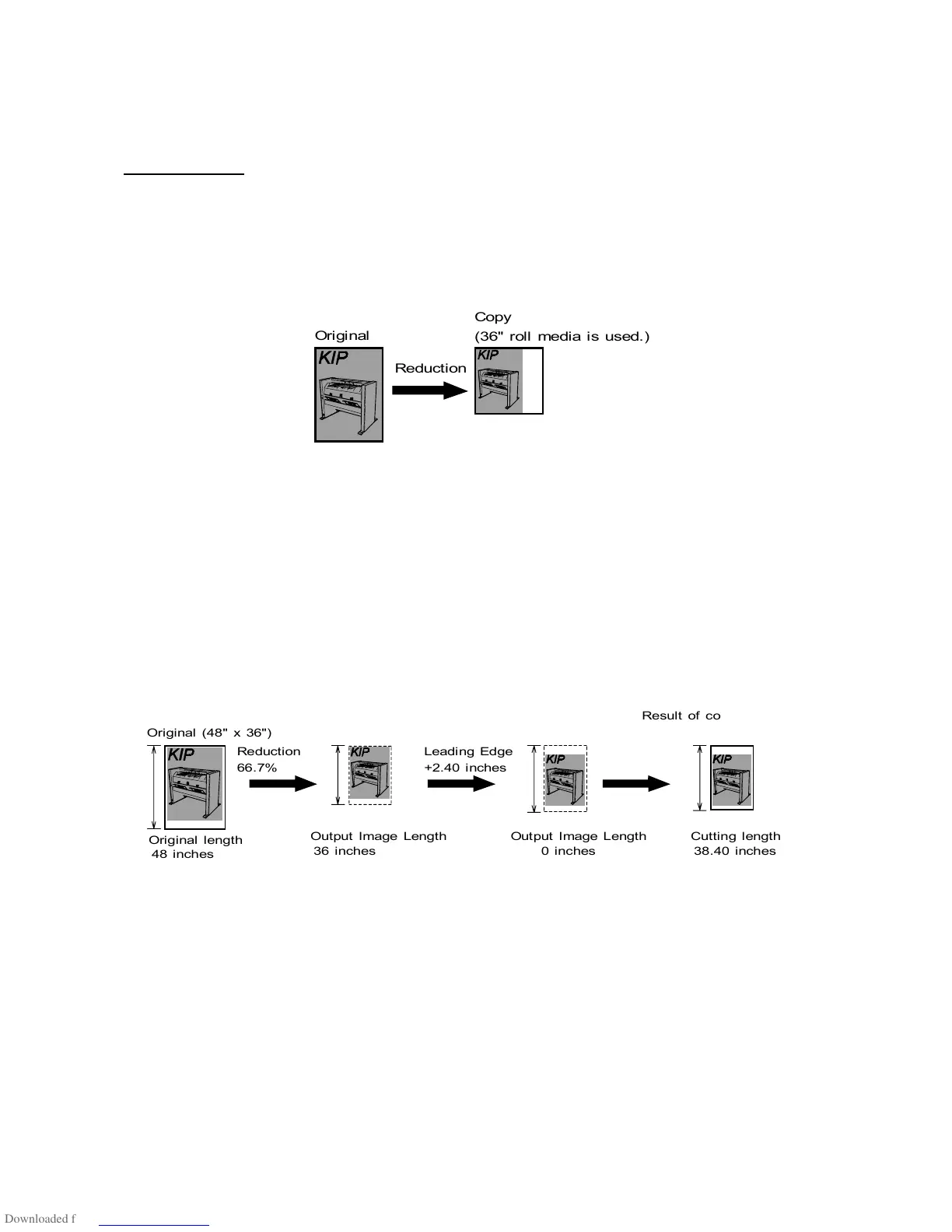
[Reference : Output Image Length]
Scanner reads all images (including white area) of the original as the copying object.
This copying object is reduced or enlarged according to the zoom setting, provided with
leading/trailing margin (or leading/trailing image is deleted), and then outputted to the printer as the
Output Image.
Output Image Length means the vertical length (feeding direction) of Output Image.
If you copy 48” x 36” original with 66.7% zoom ratio and Leading Edge +2.40 inches, for example, the
roll media is cut in 38.40 inches long because the Output Image Length is 38.40 inches.



 To Next Page